Athens – Aegina island

Getting there

Getting to the island on ferries is easy. The route is running by multiple ferries companies. Simply reach the centre of the port in Piraeus, then you will see four, five tickets offices in front of the ferries.

Piraeus Port

When buying the tickets, the officers may give you the names of ferries in Greek which is written on the tail. 

Aegina

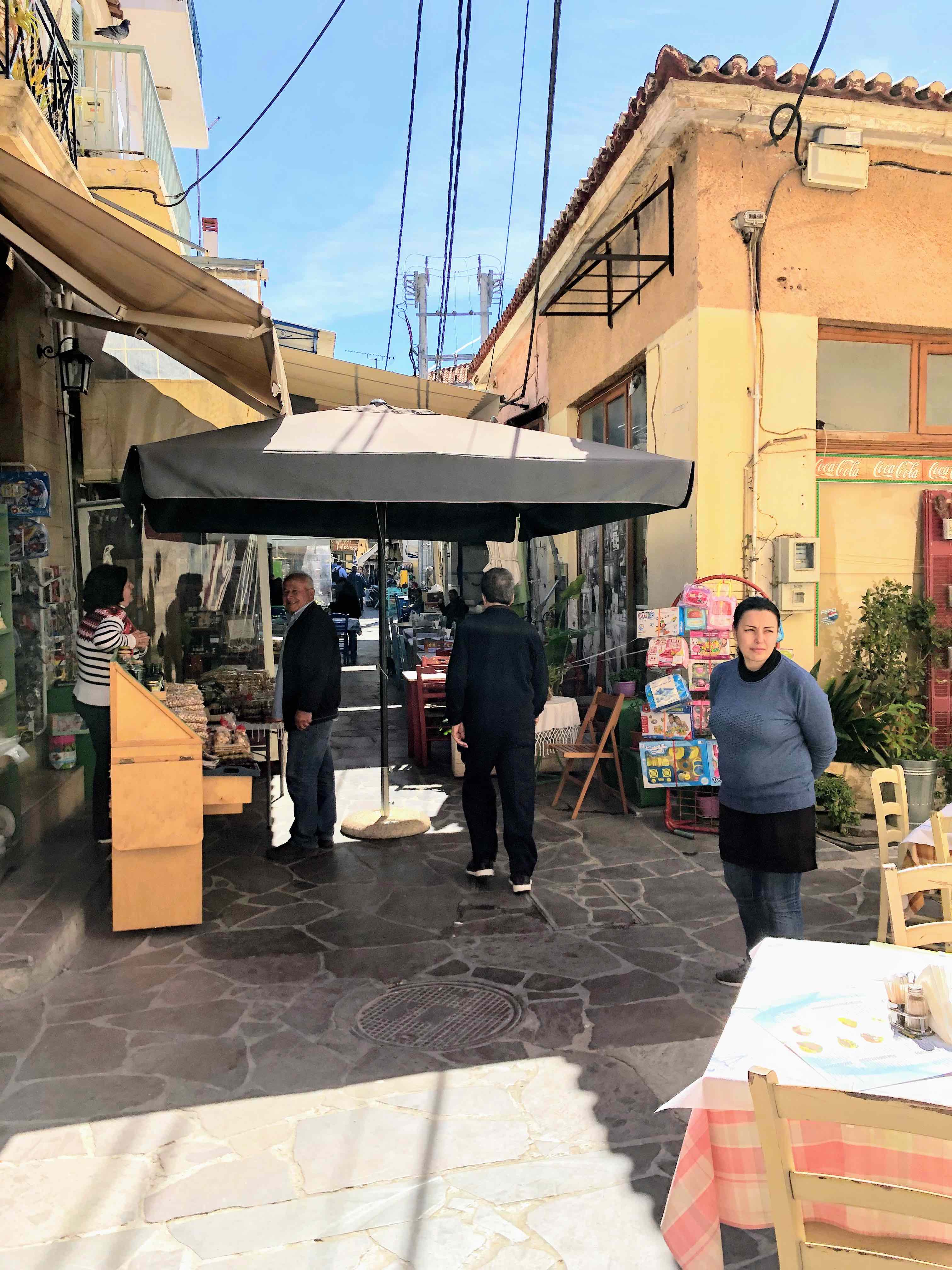
Aegina offers few famous touristic attractions, such as Temple of Apollo, Temple of Aphaia, and Cathedral of Saint Nectarios. Besides the architecture, nuts are famously grown locally, especially pistachios. A market is located in the traditional Greek town centre. Colourful buildings and scooters are seen in narrow alleys. Had I travelled here in the tourism season which according to my guide is June and July, the streets would have been filled with vendors and too crowded to pass through smoothly.
IMG_3663

Waiters from restaurants kindly greet customers and vendors offer various types of nuts products to taste. Shamely, I did not take a photo of an interior view in a shop. It was hard to imagine that numerous nuts products were presented systematically. Colours from all kinds of nuts gave the shop a fascinating look.

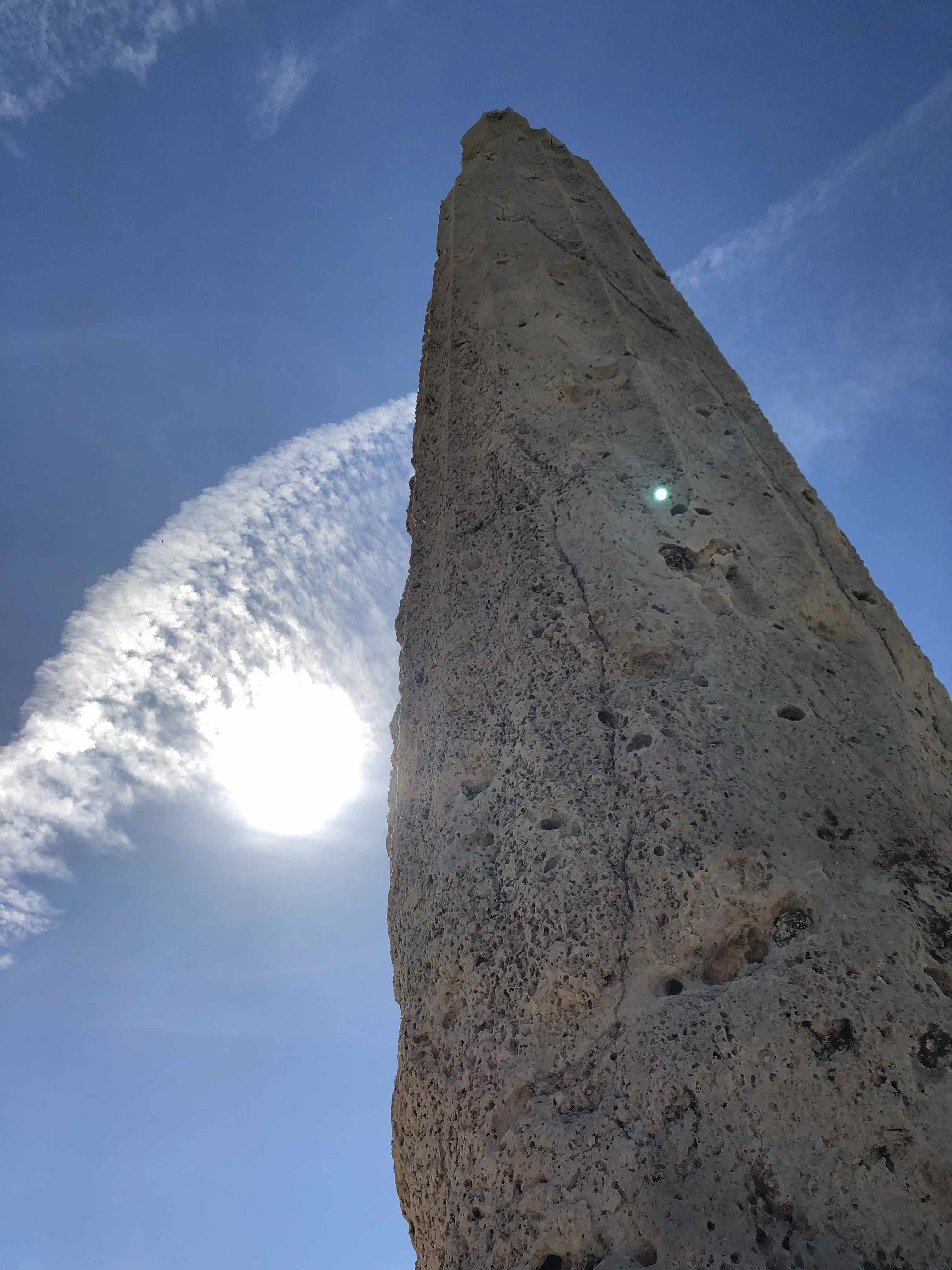
The island itself is not small enough to walk from one side to another. The major transportation is either cars or scooters that can be rented in the centre. There are also quite a lot of taxi drivers waiting at the port. However, we decided to travel on foot and reached the first destination in about ten minutes. It was Temple of Apollo which was very destructed, therefore, only a single pillar and foundation are kept to date. Yet by standing near the pillar, I viewed up towards the sky and the Sun stood aside the pillar as if Apollo was commanding the world. Was there an Apollo statue? Yes, Temple of Apollo had a statue which is now stored in a museum of Ancient Agora.
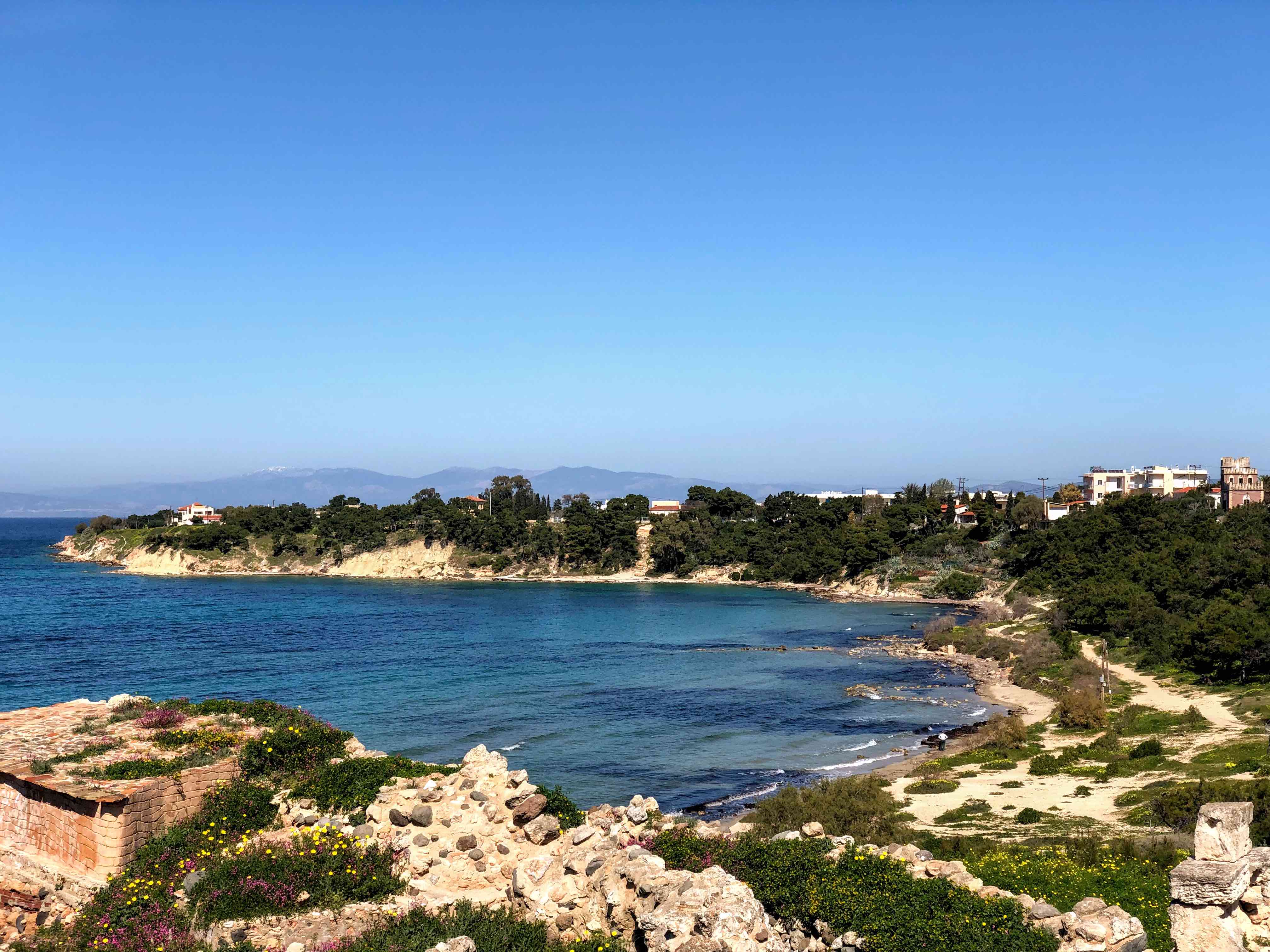
A next stop was Saint Nectarios Cathedral. Wikipedia On the way, there were two churches, one is white and the other is called Beautiful Church, chicken fields. It takes about 50 mins from the centre to Nicolas monastery. The public buses are running in four routes on the island whose first stop is by the town square. Schedules of buses are very infrequent, therefore, only three times in afternoons and one time in mornings. Make sure to check their website for the stops and timetables. At bus stops, there are no signs but some benches and brick rooftops. Better check with locals who are generous to help.

Due to the time constraint, we did not manage to go to the other two islands: Poros and Idra. It would have been better if we had another exit day or two to stay on these islands as it is quite far from Piraeus. Idra is favored by Princess Diana. The locals use donkeys as their transportation. Next time, I will definitely visit Idra where beautiful architecture meets the sea.
Athens Adventure

Greece has always had a special place in my heart. I love Greek mythology ever since I started to play Age of Mythology. Also, I am fascinated by movies and stories about Greek heroes. Where I firstly acquired a proper knowledge of Greek mythology was lectures taught with Odyssey and Iliad. Even though the language in the books was difficult, I did not lose my interest. Last year, I had found out the budget airline Scoot had introduced a direct flight route from Singapore to Athens. Its price was really attractive, however, I decided to book my flights with its parent company Singapore Airline. In this way, I could get a relatively cheap price with meals and baggage included as one of the legs was operated by Scoot.

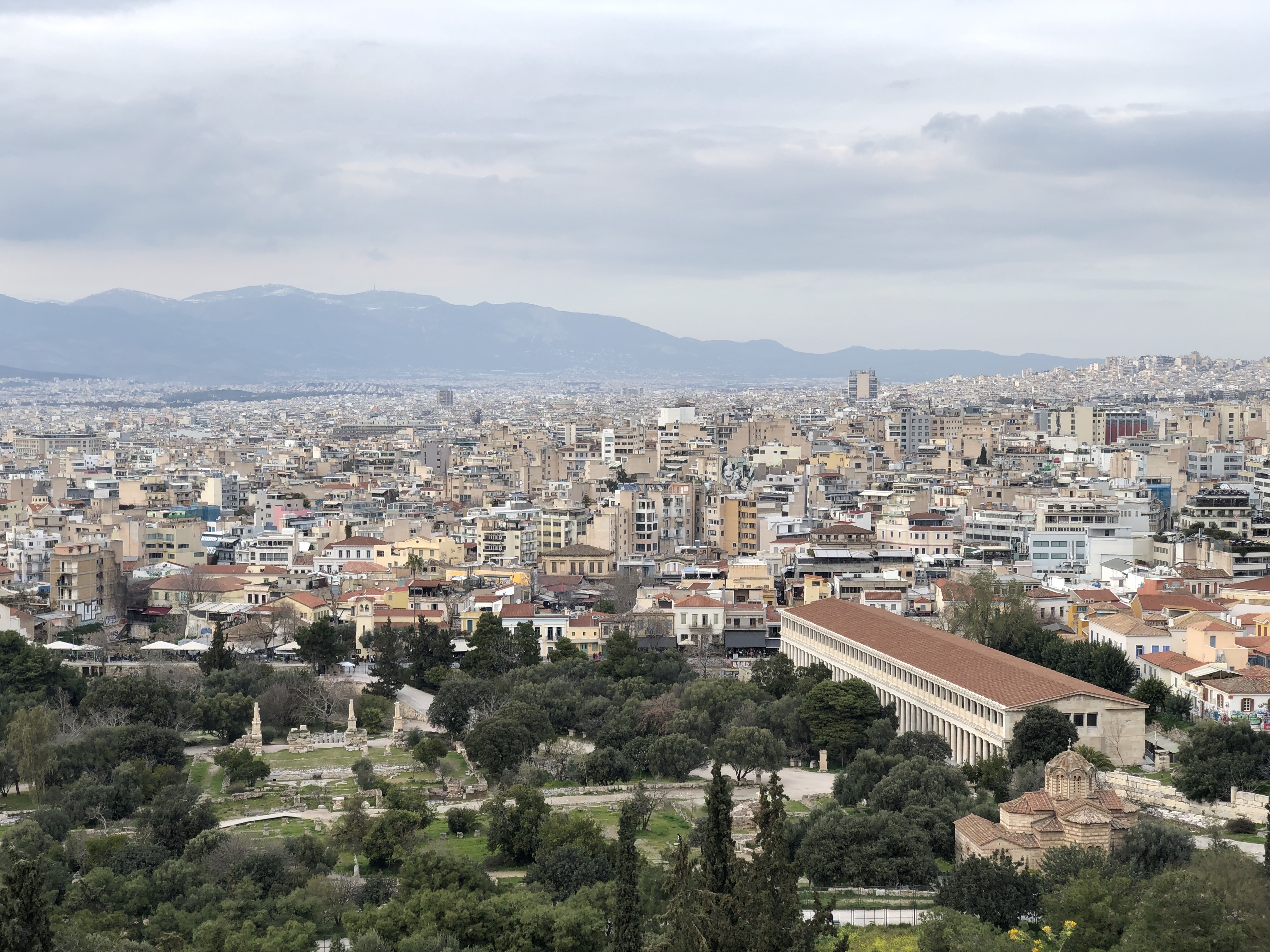
What is the first thing to do in Athens? Visiting historical sites is what the majority of tourists will do in the first place. Most of the historical sites are very accessible by Metro or on foot as the place I lived was about 2km from Acropolis. Roads in Athens are not pedestrians-friendly. Sometimes, there is no sidewalk or the sidewalk is extremely narrow. The terrain there is not flat at all as numerous hills straggle over the city. Be sure to bring your student ID card as you can get a fair discount in most places and if you are a European student, then it may be free! On certain days entrance fees may be waived; i.e. the first Sunday in a month. See ticket prices here

To be honest, I did not do any homework before the trip began. I happened to have a greek friend who was willing me to show me around and give advice about where to find authentic Greek food! One of the restaurants I’ve been to was Simply Homemade, an authentic Greek restaurant with cheap prices. It is located in Glyfada which is about an hour from Athens, however, it is reachable by trams or metro departed from Athens.

Parthenon

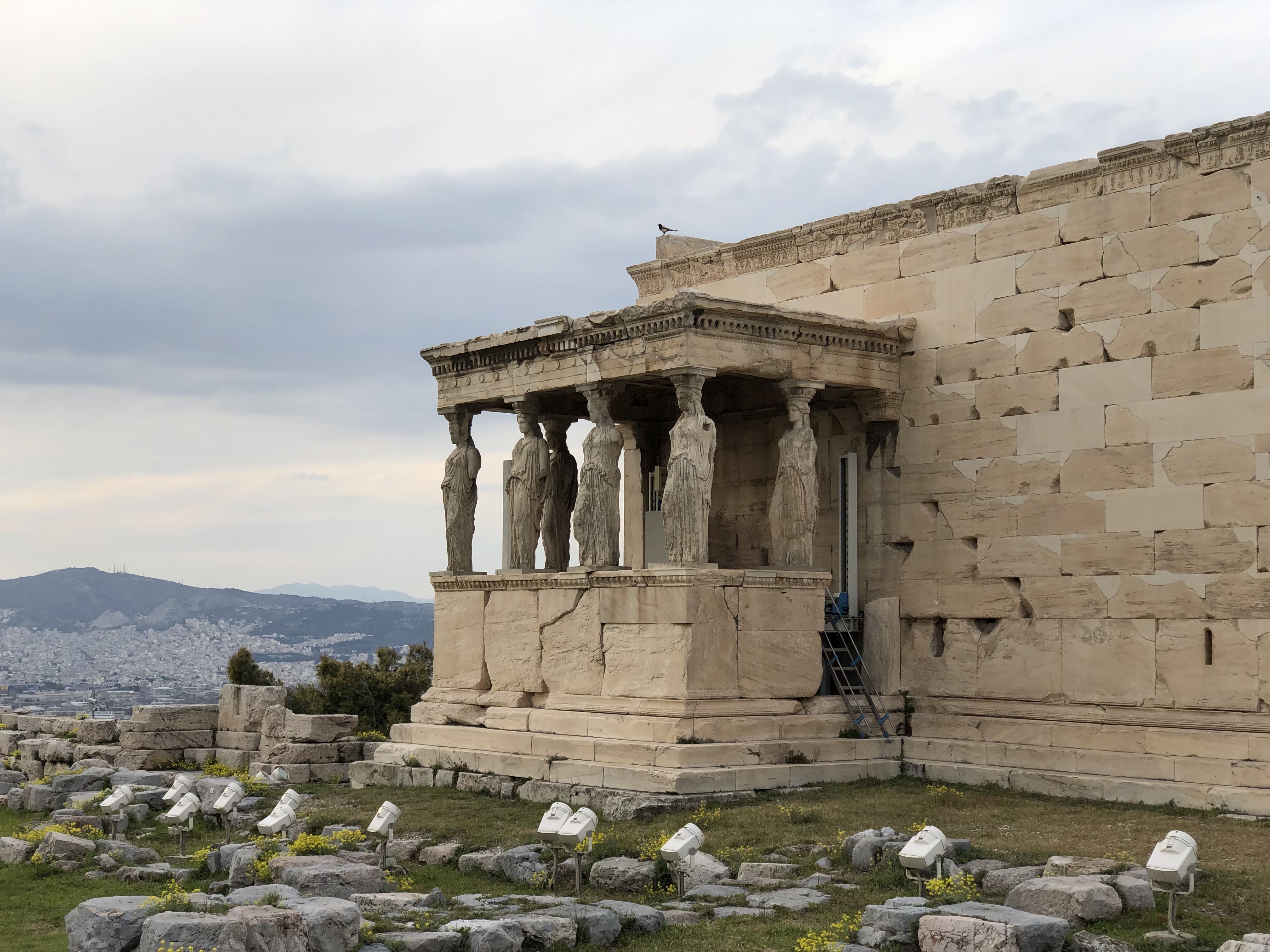
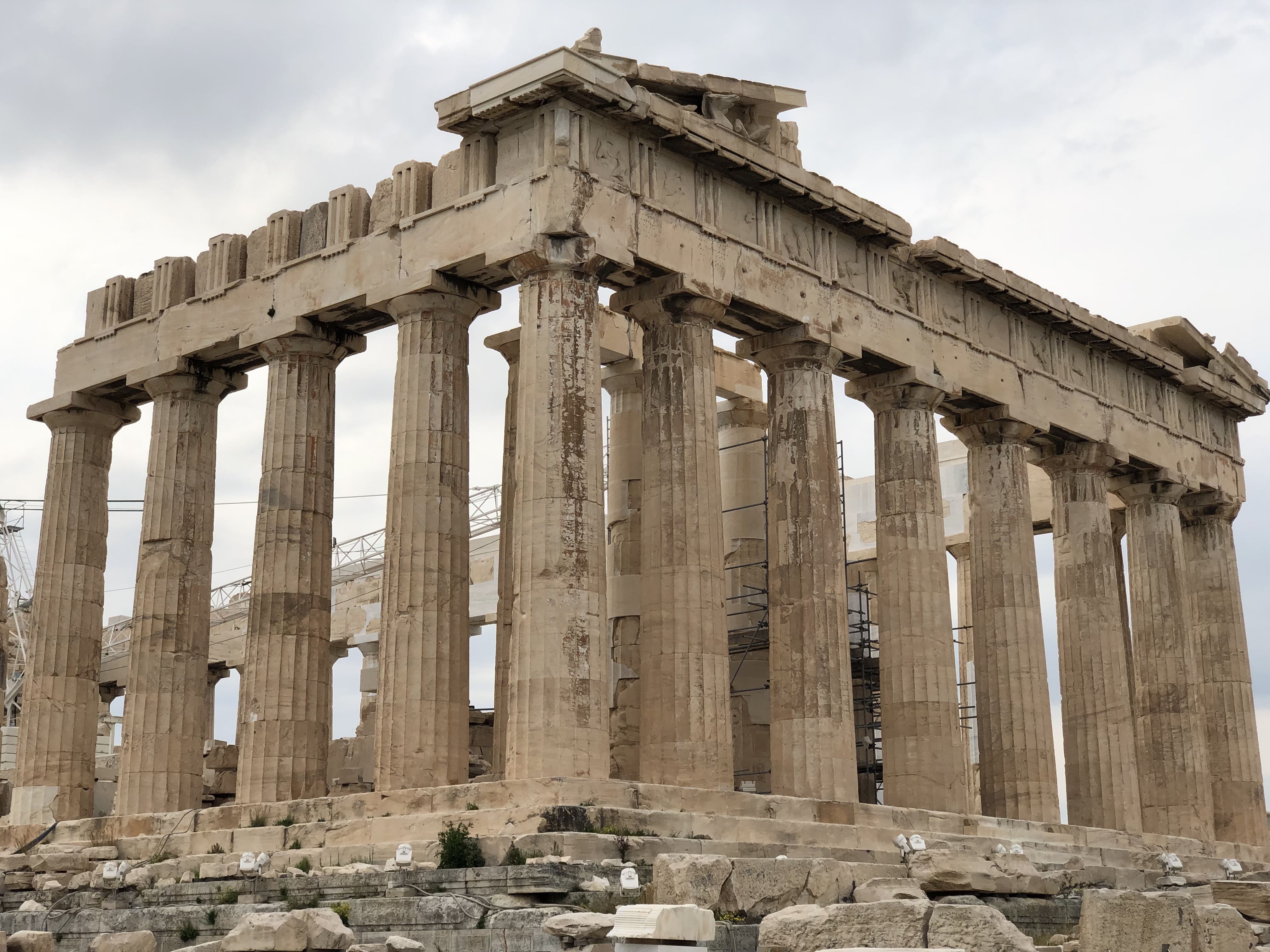
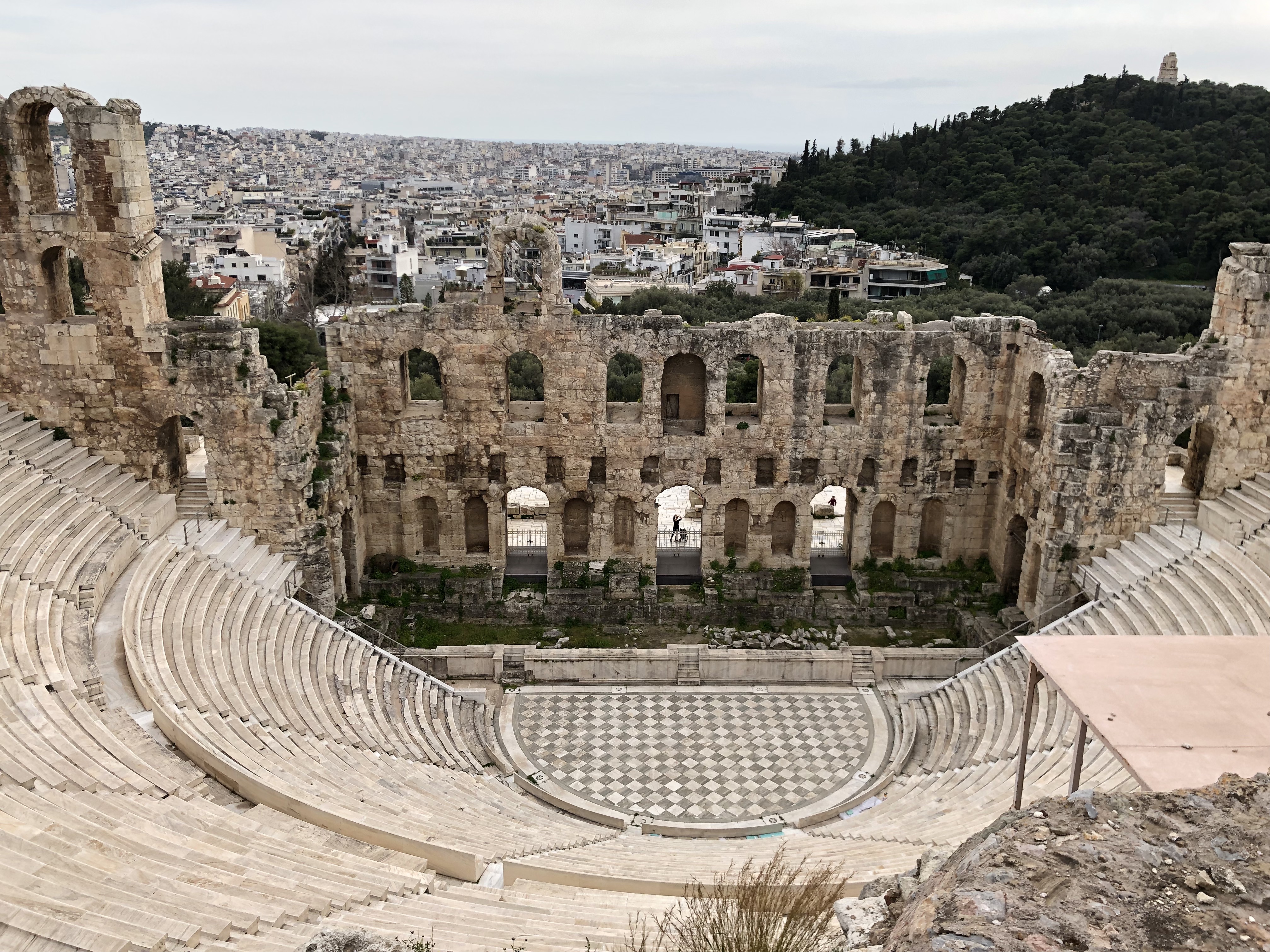
Built in the 5th century BC, a temple of Athena, a daughter of Zeus, was standing atop a hill located in the heart of Athens, Acropolis. Parthenon had been through thousands of years of destruction and transformation. It was originally a place where athenian citizen worshipped Athena. In the later centuries, Parthenon had been transformed into a church, a mosque, and even a Turkish military garrison. In an unfortunate event, Turkish blew up the gun powder stored in the temple, causing the major structural destruction and leaving the remains for today. Not only was it suffered from wars but also from plunders. A British ambassador was on a mission with some scholars, who transported tons of stone slabs and parts of pediments back to the UK. One of the transport ships was sunk by storms not far from its departure from Greece.

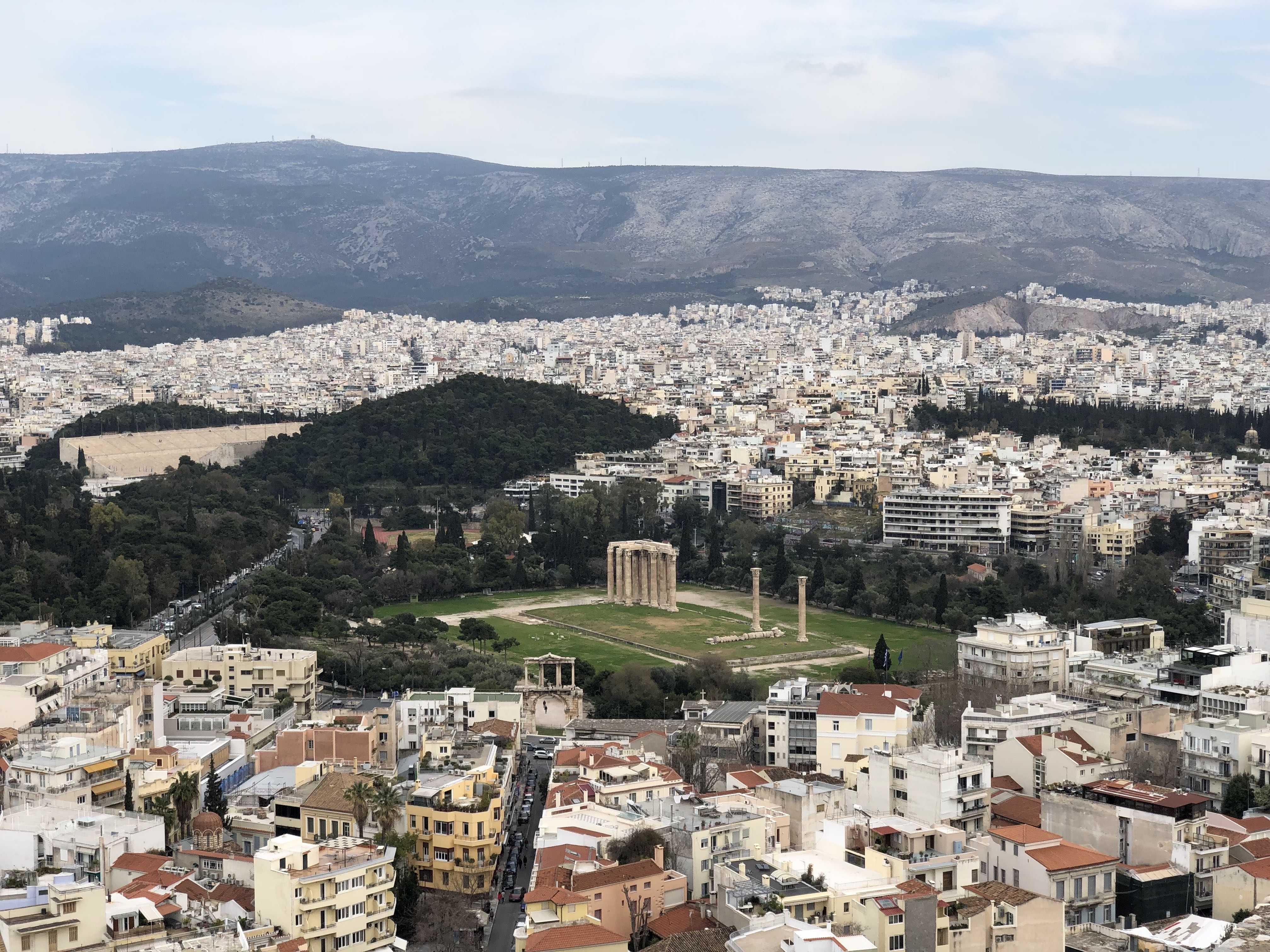
Nowadays, Acropolis is a spectacular artwork circled by thousands of white walls and red roofs apartments and is shiny at night as hundreds of spotlights light it up. It seems Athena was standing in Acropolis and guarding the whole city with her indestructible golden shield and spear.

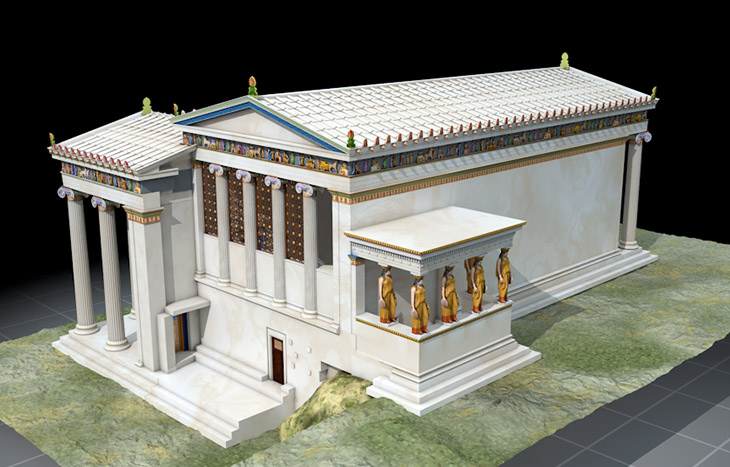
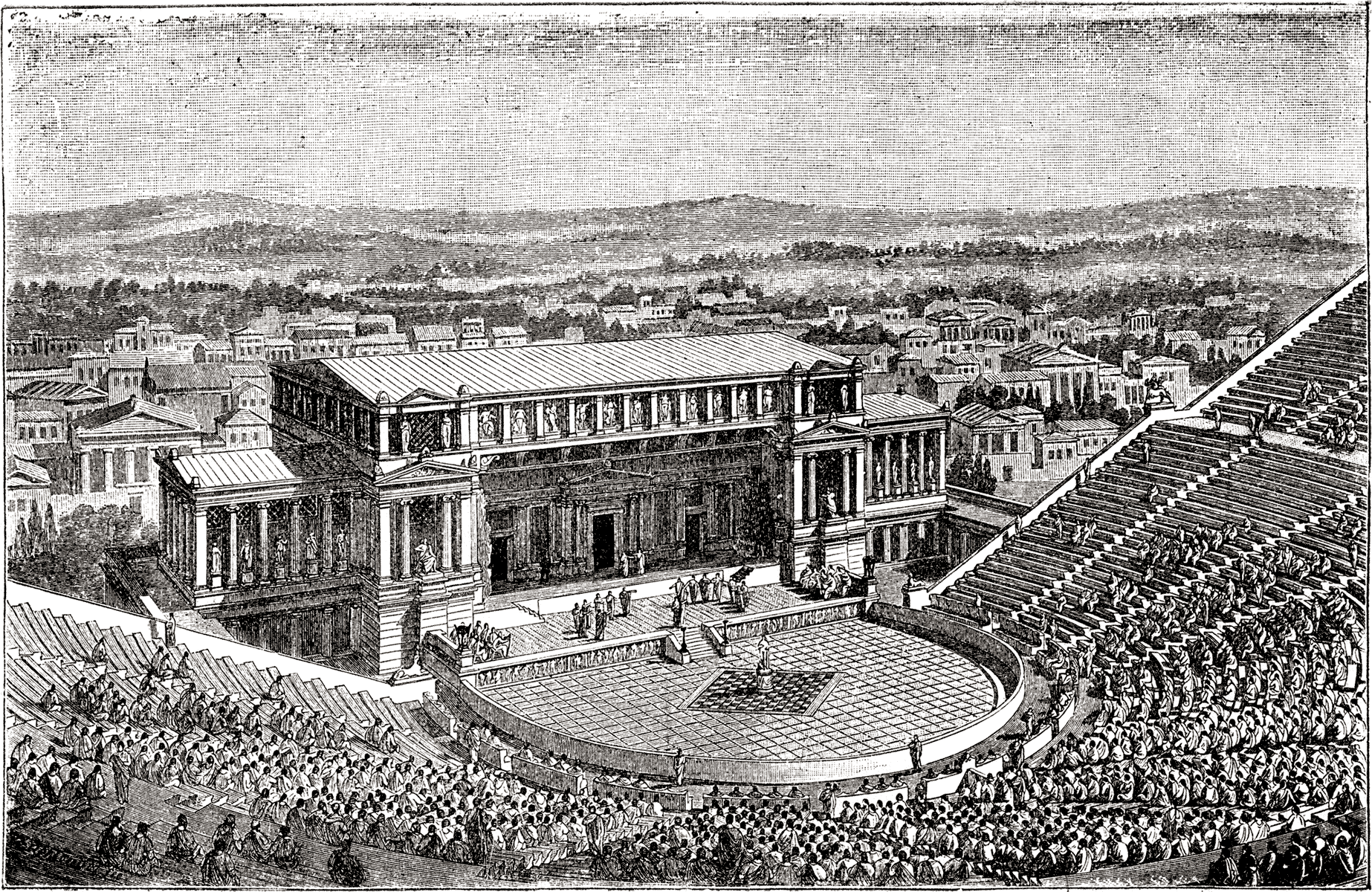
Ever wondering the original looks for these ancient ruins?

Plaka

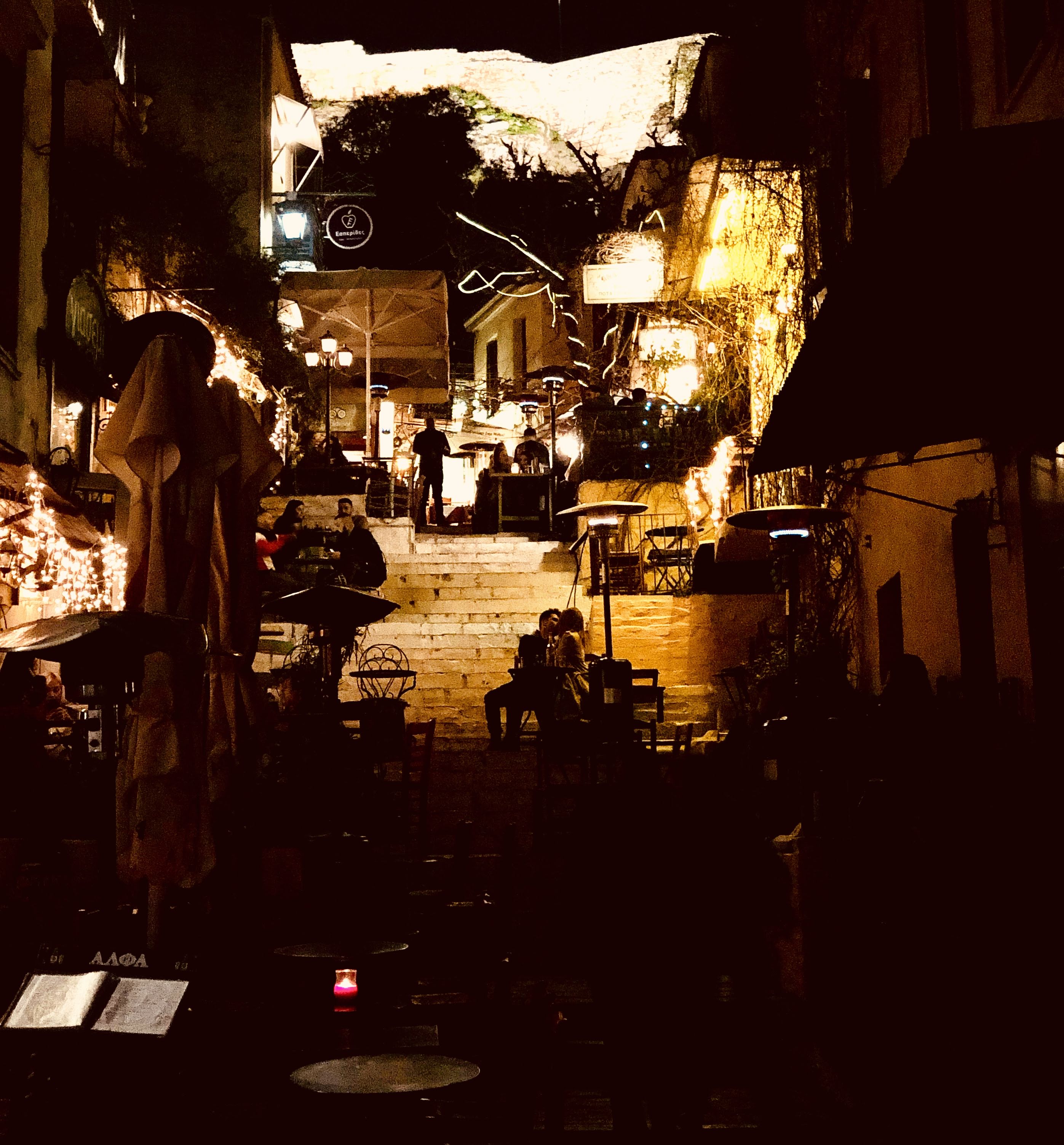
Plaka is a tiny and distinctive district adjoining Acropolis which consists of cobblestones alleys and typical European restaurants and taverns. The architecture style presents a unique greek island feel where small light-colored buildings with tiny balconies are the majority. Walking in the area is soothing and gives much pleasure. At night, the shiny decoration makes the night so bright that you do not feel a tiny bit of tiredness. With the view to Acropolis, tasting various flavorful gourmet is a luxurious experience.

Shops in Plaka mainly sell souvenirs. However, souvenirs here are not the usual low quality products. There are more hand-crafted accessories, wooden decorations, and exquisite antiques.

Through Plaka there is Monastiraki where a flea market is located. Despite its name, it is not really a flea market, but is more like shops selling various kinds of goods. If you are looking for typical European-branded clothes shopping, there is a long shopping street connected to the Monastiraki square.

In the next post, we will go to Aegina, an island which is famous for its pistachio.

How to solve tiller is unable to connect localhost:8080 in Helm

If you are facing issue when running helm ls, helm install (no resources found)…

Solution 1

when install helm (2.8.2)

kubectl create serviceaccount --namespace kube-system tiller

/* solve configmaps is forbidden: User "system:serviceaccount:kube-system:tiller" cannot list configmaps in the namespace "kube-system" */

kubectl create clusterrolebinding tiller-cluster-rule --clusterrole=cluster-admin --serviceaccount=kube-system:tiller

helm init --service-account tiller

Solution 2

set the automountServiceAccountToken to true (It seems to be fixed in v2.9?)

kubectl -n kube-system patch deployment tiller-deploy -p '{"spec": {"template": {"spec": {"automountServiceAccountToken": true}}}}'


How to use Terraform with Nectar For Beginner

What is Nectar?

Nectar is a cloud platform built on top of OpenStack. Nectar is used to support Australian researchers.

What is Terraform?

Terraform is a tool of Infrastructure-As-Code (IAC). By using it, we write codes in HCL language to provision VMs in automation manner. Other tools of IAC are Ansible, Chef, Puppet, etc. It provides us great maintainability and reduces the security flaws if a same procedure has to be done again and again to build and configure VMs.

Terraform’s file extension is *.tf.  In this tutorial, we will create three files:

  • variables.tf
    • Variables such as account credentials, login url, etc, are all declared here.
  • providers.tf
    • Terraform is built on modules. We need to let it know which module we will use.
  • deploy.tf
    • Configuration of VMs lies here.

Get Started

Install Terraform
brew install terraform
Account Credentials

Once log in Nectar, reset your password in order to access OpenStack in SSH. The credentials you log in Dashboard with is not the one for SSH.

Download the OpenStack RC file which is used to set environment variables on client-side.

Create your keypair

Variables.tf

Now that credentials are obtained, we can start putting them into the file.

variable "openstack_user_name" {
 description = "The username for the Tenant."
 default = "your account name : email"
}

variable "openstack_tenant_id" {
 description = "The id of the Tenant."
 default = "your project id"
}

variable "openstack_tenant_name" {
 description = "The name of the Tenant."
 default = "your project name"
}

variable "openstack_password" {
 description = "The password for the Tenant."
 default = "your password"
}

variable "openstack_auth_url" {
 description = "The endpoint url to connect to OpenStack."
 default = "https://keystone.rc.nectar.org.au:5000/v3/"
}

variable "openstack_keypair" {
 description = "The keypair to be used."
 default = "your-keypair"
}

variable "tenant_network" {
 description = "The network to be used."
 default = "Classic Provider"
}

We are using auth v3, therefore, Tenant name/ID is replaced by Project name/ID.

Providers.tf
provider "openstack" {
 user_name = "${var.openstack_user_name}"
 tenant_id = "${var.openstack_tenant_id}"
 tenant_name = "${var.openstack_tenant_name}"
 password = "${var.openstack_password}"
 auth_url = "${var.openstack_auth_url}"
}
Deploy.tf

We provision 2 instances. In OpenStack, the type of machine is called flavor and its ID can be found in the dashboard, so can the image (Operation System).

variable "count" {
 default = 2
}

resource "openstack_compute_instance_v2" "web" {
 count = "${var.count}"
 name = "${format("web-%02d", count.index+1)}"
 image_id = "d87a2d42-6a90-4d7d-918c-988e9ab13b56"
 availability_zone = "melbourne"
 flavor_id = "639b8b2a-a5a6-4aa2-8592-ca765ee7af63"
 key_pair = "${var.openstack_keypair}"
 security_groups = ["default"]
 network {
 name = "${var.tenant_network}"
 }
 user_data = "${file("bootstrapweb.sh")}"
}
Bootstrapweb.sh
#!/bin/bash

yum install -y httpd
chkconfig --level 345 httpd on

cat <<EOF > /var/www/html/index.html
<html>
<body>
<p>hostname is: $(hostname)</p>
</body>
</html>
EOF
chown -R apache:apache /var/www/html
service httpd start

Now we can tell Terraform to deploy it.
Before actually deploying it, we can preview it.

terraform plan

then apply(deploy) it

terraform apply
Test the instances

The deploy script has a key called user_data. Each instance will invoke this user data where we set up a static web page.

Initialising instances may take some time. Let’s wait…

Once it is done, we navigate to our instance with port 80.

You should able to see “host name is XXXX”

Resources

Wonder what can Terraform do more for OpenStack?

Check Terraform official guide for OpenStack – link

OpenStack is not fully supported by Terraform yet. Some functions may not be working.

Background Location Update in iOS 11

In iOS 11, CoreLocation has some changes including the showsBackgroundLocationIndicator property, a new Info.plist key : NSLocationAlwaysAndWhenInUseUsageDescription.

To suppor iOS 11, there are two keys for location service.

  1. NSLocationWhenInUseUsageDescription
  2. NSLocationAlwaysAndWhenInUseUsageDescription
  3. NSLocationAlwaysUsageDescription (support iOS 10 device or below)

Apple encourages developers to use location service more in foreground than in background, and gives users a clearer understanding of when and how the location service is used.

The arrow indicator of location service

  • stays hollow when device is either monitoring geofences or using significant location service.
  • stays solid when device receives location updates

The mechanism of CL Location Manager has been changed. There are some reports showing that apps can no longer receive background updates. During my testing on iOS 11.2.2, I found out the following scenarios work.

  1. Significant location service work in both foreground, background, and even user kills the App, it will wake up.
  2. Standard location service doesn’t start when the App is in the background. However, if the App also registers significant location service, standard location service is able to start in the background, even the App has been killed manually by users and significant location service launches the App before starting standard location service. (This requires UIBackgroundMode is set with Location Update).
  3. Entering geofences will give the App 10 seconds of execution time. During that time, the App can launch standard location service.
// setting up location manager

locationManager.desiredAccuracy = kCLLocationAccuracyBestForNavigation // accuracy enhanced by sensor data

locationManager.pausesLocationUpdatesAutomatically = false // or true depends on you

locationManager.distanceFilter = 5 // how you want to receive the updates, every 5 meters? In real situation, it may report less than 5 meters!

if #available(iOS 11.0, *) {
    locationManager.showsBackgroundLocationIndicator = true // show users when standard location service is activated, good for debugging.
}

locationManager.allowsBackgroundLocationUpdates = true //  necessary to make standard location service work in background

locationManager.requestAlwaysAuthorization() // request permission

locationManager.startMonitoringSignificantLocationChanges() // crucial to start standard location service in background

// start standard location service when user enters a geofence
func locationManager(_ manager: CLLocationManager, didEnterRegion region: CLRegion) {
locationManager.startUpdatingLocation()
}


I’ve tested the code on iPhone X iOS 11.2.2.
If you want to share test results on other devices, please do so! Thanks!

How to write multiple language code snippets in MkDocs

MkDocs is using markdown to generate documents on static web pages.

Recently, I was working on writing documents for a iOS project. In iOS, I would need to document 2 programming languages: Objective-C & Swift. If I write them in two separate code snippets, that would be very unreadable. So to improve the readability, I decided to put them together by using HTML Tabs.

We will need to use custom configuration to let MkDocs generate those HTML syntax with the javascript and CSS.

In mkdocs.yaml, specify the js and CSS files used for the tabs.

extra_css:
    - styles/tab.css
extra_javascript:
    - custom/tab.js

Javascript: when clicks the tab, it will hide others tab contents.

function openCode(codeName, elmnt, color) {
// Hide all elements with class="tabcontent" by default */
var i, tabcontent, tablinks;
tabcontent = document.getElementsByClassName("tabcontent");
for (i = 0; i &lt; tabcontent.length; i++) {
tabcontent[i].style.display = "none";
}

// Remove the background color of all tablinks/buttons
tablinks = document.getElementsByClassName("tablink");
for (i = 0; i &lt; tablinks.length; i++) {
tablinks[i].style.backgroundColor = "";
tablinks[i].style.color = "black";
}

// Show the specific tabs content
var elements = document.getElementsByClassName(codeName);
for (i = 0; i&lt; elements.length; i++) {
elements[i].style.display = "block";
}

// Add the specific color to the button used to open the tab content
elements = document.getElementsByClassName(elmnt.className);
for (i = 0; i&lt; elements.length; i++) {
elements[i].style.backgroundColor = color;
elements[i].style.color = "white";
}
}

// Get the element with id="defaultOpen" and click on it
if(document.getElementsByClassName("objbutton") !== null){
var elements = document.getElementsByClassName("objbutton");
for (i = 0; i&lt; elements.length; i++) {
elements[i].click();
}
}

CSS: for Tab styling

/* Style the tab buttons */
.tablink {
    color: black;
    float: left;
    border: none;
    outline: none;
    cursor: pointer;
    padding: 12px;
    font-size: 12px;
    width: 100px;
}

/* Change background color of buttons on hover */
.tablink:hover {
    background-color: #777;
}


/* Set default styles for tab content */
.tabcontent {
    color: black;
    display: none;
}

/* Style each tab content individually */ 
#Obj {background-color:white;}
#Swift {background-color:white;}

Then finally in markdown file, we can easily create a multi-language code snippet.

<button class="tablink objbutton" onclick="openCode('obj', this, '#03a9f4')" markdown="1">Objective-C</button> 
<button class="tablink swiftbutton" onclick="openCode('swift', this, '#03a9f4')" markdown="1">Swift</button> 


<div class="obj tabcontent"> 
```objectivec 
Your objective-c code goes here.
``` 
</div>


<div class="swift tabcontent"> 
```swift 
Your swift code goes here.
``` 
</div>


In HTML tags, the markdown="1" tells MkDocs do not parse its content so it will be generated as normal HTML syntax.

Here it is how it looks like.

How to create iOS fat dynamic framework

“Fat” means that this framework has many slices. Each slice (machine code) is built for certain architecture. The fat framework we are going to build contains i386 x86_64 armv7 armv7s arm64.

  • armv7 is for iPhone 4s
  • armv7s is for iPhone 5
  • arm64 is for iPhone 6

Firstly we need to create a target for dynamic framework: Cocoa Touch Framework

Secondly we create a new target: External Build System

Go to Build Phases -> Run script

Paste the below code snippet in there


#!/bin/sh
UNIVERSAL_OUTPUTFOLDER=${BUILD_DIR}/${CONFIGURATION}-universal
# make sure the output directory exists
mkdir -p "${UNIVERSAL_OUTPUTFOLDER}"
# Step 1. Build Device and Simulator versions
xcodebuild -target "${PROJECT_NAME}" ONLY_ACTIVE_ARCH=NO -configuration ${CONFIGURATION} -sdk iphoneos BUILD_DIR="${BUILD_DIR}" BUILD_ROOT="${BUILD_ROOT}" clean build
xcodebuild -target "${PROJECT_NAME}" -configuration ${CONFIGURATION} -sdk iphonesimulator ONLY_ACTIVE_ARCH=NO BUILD_DIR="${BUILD_DIR}" BUILD_ROOT="${BUILD_ROOT}" clean build
# Step 2. Copy the framework structure (from iphoneos build) to the universal folder
cp -R "${BUILD_DIR}/${CONFIGURATION}-iphoneos/${PROJECT_NAME}.framework" "${UNIVERSAL_OUTPUTFOLDER}/"
# Step 4. Create universal binary file using lipo and place the combined executable in the copied framework directory
lipo -create -output "${UNIVERSAL_OUTPUTFOLDER}/${PROJECT_NAME}.framework/${PROJECT_NAME}" "${BUILD_DIR}/${CONFIGURATION}-iphonesimulator/${PROJECT_NAME}.framework/${PROJECT_NAME}" "${BUILD_DIR}/${CONFIGURATION}-iphoneos/${PROJECT_NAME}.framework/${PROJECT_NAME}"
# Step 5. Convenience step to copy the framework to desktop directory
ditto "${UNIVERSAL_OUTPUTFOLDER}/${PROJECT_NAME}.framework" "${HOME}/Desktop/${PROJECT_NAME}.framework"

Build it then your fat dynamic framework will be located on your desktop! Before submitting the App to AppStore, you must strip off the simulator slice (i386 x86_64) from the framework

lipo -remove i386 Name.framework/Name -output Path/name

lipo -remove x86_64 Name.framework/Name -output Path/name

Or you can refer to this solution:

http://ikennd.ac/blog/2015/02/stripping-unwanted-architectures-from-dynamic-libraries-in-xcode/


Logitech G213 Prodigy Keyboard

My first mechanical keyboard was CM Storm QuickFire TK. I likes its CHERRY MX RED Switches. Unfortunately, it did not come along with me to Australia. I had to use MacBook’s keyboard for 9 months. Finally, G213 caught my eyes with its shiny LED lights, and very fair price.

G213 supports OS X, its multimedia buttons are functional, including playing iTunes music, lower/raise the volume.

Though, it is not a mechanical keyboard, its keys actually provides a similar feeling as using cherry red switches. Nonetheless, the sound of clicking is not so clear and sharp as cherry red switches.

Its RGB lights are bright, and the keyboard can support multiple colors in 4 zones at once.

For this fair price, 70AUD, it worths purchasing.

GoPro 5 Black is here!

關注於動作攝影機已有兩三年了吧,一直在Sony 與 GoPro之間遊蕩。為了即將開始的Road Trip,有恰當的理由可以入手了!可以錄起我最愛的運動:衝浪,滑板,滑雪,潛水!

IMG_8816.JPG
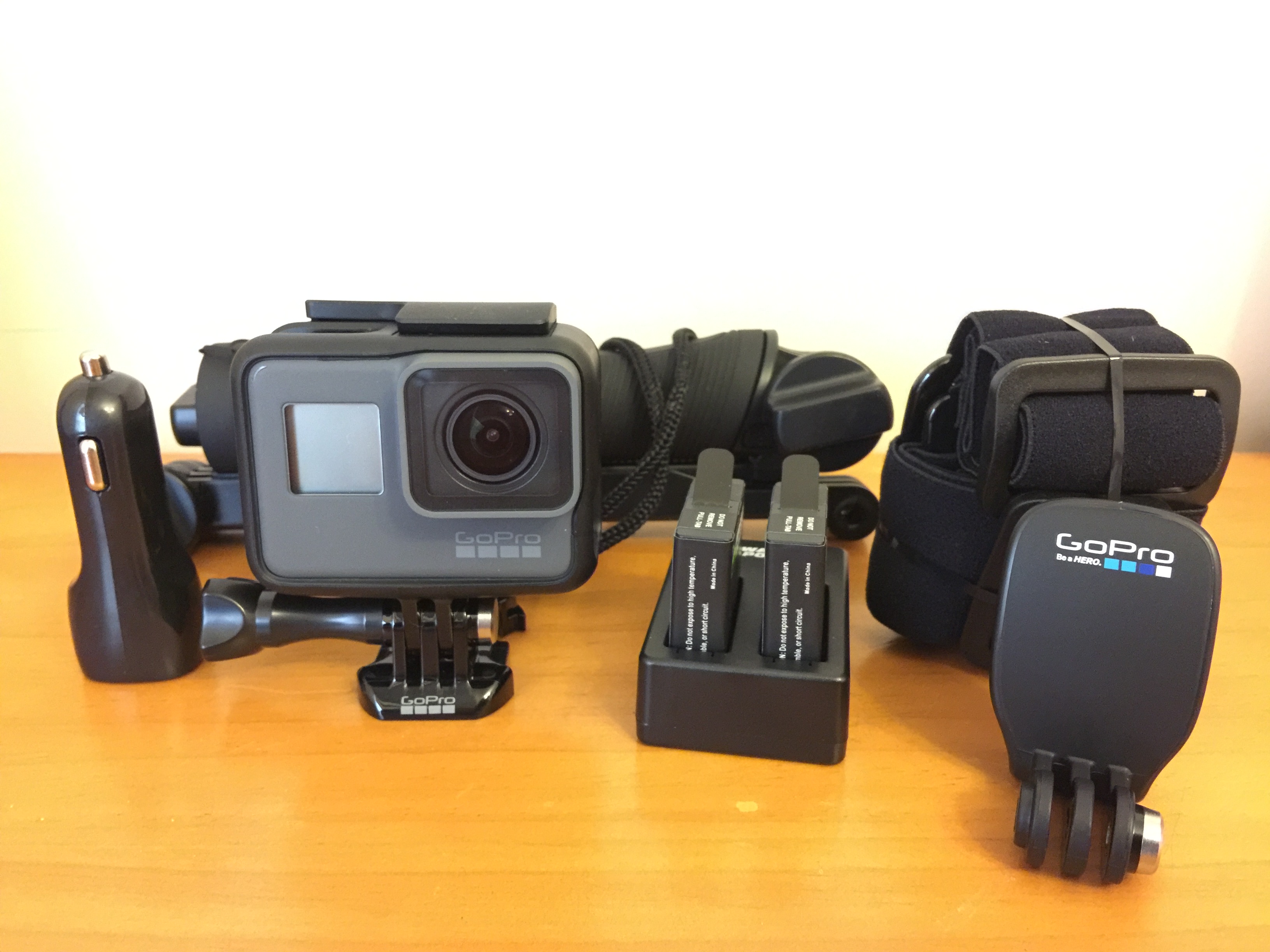
car charger, 3 way stick, GoPro 5, 2 batteries(Wasabi) with charger, head strap, quick clip.

Choice of memory card for 4K recording

71jd1eygcol
SanDisk Extreme 128GB

proplus64g_001_front_darkgrey
Samsung Pro Plus 64GB

I bought the SanDisk Extreme 128GB first, then I found out that it is incompatible with GoPro 5 Black. After searching online, it seems that every SanDisk card with UHS-speed 3 has issue.
Then I got another one which is Samsung Pro plus 64GB, which works well.


Whilst using SanDisk Extreme, I had to insert and remove the SD card 4 or 5 times to get it work when the GoPro is on. This is very annoying and it is impossible to do that when you are doing sports.


Updated: After the firmware v1.57 of GoPro5, SanDisk Extreme 128GB works really well!!!