Systemd-free, XLibre, Cool Tools

GhostBSD won’t let me send email, has no GUI tools for simple, frequent tasks, and isn’t “reproducible” to a bootable medium. But it’s XLibre by default and has no systemd! I really wanted that OS to work for me as it does for so many others. I love the project and remain a fan. But with a those crippling issues like no email no matter what software I used other than webmail, and with no ability to make a copy of the OS to make it portable, I looked elsewhere, reluctantly.

MX-Linux fits the bill except that current and future editions “have to” include some systemd stuff, and XLibre – the only X11 server that is actively supported – is being kept at a distance because politics or wokeness or whatever. It’s sibling distro antiX has no systemd at all, not even a single molecule, and seems “friendlier” to XLibre, probably because it’s window managers depend on it. But a bunch of stuff wouldn’t work as expected. I changed my expectations as much as I dared, but settings in IceWM didn’t “stick” and anything I did seemed to automatically reset things to their defaults. I really missed my Xfce, so I installed it from the antiX software utility “with ConsoleKit and LightDM.” But ConsoleKit doesn’t play nicely with Turnstile – an experimental (I think) but essential ingredient in antiX that makes the “antiX magic” work for so many who just use a window manager instead of a full-fledged desktop environment.

So another search for the most “ideologically pure” (no systemd, XLibre, etc) turned up a surprise: PCLinuxOS Debian Edition. Unlike it’s great parent distro PCLinuxOS, the Debian edition uses XLibre by default, in both Bookworm and Trixie-based releases.

  • No systemd
  • No obsolete, doomed, and unsupported Xorg while we all wait for Wayland to quit breaking stuff and finally be ready for reliable use.
  • And fully reproducible on a bootable USB stick just like it’s parent and the MX-tools (MX-Snapshot and LiveUSB-Maker).

Here’s a nice long-term solution for a technophobic user who cares too much about the philosophy and goals of his operating system. I recommend it!

Devuan, Refracta, Peppermint, Venderfoul Wolf

So the tinkering continues, mostly unsuccessfully. I can’t help myself I guess. In my last post I complained about Devuan’s weirdness and pondered the future of the distro, which I think might be as bleak as Debian’s and for that matter, desktop computing in general.

Still, I like the idea of no systemd, thumb my nose at Wayland and every other bit of “free” software that is required by Big Tech in order to allow me to use what is mine as I see fit. But it’s getting harder and harder to obtain, much less maintain that liberty when it comes to desktop computing. I would have a lot more fun if I quit caring so darn much about it I guess.

Even though I have successfully installed Devuan a couple of times, it has always been a hassle compared to – oh, I dunno – every other Linux distro I’ve tried including Slackware. But okay, I’ve never attempted Gentoo, Linux From Scratch, or Arch. Probably never going to.

Using the Devuan installer is a pain. Using the Refracta installer is a pain, and it argues with you the whole time. I tell it where to install GRUB and hit Next:

You have chosen not to install GRUB. Proceed anyway?

No, no, nooo! Install GRUB! Put it here!

You have chosen not to install GRUB. Proceed anyway?

Repeat, repeat, give up, quit.

So I tried Peppermint’s Devuan edition, with it’s distro-agnostic Calamares installer. Installation failed. Repeat, repeat, give up, quit. So I tried RefractaOS with it’s cool mostly-GUI installer. It works sometimes, sometimes not. It’s moody or something. To the rescue: Venderfoul Wolf Linux! No systemd, XLibre by default, and a whole ‘nother installer called “lupinus.” The lupinus installer is fast and flawless. Success! At last!

But:

You need root permission to do Any. Little. Thing. Apps don’t remember logins, passwords, settings, nothing. Plus you still have all of Devuan’s weirdness, slowness, and mixtures of unwanted cruft that you can’t get rid of.

  • First of all, don’t tell me I need your permission! I’m an American for cry’n out loud!
  • Second of all, my computer exists to serve me. Failing that, it has no effing reason to exist!
  • Thirdly, add whatever dependencies you need to do what I command, but for cry’n out loud, not huge libraries of code that rival the kernel for size and memory consumption!

Can I fall back on GhostBSD again? Nope. For some reason it won’t allow me to send email anymore. I searched and experimented and ended up on the phone with my email provider to no avail. One error after another, no sending of outgoing mail is possible in Geary, Evolution, ClawsMail, Mutt, or Thunderbird. But no trouble at all in Linux.

Deal breaker!

Back to old reliable, simple, nice ‘n’ gooey MX-Linux. Fast, easy, simple, uncomplicated, but compromised with “unethical” (to my mind) stuff. But functional, so there it is.

Customer Loyalty

How ’bout this? After a hacker breached our home wifi with Kinetic high-speed internet, the only way to deal with it was a replacement router. Which for me, means changing my ISP.

I made arrangements with a new provider and got set up immediately! I even brought the new router home with me, hooked it up and voila! As good as before, but more secure. So far so good. So I called Kinetic to cancel my service and the poor “customer service” lady spent 10 minutes making me “better offers” to retain me as a customer. Ridiculous offers like increased bandwidth for $25/month for two years – then it was $20 a month for two years, and so on.

Holy crow, lady if y’all can afford to be that generous now, why did you charge $94/month until now? If you want to retain customers, give them the best possible deal and treat them right by not quadripling the price after a predetermined period, for cry’n out loud. Sorry, no sale. Just turn it off and send me the equipment return label. And I want a receipt for the equipment once it’s received.

But did you know the same thing applies with life insurance? Yeah! I go to cancel a dumb “burial” insurance policy with Gerber Life and they won’t take no for an answer – until all their attempts at collecting the premium failed because I changed bank accounts – which is what you do when a stubborn corporate sonofabitch insists on dipping into you checking account without authorization. But now they tell me for the same money I can get a $100,000 policy, right?

Bullshit. No sale.

The whole point being this: Customer loyalty used to be a thing. In fact companies used to reward loyalty because getting new customers is harder and more expensive. Now, only new customers get the great deals, and then only for as long as it takes for them to consider switching too much trouble (which explains the auto-pay thing). Since companies abandoned customer loyalty, it’s okay for their customers to do the same. Predatory practices are ultimately self-defeating, and I think companies know that but they’re only looking at the short term these days I think. Foolish.

I miss those days when customer loyalty was a thing. Perhaps some forward-thinking enterpreneurs will re-introduce the idea to the American market.

Two-Pronged Solution

It can’t just be an either / or type thing I guess.

  • If I want the cool GUI tools that let me do stuff like
  • format a USB stick
  • make a bootable iso of my installed OS, and
  • write that iso to a USB stick, hopefully with persistence,

Then I have to use a Linux distro that has all those tools, like MX-Linux or RefractaOS, both of which are wicked-cool, nice ‘n’ “gooey” (meaning they have a GUI – Graphical User Interface), and easy to use. But the price of that convenience is:

  • The Linux kernel: Corporate, politicized, woke, bloated, and soon to be polluted with AI “vibe coding.”
  • The abandonment of the philosophy that made Linux and FOSS great: “The UNIX Way.”
  • The loss of freedoms imposed by the kernel and the developers and coders who write that is dependent on other software like systemd
  • The cluttered, messy way even simple stuff becomes in every desktop Linux OS

So I keep MX-Linux on a separate HDD just for the tools, like when I have to format a USB stick or make a bootable one. 

AND

I keep GhostBSD on a separate HDD to use for daily computing. Free of systemd. Free of corporate, woke, AI-slop-ridden, politically-correct bullshit, and free of all the unnecessary and redundant resource-hogging cruft that most Linux OSes insist on. It’s easy, gooey, fast, and free. And as “ethically pure” an OS as you can find for the desktop.

Desktop BSD

It seems to me now that all the BSDs are server OSes that some really smart people are adapting to the desktop. Perhaps years ago all the existing Linux OSes were the same way until some smart people started making desktop OSes out of them.

Linux has had years to make the adaptations, while in the BSDs the process is still pretty recent, and perhaps just hasn’t had the time to truly become a desktop OS. GhostBSD comes closest of all, and is free of corporate BS, systemd, Xorg,and other corruption. But in order to make it work on the desktop, they’ve had to add “Linuxulator” (a dev’s name for the Linux Compatibility Layer) – complete with some systemd elements!

I sure wish them well in their efforts and I still donate to the project, but too many things don’t work as they should on my hardware. Perhaps if I had a super-razoo machine with all the cool resources and special requirements, I could run it as a desktop reliably and fearlessly. Dangit. I really wanted it to work reliably because of it’s “ethical purity” for lack of a better way to put it, but so very much depends on hardware compatibility for now.

My quest for a fully-“ethical” Linux distro so far has always landed me in trouble of some sort or another, breaking stuff and fixing it, keeping a journal of what I did and what resulted, but alas, that journal was destroyed in the last GhostBSD eff-up. I didn’t think a full back-up was needed since I was only making minor little changes to the UI, but there it is.

My trouble is I care too much about the “ethical purity” of an OS to actually make good use of it yet.

Void Linux intrigues me but I think I’d only get in trouble again playing around with it.

Devuan Weirdness

Well, dangit. My idealism has left me stranded again, going for purity and perfection and getting the predictable wobbly instability I dreaded. Vanishing application – I mean GONE, as if uninstalled! Synaptic. Thunar. Grub!

For hours I wrestled with trying to get my OS back, but even the Refracta tools (kinda like the MX tools found in MX-Linux) failed to make a bootable OS with applications that stay put. On two HDDs (on the same machine) and on a whole ‘nother computer!

As my frustration grew, I considered the following options:

  • Exorcism
  • Shock therapy (using a hammer)
  • Thermal therapy (using fire), and
  • Percussion therapy (using a magazine of .38-calibur ammunition).

Fortunately it didn’t have to come to that, however, since I was able to boot up and install my copy of GhostBSD, and use it to recover files from the non-bootable HDD. All the important stuff I thought I had lost. But I did come close to becoming violent. I hate surprises. And I really don’t think two hard drives and a second computer all failed simultaneously.

Because Devuan is Debian (modified, repackaged to avoid systemd dependencies), I wonder iaboutthe future of that distro, since Debian’s strange choices and needless changes affect everyone downstream. I am glad to be back on GhostBSD, but always reluctant to install updates to the OS.

More Devuan Coolness

I have learned a lot in the last few days. I guess sometimes I just haven’t paid attention, or maybe I was in a hurry and skipped some stuff. But some of this stuff really matters in the long run, so I’ll share what I have learned about some software and projects that change the picture quite a bit.

The first and most surprising bit of news has to do with the evil tentacle moster called systemd that has come to dominate most Linux distributions. Like a pendulum in search of balance but always over-shooting the center and swinging between extremes, I assumed that even a single molecule of systemd was a terminal cancer that would lead to the inevitable takeover of my OS by IBM / Red Hat / Big Tech and all software freedom would be lost. So I stayed away from “systemd-free” Linux distributions that used any systemd components whatsoever, like elogind, for example, which is considered a needful shortcut to getting some desktop environments to work properly.

Yeah but is doesn’t have tentacles, teeth, claws, or quills, and it is completely inert when used the way it is included in “not-fully systemd-free” OSes like OpenMandriva, MX-Linux, and Devuan. Inert. Inactive. Paralyzed. Dead. It’s a place-holder, and that’s all it is. Without it you have to use shims, or do some serious voodoo to get a modern desktop environment to function efficiently. Why should developers bother with all that extra work just to claim that they’re “totally” systemd-free? Systemd components here and there are permissable, non-cancerous, inert placeholders that “satisfy” dependencies. Even in GhostBSD, some systemd components are included in the “Linux compatibility layer” to make some applications (certain browsers, Gnome apps, etc) work on BSD.

The second lesson I am still learning is that a nice Graphical User Interface (hereafter: GUI or “gooey”) isn’t always the easiest way to get things done. Now I’m a big fan of a gooey point-and-shoot desktop, and still scared of the terminal. But if I take my time and pay attention to what I’m doing without being in a rush, the terminal is a powerful secret weapon. Many of the gooey tools I always relied on are just scripts – terminal commands – that you click on instead of typing them. That’s nice, but the price of such convenience is sometimes high, especially in the big, resource-hogging desktop environments like Gnome (woke, agenda-driven, crazy) and KDE (equally woke, agenda-driven, and crazy). I love my Xfce desktop and I’m not all about dumping the desktop for a window manager, but the lesson came when installing Devuan for the first time. I never did figure out the text-based installer, so I went with the Refracta installer, which is “kinda sorta” gooey, but keyboard dependent. It’s not 100% gooey, but it made things make sense and I was able to install Devuan confidently and fearlessly. I chose Devuan because it’s non-political, systemd-free,and the only agenda is to make good software avoiding (woke) Debian’s relentless moves towards corporate domination of Linux and free software.
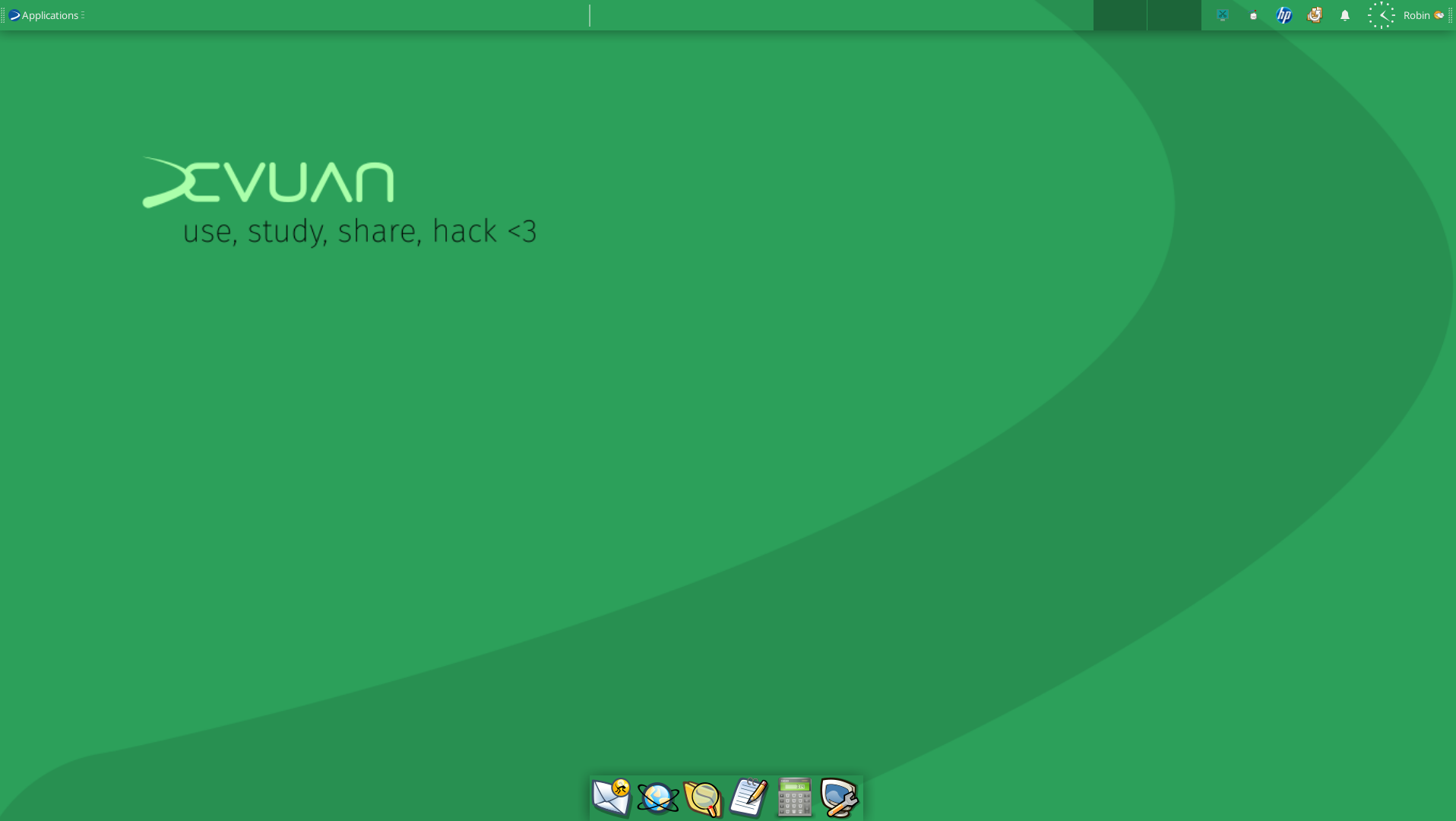
The BSDs lag way behind Linux when it comes to hardware support, wireless drivers, and gooey tools. I’m still very much a GhostBSD fanboy and I still send them a monthly donation! It’s an awesome project with great aims and goals, a great team of techno-wizards working like crazy to make an awesome FreeBSD-based OS specifically for the desktop. I love it! But it doesn’t work on my laptop and the latest version is halting and awkward on my desktop, probably because XLibre, the default, is still getting it’s feet wet. But keep an eye on it, because it’s making great progress and – again, it’s ethically sound, free of systemd, social / political agendas, and corporate bovine excrement. My daily driver has become Devuan, and the Refracta tools do everything I always relied on MX-tools to do! I was able to effortlessly make a bootable iso of my existing system, write it to a USB stick, and re-install it – all with a nice mostly-gooey toolset that actually precedes the MX-tools everyone likes.
Tinkering is fun again! And no one is more surprised than I am.

More on Devuan and the Old Ways

Still a little weird on Devuan, and I suspect there are two reasons:

  • The first is the display, kind of wonky. But I installed a fully XLibre version of it which may explain that. Xorg and XLibre don’t quite agree, but Xorg is no longer developed and I refuse to go to Wayland until it’s ready. Wayland messes up everything it touches, far worse that XLibre working out a bug or two. Typing an email in Devuan’s version of Evolution became a pain in the rump because letters just run off the page and I had to use Format –> Wrap Lines maneuver on every single line. I suppose I could use an external editor, but gee whiz, why bother with Evolution or Geary at all if I have to do that? Pft.
  • The second, easily fixed, were the Refracta tools. Not as point-and-click simple as MX-Snapshot and MX-Live-USB Maker, but I was able to make a perfect, bootable copy of my existing Devuan system, then write it to a USB stick using “mintstick” and with persistence! Any changes I make running “Live” are preserved, which is nice! But then how am I supposed to install it to another HDD? No installer is present. RAWR! But, I was simply able to add the Refracta-installer to the LiveUSB and bingo, problem solved.

Again, it feels like I have to do things “the long way around” in Devuan compared to most other “one-size-fits-most” Linux OSes. But I do not fault Devuan for any of that. Devuan has to repackage everything from Debian, removing stupid bits of code that make a piece of software dependent on systemd. Almost everything in Gnome, for example, is increasingly systemd-dependent. Of course, it’s Gnome: Woke and part of the “new Linux” ecosystem that tries to make everyone use Wayland, systemd, pulseaudio, and everything else Red Hat / IBM and Big Tech wants. The “old” Linux is better, because it always worked, reliably and without stupid high demands on CPU and RAM. This crud all started when someone decided they should fix what wasn’t broken to begin with; then force “adoption” of their “solution;” and then kill off the old, unbroken, rock-stable and reliable predecessor that didn’t need any “fixing.”

Conformity is what they’re after. And that is exactly why projects like Devuan, OpenMandriva, antiX, Artix, and a host of others are emerging to preserve the “Old Ways,” if you will; the UNIX idea of “do one thing and do it well” and preserve the freedom of users to control their own equipment and software as they please. God bless the Old Ways.

Devuan – the Long Way Around

For months I have been on-again off-again trying to install Devuan
Linux, since Debian’s text installer is the default in Devuan as well,
and without a description I couldn’t tell which of my two HDDs was sda1
and which was sda2 or sdb or whatever. At least with most graphical
installers it’ll say “Samsung” or “ST123” or something for cry’n out
loud. I’m a GUI boy, what can I say?

So y’know what? I looked for Devuan-based derivative distro that maybe
offered a graphical installer. My first choice was Peppermint, of
course, but I ended up not usiong it because the latest Devuan release,
called Excalibur, isn’t yet available as a Peppermint option.

So there’s RefractaOS which has a kinda-sort graphical installer, and
that’s how I finally ended up getting Devuan installed to that second
HDD. It’s non-woke, uses XLibre, has the Xfce desktop, and no worries
about systemd, or getting infected with Debian’s new wokeness.

GhostBSD 26.1-R15.0p2

The latest Xfce edition of GhostBSD (26.1-R15.Op2) is flawless! It installed in minutes, and I was able to make all the changes I wished in about 10 minutes’ time. For a user who is scared to death of the dreaded ▄︻デt̷e̷r̷m̷i̷n̷a̷l̷══━一, GhostBSD lets me use the power of FreeBSD without all the trepidation and paralysis associated with a very technically challenging OS.

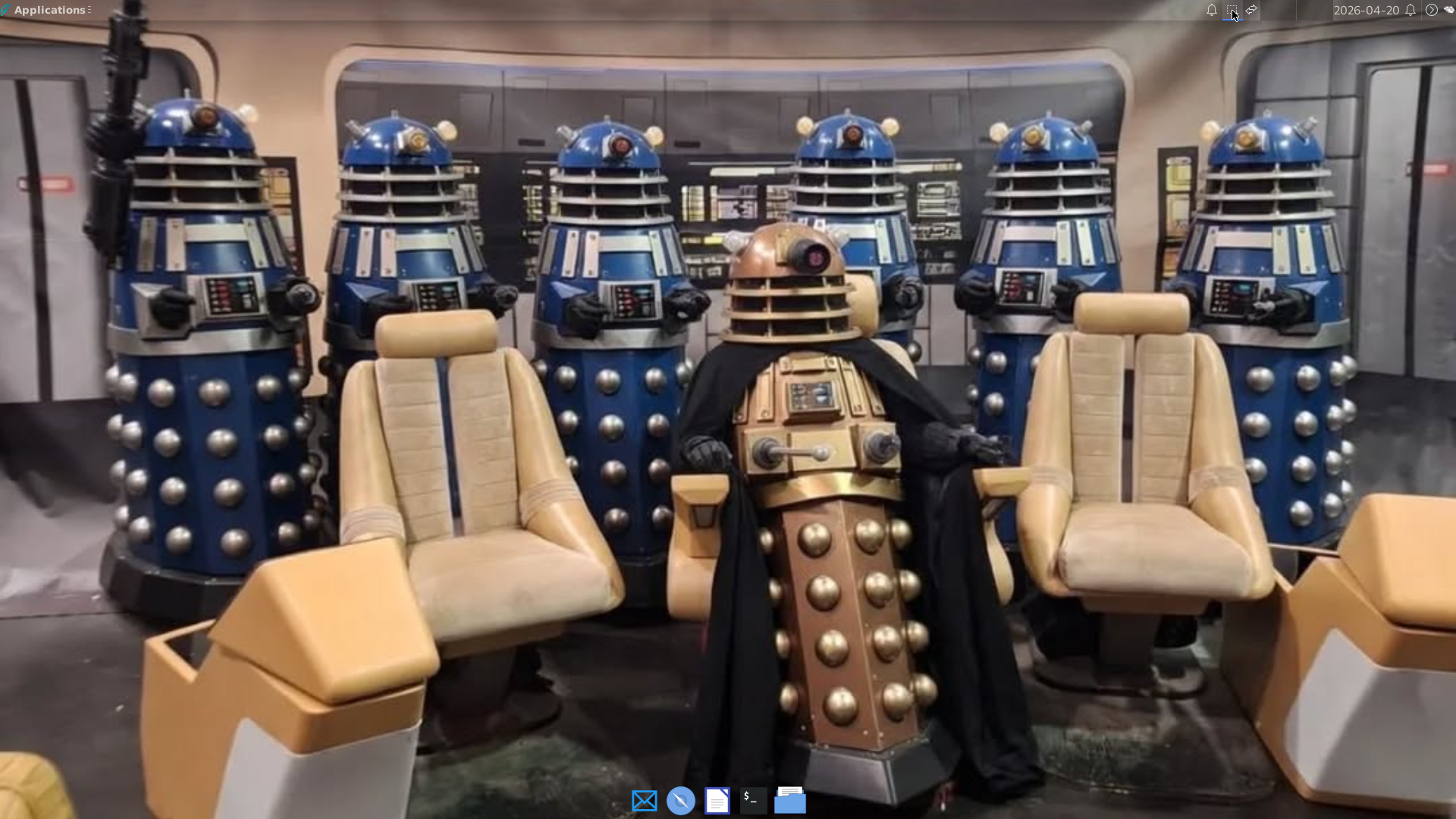
Only scifi fans will appreciate the wallpaper…

  • I made transparent panels top and bottom. Top has the apps menu, weather, calendar, screenshot tool, notifications, etc. Bottom panel is app launcher.
  • I replaced Firefox with Brave browser
  • Installed Geary for email – much easier on CPU and RAM than either Thunderbird or Evolution (see my previous post)
  • Threw in my favorite icon set – “Gartoon” which is kinda silly-looking but still sophisticated, and
  • Added LibreOffice, Inkscape, GraphicsMagic, Xournapp, and a medieval font for a special project.

The only little glitch was that even after setting the time zone during installation, the system clock was four hours fast. I simply reset the clock to the proper time. Unlike MX-Linux, which can’t read ZFS files, I was able to copy all the usual stuff (documents, pictures, etc) from my MX-Linux installation straight into GhostBSD using Thunar as root, drag and drop. Software Station has a zillion and twelve software titles, rivaling any of the Big Linux distros around, and installation is point-and-click simple.

It’s a great relief to be using Xlibre instead of Xorg, since the Big Tech players are trying to kill X11 and shove Wayland down everyone’s throat. No more worries about that with GhostBSD using Xlibre by default! Without a big corporate machine behind FreeBSD (unlike the Linux kernel), I also worry less about getting locked into software that robs me of any choice in matters that I consider important where my privacy and rights over my own property are concerned.

It feels like home, with a simple but effective security system and room to relax.

GhostBSD is as “ethically pure” an OS as I can find that is still point-and-shoot simple for us non-tech types