

Description
Enfin, les statistiques WordPress que vous allez réellement utiliser
Google Analytics, c’est surdimensionné. Les autres extensions de statistiques WordPress sont encombrées et déroutantes. Vous voulez juste suivre les visiteurs etsavoir ce qui se passe sur votre site, sans avoir besoin d’un diplôme en science des données.
Burst Statistics vous donne un tableau de bord statistiques propre et intuitif axé sur les indicateurs qui comptent réellement. Aucun compte de statistiques externe. Pas de configuration complexe. Installez, activez et comprenez le trafic de votre site web en quelques secondes.
Adoptée par +200 000 sites WordPress. Construite par l’équipe derrière Team Updraft, connue pour UpdraftPlus, WP-Optimize, et All-In-One Security (AIOS).
Ce que nos utilisateurs disent
« Enfin, une extension de statistiques que je peux vraiment expliquer à mes clients. »
— @anguskeystone sur wordpress.org« J’ai essayé WP Statistics et Independent Analytics, mais ils sont surchargés et confus. L’interface utilisateur de Burst est intuitive et se concentre sur ce qui est important pour moi. »
— @vallered sur wordpress.org
Pourquoi choisir Burst Statistics ?
Analytics designed to be actionable
Other analytics plugins throw everything at you. Burst shows what matters, visitors, pageviews, referrers, top pages, in a dashboard you’ll actually use. No data overload. No confusing menus. See why Burst is perfect for bloggers.
Privacy analytics by design
All site stats stay on your server, making Burst a true local analytics solution. No external tracking. Your data is yours, we never see it without your explicit permission. Designed for GDPR compliant analytics out of the box. Read why Burst Statistics is privacy-friendly.
Zero setup friction
Install, activate, done. No Google Analytics account, no GA4 setup, no tracking codes, no configuration headaches. Start seeing live visitors immediately. New to analytics? Start with our guide on WordPress analytics.
WordPress-native analytics
Not a port from another platform. Built specifically for WordPress with native performance and seamless integration. Works with WooCommerce, blogs, business sites and membership sites.
Lightweight analytics, fast by default
Optimized database queries. A tiny tracking script under 4 KB. No external dependencies slowing down your pages. Designed to track accurately even when using aggressive server-side caching. See the proof in does Burst slow down my website.
Fonctionnalités
Comprenez le trafic de votre site web
- Pages et articles les plus performants en un coup d’œil
- Suivez les indicateurs clés : visiteurs, sessions, pages vues, taux de rebond
- Répartition des visiteurs par appareil (ordinateur, tablette, mobile)
- Filtrer les données par plages de dates personnalisées
- Comparez le trafic entre les périodes
Analyses en temps réel
- Identifie la source en temps réel pour les visiteurs en direct
- Voyez les pages spécifiques que les utilisateurs visitent actuellement
- Voyez en temps réel combien d’utilisateurs sont actifs sur votre site
Découvrez quel contenu fonctionne le mieux
- Pages et articles les plus consultés classés par vues
- Comparez n’importe quelle plage de dates
- Suivre les performances de chaque page
Conversion personnalisée et suivi d’objectif
- Suivez les vues, les clics et les crochets WordPress
- Track WooCommerce analytics & sales (Burst Pro Business)
- Suivez les événements et les conversions personnalisés
- Step-by-step setup in our goals guide
Statistiques respectueuses de la confidentialité sans compromis
- 100% auto-hébergé, toutes les statistiques sont stockées localement dans votre base de données WordPress
- Cookieless tracking option, a cookie free analytics setup with no consent banner required in many countries
- Conçu pour prendre en charge la conformité avec le GDPR, le CCPA, le DSGVO, l’AVG, le RGPD et le PECR
- Aucune donnée partagée avec Google, Facebook ou une tierce partie
Restez informé
- Rapports par e-mail hebdomadaires ou mensuels livrés directement dans votre boîte de réception
- Comparez les périodes pour repérer les tendances
- Soyez averti lorsque le suivi ne fonctionne pas
Une alternative Google Analytics native WordPress
If you’ve outgrown Google Analytics, or never wanted GA4 in the first place, Burst is built for you. As a Google Analytics alternative, Burst trades GA4’s complexity for clarity. You get the metrics that matter on a single dashboard, without sampling, without data thresholding, and without sending your visitors through Google’s ad network.
GA4 is built to make Google’s ad business better. Burst is built to make your website better.
Curious about the full picture? Read why WordPress site owners are leaving Google Analytics behind or the head-to-head Burst Statistics vs Google Analytics.
Par les créateurs de UpdraftPlus, WP Optimize et All In One Security
Burst Statistics is part of Team Updraft, the team behind some of the most installed WordPress plugins on the market:
- UpdraftPlus – WP backup and migration plugin
- WP-Optimize – cache, image compression, minification and database cleanup
- All-In-One Security (AIOS) – security and firewall
À qui s’adresse Burst Statistics ?
Burst works for any WordPress site, but we’ve built specific solutions for the four audiences who get the most out of it:
- Bloggers and content creators, see which posts resonate with your audience
- Entrepreneurs and small business owners, understand your traffic and campaigns without complexity
- WooCommerce stores, track visitor behavior, revenue and product performance
- Agencies and freelancers, manage analytics and reporting for multiple client sites
- Propriétaires de sites soucieux de la confidentialité — Statistiques conformes au RGPD sans bannières de consentement
- Marre de Google Analytics ? — Optez pour la clarté au lieu de la confusion
Gratuit vs Pro
Burst Statistics (Gratuit) inclut tout ce dont vous avez besoin pour comprendre le trafic de votre site web : visiteurs, pages vues, référents, contenu le plus consulté, statistiques des appareils, suivi des objectifs, rapports par email, et bien plus encore.
Burst Pro adds advanced features for businesses and professionals. Compare all plans on the pricing page.
CREATOR PLAN
- UTM campaign tracking, see which marketing efforts drive results
- Geographic data, country and city-level visitor insights
- Advanced filtering, segment data by any dimension
- Data archiving settings, keep your database lean automatically
- Priority support, direct contact with our developers
BUSINESS PLAN
- Everything in the Creator plan, plus
- Full WooCommerce sales dashboard, see which content brings in the most revenue
- Revenue attribution, connect WooCommerce sales to traffic sources
AGENCY PLAN
- Everything in the Business plan, plus
- Reporting, generate shareable performance reports for clients
Toutes les offres Burst Pro incluent un support prioritaire. Vous aurez un contact direct avec nos développeurs, de vrais humains, pas un robot.
Comment Burst se compare aux autres extensions de statistiques WordPress
We’re often asked how Burst stacks up against other tools. Honest, short version:
- Google Analytics / GA4, GA4 is powerful but built for advertisers, not site owners. It’s complex, applies sampling and thresholding to your numbers, and requires a cookie banner in most countries. Burst is a simpler, privacy-friendly GA4 alternative that shows real numbers without the setup. Read the full comparison.
- MonsterInsights, MonsterInsights is a connector that pipes your data into Google Analytics. If you want a true MonsterInsights alternative that keeps data on your own site instead of sending it to Google, Burst is a better fit.
- Independent Analytics, a respectful competitor with a similar privacy-first, WordPress-native approach. Burst leans harder into actionable dashboards, deeper UTM and goal tracking, WooCommerce revenue analytics and Agency-tier reporting. Try both and pick the one that clicks.
- Koko Analytics, a clean, lightweight option that focuses on the basics. Burst goes further with goal tracking, real-time analytics, UTM campaigns, WooCommerce analytics and email reports.
- WP Statistics, a long-standing WordPress stats plugin with a lot of options. Many users find the interface cluttered. Burst focuses on a single, clear dashboard designed for clarity over feature count.
- Matomo, self-hostable and feature-rich, but heavier and more complex to run. Burst is the simpler, faster, fully WordPress-native option.
Guides et ressources utiles
Learn the metrics, fix common problems, get more out of your analytics. All free, all on burst-statistics.com.
Premiers pas
- WordPress analytics and the metrics that actually matter
- How to install Burst Statistics from the WordPress Repository
- How to set up your first goal
Confidentialité et RGPD
- Why Burst Statistics is privacy-friendly
- How to configure your website without a cookie banner
- How Burst tracks website visitors without cookies
Indicateurs et interprétaions des données
- How to reduce bounce rate in WordPress
- What is bounce rate?
- What is a pageview?
- What is conversion rate?
Campagnes etconversions
- How to track UTM (and Burst) parameters
- Campaign URL builder
- How to create and A/B test marketing campaigns with Burst
WooCommerce
- 10 proven ways to reduce WooCommerce cart abandonment
- Introducing sales analytics for WooCommerce in Burst Pro
Browse the full Learn hub for more.
Installation
- Allez dans Extensions Ajouter Nouveau dans votre tableau de bord WordPress
- Rechercher Burst
- Cliquez sur Installer maintenant, puis sur Activer
- Visitez Statistiques Tableau de bord pour voir vos statistiques
Et voilà. Pas de comptes externes. Pas de codes de suivi à coller. Burst commence à collecter les statistiques immédiatement.
Prefer installing manually or via Composer? See installing Burst Statistics with Composer.
Captures d’écrans
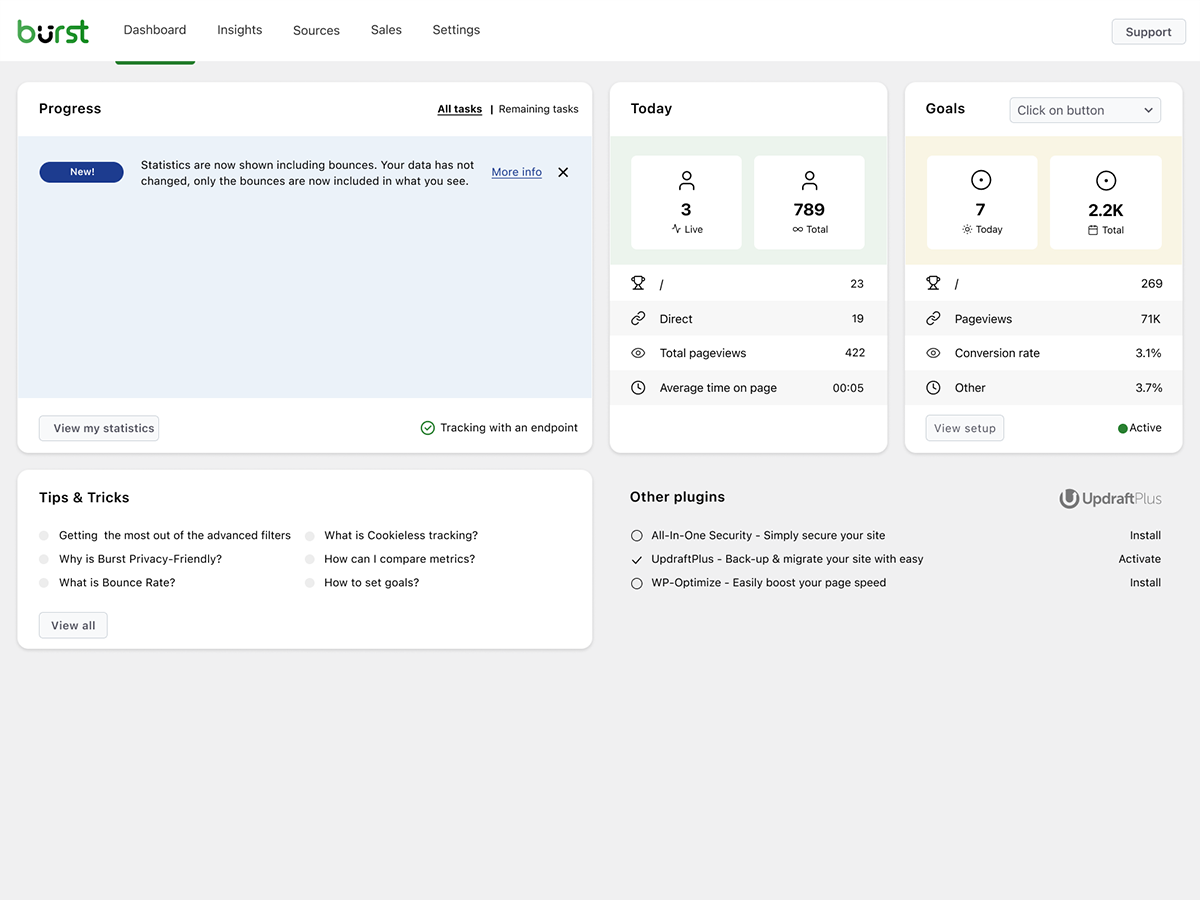


Blocs
Cette extension fournit 1 bloc.
- Pageviews Counter
FAQ
Is Burst Statistics really free?
Yes. Burst Statistics is 100% free with no tracking limits. Burst Pro is optional for users who need advanced features like UTM tracking, revenue attribution, geographic data or client reporting. That’s how we keep Burst Statistics free for most users.
Où sont stockées les données ?
All statistics are stored in your own WordPress database. Unlike Google Analytics or cloud-based tools, we have zero access to your data. Your data never leaves your server, unless you manually opt in to share anonymous usage insights with us. Read more about how Burst handles your data.
Est-ce que Burst est une bonne alternative à Google Analytics ?
Yes. If you find GA4 too complex, or you’re concerned about sending visitor data to Google, Burst is a clean replacement. You get the website traffic stats you actually need, visitors, referrers, top pages, conversions, without the overwhelm. Read our Google Analytics alternative guide for the full comparison.
Is Burst a good GA4 alternative?
Yes. Burst was built as a privacy-friendly GA4 alternative for site owners who want clarity instead of complexity. No Google account, no tag manager, no cookie banner in most cases. See why WordPress site owners are leaving Google Analytics behind.
Is Burst a MonsterInsights alternative?
Yes. MonsterInsights connects your WordPress site to Google Analytics, so your data still flows to Google. Burst keeps everything on your own server, with its own dashboard inside WordPress. If you want analytics that don’t depend on Google, Burst is the simpler MonsterInsights alternative.
How is Burst different from WP Statistics, Independent Analytics or Koko Analytics?
Burst focuses on clarity over quantity. While some other WordPress analytics plugins can feel cluttered, Burst’s dashboard is designed to show you what matters without the noise. Independent Analytics is closest in spirit, with a shared privacy-first, WordPress-native approach. Burst differentiates with deeper UTM tracking, WooCommerce analytics and Agency-tier reporting. WP Statistics offers a wider feature set, but many users find it overwhelming. Koko Analytics is intentionally minimal, so it works well for very basic needs.
How is Burst different from Matomo?
Matomo tries to be a full Google Analytics replacement. Burst tries to be the clearest, most actionable WordPress analytics tool. If you want simplicity, fast setup and a native WordPress experience, Burst is the better fit. If you need granular configuration and a full GA-style feature set, Matomo may suit you better.
Ai-je besoin d’un compte ?
Vous n’avez pas besoin d’aucun compte, aucune donnée n’est envoyée à un autre site web.
Y a-t-il une limite au nombre de visiteurs que je peux suivre ?
No. The only limiting factor is your own database and server.
There is an option to use cookieless tracking if you prefer. By default, Burst uses cookies because they’re more accurate and lightweight. Even with cookies, Burst remains privacy-friendly because all data is anonymous and stored on your server. Read more about why cookies are misunderstood.
Burst Statistics can be used without setting cookies or storing data in browsers. This can affect accuracy slightly, so a hybrid option with cookies after consent is also possible. See how Burst tracks visitors without cookies.
Is Burst GDPR compliant?
Burst is designed to support GDPR, CCPA, DSGVO, AVG, RGPD and PECR compliance. Data stays on your server, tracking is anonymous, and you can disable cookies entirely. For most setups, no consent banner is needed for analytics. See how to configure your website without a cookie banner.
Puis-je utiliser Burst en même temps que Google Analytics ?
Oui. Beaucoup d’utilisateurs utilisent les deux pendant une période de transition ou gardent GA4 pour les données historiques tout en utilisant Burst pour les observations quotidiennes. Il n’y a pas de conflit.
Est-ce que Burst Statistics ralentit mon site web ?
No. Burst is built for performance with optimized database queries, a minimal tracking script and a Turbo Mode if speed matters more than perfect accuracy. The full breakdown is in does Burst Statistics slow down my website.
Est-ce que Burst fonctionne avec WooCommerce ?
Yes. Basic pageview tracking works in the free version. For full WooCommerce analytics, revenue tracking, product performance and sales attribution, you’ll need Burst Pro Business.
Comment migrer depuis une autre extension de statistiques ?
Installez et activez Burst, il commence à suivre immédiatement. Les données historiques d’autres extensions ne peuvent pas être importées, mais vous pouvez faire fonctionner les deux côte à côte pendant une période de transition.
Est-t-il possible d’installer Burst Statistics avec Composer ?
Yes. Both the free and premium plugins can be managed with Composer. Read the Composer installation guide for more information.
Puis-je faire un retour sur l’extension ?
Nous apprécions vos commentaires. Vous pouvez envoyer une demande de support sur les forums WordPress, et nous vous répondrons rapidement.
Avis


Contributeurs/contributrices & développeurs/développeuses
« Burst Statistics – Simples statistiques WordPress (Alternative à Google Analytics) » est un logiciel libre. Les personnes suivantes ont contribué à cette extension.
Contributeurs


“Burst Statistics – Simples statistiques WordPress (Alternative à Google Analytics)” a été traduit dans 56 locales. Remerciez l’équipe de traduction pour ses contributions.
Le développement vous intéresse ?
Parcourir le code, consulter le SVN dépôt, ou s’inscrire au journal de développement par RSS.
Journal des modifications
3.5.0
- June 3rd 2026
- Improvement: AI chat availability checks and ability registration, preventing PHP notices and duplicate ability registrations.
- Fix: AI Chat integration with AI plugin.
- Fix: missing GROUP BY in a statistics query.
3.4.3
- May 20th 2026
- Fix: AI chat enablement and MainWP integration reminder tasks can now be dismissed permanently.
- Fix: AI chat assistant is now hidden for users without the manage_burst_statistics capability.
- Fix: modal position calculation in the shared viewer.
- Fix: scope application password auth probing to Burst REST endpoints, so authentication on unrelated REST routes (e.g. WooCommerce) is no longer affected.
- Security: harden rest api optimizer, Props Sanjay Singh Jhala.
- Improvement: performance of background aggregated table build, time out guards on sql queries, additional indexes on the burst_statistics table.
- Improvement: AI chat enablement task now links to the « Ask Burst anything » setup guide.
3.4.2
- May 12th 2026
- New: AI chat integration via the WordPress Abilities API, including granular datatable abilities with metric allow-listing for pages, parameters, referrers, countries, campaigns, sales and subscription products.
- New: granular datatable REST endpoints (data/datatable/{id} and data/ecommerce/datatable/{id}) so the dashboard and AI abilities can request a specific table by id.
- Improvement: refactor the Share class into dedicated Share_Tokens, Share_Routing, Share_Auth and Share_UI services for clearer responsibilities and easier maintenance.
- Improvement: dark mode initialization respects an explicit « light » preference so users on a dark OS no longer briefly see a dark skeleton when they have forced light mode.
- Improvement: upgrade routine corrects the stored activation time for sites with older data.
- Improvement: replace native checkboxes with Radix checkboxes in the Share dialog for consistent styling.
- Improvement: shared-link capability checks now reflect the currently requested dashboard tab instead of a single cached value, so per-tab permissions are enforced correctly during batch REST requests.
- Fix: dashboard route returns a 404 when the user is not allowed to load it, instead of rendering an empty page.
- Security: limit Share link viewer statistics access, props Sanjay Singh Jhala.
- Security: REST API optimizer now matches the Burst namespace strictly against the URL path (anchored at burst/v1), props Sanjay Singh Jhala.
- Security: harden MainWP proxy authentication. Props Sanjay Singh Jhala, Chloe Chamberland & PRISM – Wordfence
- Security: Auto Installer now requires the install_plugins capability instead of activate_plugins and only accepts download URLs from official Burst hosts. Props Sanjay Singh Jhala.
3.4.1.1
- May 5th 2026
- Fix: CSS styling regression due to obsolete javascript files being included in the dashboard build.
3.4.1
- April 29th 2026
- New: automated tests for subscription statistics dashboard.
- New: abilities API integration.
- Improvement: move plugin activation logic to bootstrap class.
- Improvement: split ajax fallback logic into do_action and get_action.
- Fix: broken upgrade url in report settings.
- Fix: When both Story report and share links are generated, the UX could generate an error.
- Security: increase minimum required capability from view to manage in get_posts endpoint, Props Sanjay Singh Jhala.
- Security: hardened MainWP proxy authentication and CORS origin validation, Props Sanjay Singh Jhala.
3.4.0
- April 22nd 2026
- New: dark mode support for the Burst Statistics dashboard.
- New: support for MainWP integration.
- New: all time date range for datepicker selection.
- New: support for application passwords. It is now possible to use the Burst Rest API endpoints with application passwords.
- Improvement: add detection for ad blockers. If an ad blocker breaks the Burst dashboard, show a warning about this.
- Improvement: PHP warning about not existing referrers table when clearing the table.
- Fix: restore bounces filter, allowing overriding the default time used to decide if a visit is a bounce.
- Fix: fixed a bug in the visitor calculation for referrers, caused by changes for the « exclude » option in filters, props @bikew1se.
- Fix: Share links sessions are now cleaned up daily, to prevent extended access to the link for longer than the set expiration time, Props Sanjay Singh Jhala.
- Security: ajax fallback for get_reports endpoint unintentionally allowed users with burst_view capability to see reports configuration, props Sanjay Singh Jhala.
3.3.0
- April 1st 2026
- New: Time per session filter, allowing filtering by visit duration.
- New: Dark mode support for email reports.
- Improvement: Move columns from statistics to sessions table, reducing data storage and improving query performance.
- Improvement: Session data included in archive CSV exports.
- Improvement: Add missing database indexes for improved performance.
- Security: Share link viewers could view report data (recipient email addresses, scheduling configuration). Props Sanjay Singh Jhala.
- Security: Share link viewers could view ecommerce/sales data, even when the share link was scoped to non-sales tabs only. Props Sanjay Singh Jhala.
- Fix: Insights chart grouping by month was incorrect.
- Fix: Cron URL protocol mismatch could cause a http link to be included in the email report, even when the site url is https..
- Fix: Filter type issue breaking the filtering on the devices block, props Andrew.
- Fix: Duplicate key error in SQL hash update query.
- Fix: Email report logo centering and dark mode styling.
- Fix: A burst test hit could be used to bypass the built-in IP block, props Sanjay Singh Jhala.
3.2.3
- March 12th 2026
- Fix: share link for non logged in users not loading page.
3.2.1
- March 9th 2026
- Security fix: Fixed a missing authorization check that allowed users with Burst View privilege to manage reports. Props Sanjay Singh Jhala.
- Improvement: set turbo default to enabled, and add notice to recommend enabling it when cookieless tracking is enabled.
- Improvement: check if PharData class is installed on the server to prevent fatal errors.
- Fix: Store scheme for usage during cron jobs. During cron, the site_url is http. For the javascript generation, we need it to reflect the actual scheme, usually https.
- Fix: duplicate fields in the reporting settings when the share link is opened by an admin user.
- Fix: url not found warning when classic premium report is generated.
- Fix: too strict use of sanitizers causing table prefixes to get lowercase. props @parkentosh
3.2.0
- February 25rd 2026
- New: anonymously share data to help us improve Burst Statistics: build industry benchmarks, targeted feature development, and performance improvements.
- New: add notice about discord, inviting users to join our discord server.
- New: Easily share statistics with your team or clients, with the share button in the Burst Statistics dashboard.
- Fix: catch non json encoded data in Rest API tracking, props @rajkumarreddyv
- Fix: Bounce and bounce rate calculations now correctly count distinct bounced sessions instead of summing bounce flags, preventing inflated numbers.
- Fix: default value logic for ‘merge variables and scripts’ made it impossible to disable the setting.
3.1.6
- January 20th 2026
- Fix: deleting old data in archive functionality not working due to incorrect SQL syntax.
- Fix: Not filtering browser/OS data by device on the insights block, props @alisontaylorbc.
- Improvement: add automated test for data deletion.
- Improvement: add persistent sorting to datatable block, props @ankush.
- Improvement: filtering by continent.
3.1.5
- January 7th 2026
- Improvement: auto close notices in the right bottom of the screen.
- Improvement: some minor mobile responsiveness improvements.
- Improvement: extend automated tests with live visitors test.
- Improvement: wrapping of long URLs in live visitors view.
- Improvement: extended PHPCS coverage.
- Fix: when the browser’s local storage is full, adding filters could cause an error.
- Fix: enforce https on combined variables and scripts URL, to prevent mixed content warnings.
- Fix: onboarding for RTL languages tried to load non existing RTL CSS file.
3.1.4
- December 23rd 2025
- Improvement: styling of datatable blocks and loading states.
- Improvement: referrer query performance improvements.
- Improvement: parameter query performance improvements.
- Improvement: exclude track hit over Rest Api from the Burst Rest Api Optimizer, this way all plugins are loaded during the hit, which is required for hook goals.
- Improvement: added fallback to default method for combine variables and scripts, in case the uploads directory is not writable.
- Improvement: the ‘cron not running’ notice not dismissible anymore, as it is a critical issue.
- Improvement: allow search for formatted data on datatables, e.g. you can now search for ‘United States’ instead of US on the locations datatable.
- Improvement: add parameter filtering.
- Fix: filtering on devices block.
3.1.0.3
- December 1st
- Fix: saving settings changes after saving initial changes required a reload.
- Performance: Performance improvements by offloading resource greedy processes during tracking to cron in batches
- Improvement: User Agent Parser improvements, removing invalid browsers
- Fix: dropdown for advanced filters not filtering the list.
- Fix: undefined tab caused by incomplete removal of sales menu when no WooCommerce or EDD detected.
- Fix: object caching on page counts causing slow update of page counts, props @fveits
3.0.2
- November 25th 2025
- Fix: some notices were incorrectly dismissed during validation.
- Improvement: added automated test for hook goals.
- Improvement: added automated test for archiving restoration.
3.0.0
- November 11th 2025
- Fix: compability with unknown plugin, allowing null value in get_timerange_dropdown() on WooCommerce products overview, props @tegid
- Fix: do not treat www and non www domains as different domains, when detecting multiple domains setup.
- Fix: remove obsolete slash in loading of goals script, which on some setups causes it to get blocked, props @jhndkrvzc
- Fix: top bar count did not show the ‘k’ for thousands, ‘M’ for millions, etc, only showing 1, instead of 1k.
- New: increase minimal required versions for PHP to 8.0, for WordPress to 6.4