
English: The logo for Apple Computer, now Apple Inc.. The design of the logo started in 1977 designed by Rob Janoff with the rainbow color theme used until 1999 when Apple stopped using the rainbow color theme and used a few different color themes for the same design. (Photo credit: Wikipedia)
You have an Apple ipod, that has a password on it but, your nephew got a hold of it, and now you can’t get past the log-in screen. The Apple Ipod has locked you out. Now, what do you do? First thing make sure you have iTunes on your computer.
If you don’t have iTunes you can get it from the apple website at http://www.apple.com/itunes/ Click the iTunes tab to download it to your computer.
After downloading, you will want to take your Apple iPod and hook it to your computer. Open up iTunes, hold down the power button and the home button. When the screen goes blank, let go of the power button, continue to hold down the home button.
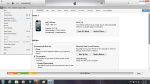
You should see the Apple iPod appear in iTunes. You will have two choices to pick from. One is for a new Apple iPod and the other is if you want to restore from the Apple iCloud.
If you don’t have an Apple I.D, you will be able to create one after , the software is installed. When it is done, it will display that you can disconnect your Apple iPod.



 INFOTECHCOMPUTING MINSTRIES: Where God Gets the Glory