
Subscribe to continue reading
Subscribe to get access to the rest of this post and other subscriber-only content.

Subscribe to get access to the rest of this post and other subscriber-only content.
Today, we are going to work on an iPhone, removing some applications we no longer use and giving some help in the process. For those that have an iPhone, or thinking of buying one this should help you.
The first thing you are going to need is to is download iTunes, click on the link below
http://www.apple.com/itunes/download/
Once the download is complete, Click Select All to set associations for programs, this will include, any movies, music and Mp3 files. When you launch iTunes, you will see that there is not a menu bar.

The Registry Editor in Windows Vista and Windows 7 (Photo credit: Wikipedia)
Today, we are going to be talking on how to fix a cd drive. It’s one of those problems sitting in the background, not unlike a sleeper-cell. It wasn’t until I purchased An ASUS laptop. I recently had popped open my CD Rom, inserted “Passion of the Christ” to begin to watch a great Movie. Closed the tray and waited, nothing seemed to be happening. This is when you start to wonder is there something wrong with the computer. I know I could always, pick up a external CD Rom however, this is not the option one would like if they have a laptop. Who wants to carry an external drive around.
As of Wednesday, the new operating system upgrade for i07 is out, however you might want to wait, until you have read the latest from ZDNet.
Six reasons why you should not immediately upgrade to iOS 7 | ZDNet.
This gallery contains 2 photos.
Well today, I decided to load a ringtone, that I used on my iPhone 4S. Now that I have the iPhone 5. You would think something like this would be easy. Well somethings never are. I downloaded Myxer from the … Continue reading

English: The logo for Apple Computer, now Apple Inc.. The design of the logo started in 1977 designed by Rob Janoff with the rainbow color theme used until 1999 when Apple stopped using the rainbow color theme and used a few different color themes for the same design. (Photo credit: Wikipedia)
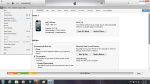
You have an Apple ipod, that has a password on it but, your nephew got a hold of it, and now you can’t get past the log-in screen. The Apple Ipod has locked you out. Now, what do you do? First thing make sure you have iTunes on your computer.
If you don’t have iTunes you can get it from the apple website at http://www.apple.com/itunes/ Click the iTunes tab to download it to your computer.
After downloading, you will want to take your Apple iPod and hook it to your computer. Open up iTunes, hold down the power button and the home button. When the screen goes blank, let go of the power button, continue to hold down the home button.
You should see the Apple iPod appear in iTunes. You will have two choices to pick from. One is for a new Apple iPod and the other is if you want to restore from the Apple iCloud.
If you don’t have an Apple I.D, you will be able to create one after , the software is installed. When it is done, it will display that you can disconnect your Apple iPod.
 INFOTECHCOMPUTING MINSTRIES: Where God Gets the Glory