AI
May 22, 2026
Tencent Hy-MT2: Fast-Thinking Multilingual Translation Models
Fast-thinking multilingual translation models from Tencent. Hy-MT2-1.8B, 7B, and 30B-A3B (MoE) support 33 languages.
Lovable App is a curated collection of small, beautiful apps crafted with vibe coding. Explore 5000+ lovable products across 10+ categories.
Discover the most beloved and highly-rated apps crafted with vibe coding, trusted by our community of creators and users

Paralives Wiki
The Ultimate Paramaker Guide Paralives introduces a revolutionary character creator where you can adjust your Parafolks’ height, posture, and completely customize their clothes using a dynamic color wheel. Want to know exactly what customization options have been confirmed so far? Check out paralives.wiki for a complete breakdown of the Paramaker tools.https://paralives.wiki/

WaveSpeedAI - Ultimate Platform for Accelerating AI Image and Video Generation
WaveSpeed AI is a multimodal, API-first platform built to make AI video generation fast, scalable, and production-ready for modern teams and products. It unifies state-of-the-art models like Wan and Kling into a single, developer-friendly hub, so you can generate videos from text, images, or existing footage in under a few minutes while maintaining cinematic quality and smooth motion. Designed for real-world workloads, it delivers enterprise-grade reliability, pay-per-use pricing, and blazing inference speeds that keep creative and product teams moving without waiting on renders.

Flag Tone - Match the flag band
Flag Tone: How to Match Flag Band Colors (2026 Complete Guide) Play now: Flag Tone — Flag color game 🎯 TL;DR Flag Tone is a free browser game where you match a random flag band’s true color using HSB sliders while the flag preview updates live. Each game runs 5 rounds with random world flags; scores use perceptual color distance (ΔE in CIELAB), mapped to 0–100 pts per round (max 500 pts per game). The challenge is visual: you study the target band on the flag, remember its color, and tune hue, saturation, and brightness—no hex codes required. Table of Contents What Is Flag Tone? Why Flag Tone Feels Like a Memory Game How to Play Flag Tone Scoring: ΔE and Points HSB Sliders vs Hex Codes Who Flag Tone Is For FAQ Summary and Next Steps What Is Flag Tone? Flag Tone (flagtone.com) is an independent flag color game built for quick, repeatable practice. Every round: Picks a random flag and a target band on that flag. Shows the band you must match while other regions stay at their true colors. Lets you adjust Hue (H), Saturation (S), and Brightness (B) on the right; the highlighted region on the flag updates in real time. Scores your Submit guess using ΔE—how far your pick is from the target in a human-friendly color space. One full game is 5 rounds. You can start a fresh set anytime with New game or Play again. 💡 Pro tip Treat each round as a mini design exercise: warm or cool the hue first, then push saturation and brightness until the band “locks in” with the rest of the flag. Suggested image placement (homepage hero): Alt text: “Flag Tone game screen—left panel shows target flag band (e.g. Czech Republic), right panel shows HSB sliders and live color preview.” Why Flag Tone Feels Like a Memory Game Flag Tone does not ask you to type color codes. You look at a specific stripe or field on a flag, hold that color in mind, and recreate it with sliders after the preview changes. That loop trains: | Skill | How Flag Tone practices it | |-------|----------------------------| | Color memory | Remembering a band’s color while adjusting H, S, B | | Perceptual matching | Comparing your pick to the flag context, not a number | | Fine motor tuning | Small slider moves like in design tools | Random flags each game also mean you cannot rely on one country’s palette—you build general color sense, not rote answers. ✅ Best practice Before submitting, glance back at the target band on the left and ask: “Does my selection belong on this flag?” Context catches mistakes that look fine in isolation. How to Play Flag Tone Game flow Step-by-step Study the flag — The left panel shows which band to match; other regions keep their true colors. Adjust H, S, and B — The right preview updates live. Hue is color angle, saturation is intensity, brightness is how light the color feels. Submit your guess — You see how far off you were (ΔE) and points for that round. Play all 5 rounds — The results screen compares every target next to your pick. Start over anytime — Use New game or Play again for a new random flag and band set. ⚠️ Note Flag geometry and colors in Flag Tone are reference illustrations for the game, not certified government specs, Pantone values, or manufacturing standards. Displays and dark mode can shift appearance. For legally binding colors, follow authorities in your jurisdiction. Scoring: ΔE and Points What is ΔE in Flag Tone? After you submit, ΔE (delta E) is one number for how different your color is from the target—like a distance score. Lower is better: small ΔE ≈ very similar colors; large ΔE ≈ far apart. Flag Tone converts both colors to CIELAB (D65), which aligns better with human vision than raw RGB pixels, then uses Euclidean distance in Lab (ΔE\*\_ab simplified). Points (pts) | Concept | Flag Tone rule | |---------|----------------| | Per round max | 100 pts | | Full game max | 500 pts (5 × 100) | | Running total | Shown at top across finished rounds | | Floor | Scores never go below 0 | Formula: ΔE → pts examples | ΔE | Perception (rough) | Points | |----|--------------------|--------| | ≈ 0 | Near-perfect match | ~100 pts | | 10 | Noticeable but decent | 80 pts | | 25 | Far off | 50 pts | | ≥ 50 | Very far | 0 pts | Feedback bands (in-game) | ΔE range | Message | |----------|---------| | < 2 | 🎯 Perfect! | | < 6 | 😊 Very close! | | < 15 | 🤔 Not bad. | | ≥ 15 | 😅 Way off… | 💡 Pro tip Aim for ΔE under 6 on hard bands; that usually keeps you above 88 pts for the round. HSB Sliders vs Hex Codes | Approach | Flag Tone choice | Why | |----------|------------------|-----| | HSB sliders | ✅ Used | Matches how designers “nudge” color: warmer/cooler, stronger/softer, darker/lighter | | Hex input | ❌ Hidden from play | Keeps the challenge visual and tied to the flag preview | If you already use Figma, Photoshop, or similar tools, Flag Tone should feel familiar—only the canvas is a flag instead of a layer. Who Flag Tone Is For | Audience | Benefit | |----------|---------| | Design students & juniors | Train HSB intuition without a full project | | Developers & UI builders | Practice perceptual distance (ΔE) like accessibility and theme work | | Trivia and geography fans | Learn flag palettes through play, not flashcards | | Quick-break players | One game ≈ 5 rounds; playable in the browser, no install | Flag Tone is not affiliated with any government, sports body, or standards agency. FAQ Q: What is Flag Tone? A: Flag Tone is a free online flag color game at flagtone.com. You match random flag band colors with HSB sliders over 5 rounds per game, scored by ΔE. Q: How many rounds are in one Flag Tone game? A: 5 rounds. Each round uses a new random flag and target band. The best possible total score is 500 pts. Q: What does ΔE mean in Flag Tone? A: ΔE measures color difference after converting to CIELAB. Lower ΔE means a closer match to the target band. Q: How are points calculated in Flag Tone? A: pts = round(max(0, 100 − 2 × ΔE)) per round. Bigger ΔE means fewer points; near-zero ΔE is close to 100 pts. Q: Why does Flag Tone use sliders instead of hex codes? A: So you look at color and adjust it like in a design app. Hex stays in the background; the game stays visual and memory-driven. Q: Are Flag Tone’s flag colors official? A: No. They are reference illustrations for gameplay, not certified official specifications. Use proper authorities for print, uniforms, or public display. Q: Can I play Flag Tone on mobile? A: Flag Tone runs in the modern browser. Slider play works on touch devices; a larger screen can make comparing bands easier.

PSL rating compare with AI
🎯 Core takeaways (TL;DR) Mog Omegle at https://mogomegle.com is an AI-powered PSL rating compare: upload two clear face photos, get 0–8 scores, an eight-dimension radar, a head-to-head verdict, and a downloadable PNG—ideal for structured “mog” debates without random video roulette. Each full compare costs 20 credits; commentary can be Scientific (straight analysis) or Roast (same scoring, sharper tone)—good for screenshots and group chats. Privacy framing: photos are processed for the request—not positioned as a permanent public gallery; treat exported cards like anything you share socially. Table of contents What is Mog Omegle? What does “mog omegle” mean in search? How Mog Omegle works (step by step) The eight PSL dimensions (with weights) How to read overall PSL bands Mog Omegle vs “vibes-only” comparisons FAQ Conclusion & next steps What is Mog Omegle? Mog Omegle is a focused product for paired face evaluation: you pick Person A and Person B, and the system returns a consistent rubric-based breakdown—overall PSL, per-person explanation, comparison line, radar overlay, and an exportable card. The name nods to “mogging” culture (who “mogs” whom) and Omegle-style surprise energy, but the experience is deliberately not random video chat—it’s a scoreboarded mog battle built for sharing. Primary CTA: https://mogomegle.com 💡 Pro tip For the most stable scores, use clear, front-facing photos; heavy filters, extreme angles, or poor lighting increase variance. ⚠️ Note PSL-style scores are discourse shorthand, not medical, legal, or relationship advice. Results are photo- and model-dependent. What does “mog omegle” mean in search? People typing “mog omegle” typically want one of three things: | Intent | What they expect | How Mog Omegle maps | |--------|------------------|---------------------| | Compare two faces | A structured winner/loser narrative with visuals | Side-by-side scoring + verdict + radar | | Meme / roast energy | Funny copy they can screenshot | Roast mode (same math, different tone) | | Explain PSL / radar | Definitions + how to read outputs | Eight weighted dimensions + band guide | How Mog Omegle works (step by step) 📊 Flow

Open Design Github - Open-source design studio: your coding agent becomes a creative design engine with 31 composable skills and 72 brand-grade design systems
Open Design — The open-source alternative to Claude Design Open Design is a local-first, web-deployable, BYOK design studio. Your existing coding agent (Claude, Codex, Cursor, Gemini, OpenCode, Qwen, and more) becomes the design engine, driven by 31 composable Skills and 72 brand-grade Design Systems. Key Features 31 Composable Skills — File-based SKILL.md bundles for every design task 72 Brand-Grade Design Systems — Portable Markdown design systems (Linear, Vercel, Stripe, Apple, Cursor, Figma...) 12 Agent Adapters — Auto-detected on your $PATH (Claude, Codex, Gemini, Cursor, Copilot, OpenCode, Devin, Hermes, Pi, Kimi, Kiro, Qwen) BYOK at Every Layer — OpenAI-compatible proxy; use DeepSeek, Groq, OpenRouter, or self-hosted vLLM 4-Stage Design Loop — Detect, Discover, Direct, Deliver Desktop App Available — Download and run locally The Method Detect — Daemon scans $PATH, auto-loads skills + systems on boot Discover — 30-second question form to lock in context Direct — Pick from 5 deterministic visual directions (palette in OKLch, font stack, layout) Deliver — Export HTML, PDF, PPTX, ZIP, or Markdown 29.6K GitHub stars · Apache 2.0 licensed · Made with pnpm

- AI video creation made template-first.
AI Inspo is an all-in-one AI video and image generation platform designed for creators who want to produce high-quality visual content faster. Instead of switching between different AI video tools, prompt workflows, and model interfaces, users can create videos from text, animate images, generate motion effects, and explore viral templates from one browser-based workspace. The platform supports multiple AI creation workflows, including text-to-video, image-to-video, Auto Video, AI Motion, and AI Pose. Its text-to-video tool lets users describe an idea in natural language and turn it into a cinematic video with scenes, motion, and visual effects. Its Auto Video tool helps users generate complete videos from ideas or prompts, including motion, transitions, and structure. AI Motion is built for animating static images or portraits using motion templates, while AI Pose helps creators generate pose-based visual outputs for characters, portraits, and creative references. AI Inspo’s homepage and tool pages position these as core creation tools for fast, template-driven video production.
Apps in the spotlight — submitted by creators who chose a paid plan for faster approval and better visibility.
Paralives Wiki
The Ultimate Paramaker Guide Paralives introduces a revolutionary character creator where you can adjust your Parafolks’ height, posture, and completely customize their clothes using a dynamic color wheel. Want to know exactly what customization options have been confirmed so far? Check out paralives.wiki for a complete breakdown of the Paramaker tools.https://paralives.wiki/

Predict video virality before you publish.
Stop wasting ad spend on untested content. Virality Predictor leverages advanced AI and neuromarketing principles to analyze your short videos before you publish, predicting their viral potential and hook strength. Simply upload your video (up to 20 seconds) and receive a detailed engagement score, attention curve, and specific timestamps where viewers might lose interest. This powerful tool helps you secure a compelling hook, optimize your visuals and audio, and boost memory encoding to ensure your brand message resonates and drives sales. Ideal for digital marketers, content creators, and performance teams working with platforms like TikTok and Instagram Reels, Virality Predictor eliminates guesswork by providing actionable insights based on how a human audience will actually respond. Say goodbye to the attention black hole and hello to data-driven creativity, maximizing your ROI and transforming potentially costly failures into viral successes.

Transform any photo with images — style transfer, background removal, upscaling & more. No install needed.
What is Image to Image AI? AI Image to Image is a browser-based platform that transforms existing photographs using AI-powered text prompts. Unlike traditional text-to-image generators that create visuals from scratch, this tool takes your uploaded photo as the starting point. As an image to image ai generator, — preserving the original composition and subject while applying the exact modifications you describe. How It Works Upload any photo, type what you want to change in plain language, and the AI processes your request in seconds. Want to swap a background, change a hairstyle, or convert a photo into an oil painting? Just describe it and let the AI handle the rest. Core Features AI Style Transfer — Convert photos into artistic styles including anime, watercolor, oil painting, pencil sketch, and more Background Removal & Replacement — Instantly isolate subjects and replace backgrounds with solid colors, gradients, or AI-generated scenes Image Extension — Intelligently expand canvas boundaries beyond the original frame with realistic AI-generated content Image Upscaling — Enhance low-resolution photos to high-quality outputs without losing detail AI Hairstyle Changer — Try over 90 different hairstyles on portrait photos with natural-looking results Face Swap — Exchange faces between images for creative projects AI Sticker Generator — Create custom stickers with transparent backgrounds from any image Who Uses It E-commerce teams standardize product catalogs across thousands of SKUs. Marketing departments generate personalized campaign visuals at scale. Real estate agents use virtual staging to transform property listings. Content creators produce social media visuals on tight deadlines. Batch processing handles thousands of images simultaneously with consistent results. Technical Details Powered by advanced AI models including Google Gemini 2.5 Flash. Supports JPEG, PNG, and WEBP formats up to 20MB. Works across desktop, tablet, and mobile browsers — no app downloads needed. Free daily credits with no signup required. Looking for a way to edit real photos instead of generating images from scratch? Image to Image AI works as an ai image generator from photo — upload any existing picture, describe the changes you want in plain text, and get professional results in seconds. From background swaps to artistic style transfers, every edit starts from your original photo. Why Use an AI Image Generator from Photo? Traditional text-to-image tools create visuals from nothing, giving you little control over the final result. As an AI Image Generator from Image, Image to Image AI starts with your real picture — keeping the lighting, perspective, and subject intact while applying only the edits you specify. This makes it the ideal choice for product photography, portrait retouching, and any workflow where accuracy matters more than randomness.

Turn any character image into a cinematic clip with Motion Control AI — free, no mocap, no keyframes. Upload a reference
Motion Control AI — Free Online Video Generator for Motion Transfer Motion Control AI is a free online AI-powered video generator that transfers motion, gestures, and facial expressions from any reference video to any character image. No mocap suits, no keyframe animation, no complex software required. What It Does Upload a single character image and a reference video, and Motion Control AI will retarget the full-body motion — including hand gestures, facial expressions, and lip sync — onto your character in seconds. The character's identity, outfit, and proportions stay locked for consistent output across all frames. Key Features Full-Body Motion Transfer — Extracts skeleton motion from a reference video and maps it onto any character image with high fidelity. Hand, Gesture & Facial Precision — Captures micro-expressions, hand poses, and lip movements, not just gross body movement. Identity Lock — Character faces, outfits, and proportions remain consistent across up to 30 seconds of generated video. Multi-Format Output — Export in 9:16 (TikTok/Reels), 16:9 (YouTube), or 1:1 (product pages), up to 1080p resolution. No Software to Install — Everything runs in the browser. Upload, generate, and download. How It Works Upload a character image — PNG, JPG, or WEBP. Any style: photo, illustration, 3D render, or anime. Upload a reference video — The motion source. A dance clip, a gesture sequence, a walk cycle, anything. Generate and download — The AI transfers the motion onto your character. Download the result in your preferred format. Who Should Use It Content Creators — Turn a single character photo into dance videos for TikTok, Instagram Reels, or YouTube Shorts. Brand & Marketing Teams — Animate product characters or mascots from a single image for ads and social media. Indie Filmmakers & Animators — Rapid previs and storyboarding without rigging or keyframing. Educators & Course Creators — Create animated teaching avatars from a single photo. Virtual Influencer Teams — Keep character identity consistent across content while varying motion. Game & VTuber Creators — Preview rigged-character motion before committing to production. Pricing Motion Control AI offers a free tier with 60 free credits on signup plus 20 daily login credits. Paid plans start at $15.90/month (Basic), with Pro at $29.90/month and Max at $69.90/month. A pay-as-you-go top-up of 600 credits is available for $9.90. Why Motion Control AI Traditional motion capture costs thousands of dollars and takes weeks. Keyframe animation demands specialized skills and frame-by-frame manual work. Text-to-video tools can't keep a character's face and outfit consistent. Motion Control AI solves all three problems in a single browser-based tool — free to start, no credit card required. Website: motion-control-ai.net

Gemini Omni Flash Video Generator — a multimodal AI video editor built on Google's Gemini Omni model.
Gemini Omni Flash: Multimodal AI Video Generator & Editor Turn text, images, and audio into stunning videos in a single pass. Gemini Omni Flash is a state-of-the-art multimodal video model that allows you to generate cinematic clips with synchronized audio, edit with simple natural language prompts, and create physics-aware scenes that look entirely real. The future of AI video creation starts here. What is Gemini Omni Flash? Unlike traditional video tools that process inputs separately, Gemini Omni reasons across text, images, audio, and video simultaneously. It produces coherent, physics-aware video with synchronized sound natively in one pass. Key Capabilities True Multimodal Generation: Combine text prompts, reference images, audio clips, and video footage as inputs. The model understands all modalities together to produce unified, coherent output. Synchronized Audio Built-In: Forget about separate audio post-processing. Generate videos with perfectly synchronized sound effects, narration, and background music natively. Physics-Aware World Model: Videos reflect real-world physics, lighting, and spatial relationships. Objects move naturally, shadows behave correctly, and scenes feel grounded in reality. Conversational Editing: Refine your videos using natural language. Change colors, adjust timing, swap elements, or alter camera angles simply by describing what you want. How to Use Omni Flash AI Getting started with Omni Flash AI is fast and intuitive. Follow these steps to bring your ideas to life: Visit the Platform: Head over to https://geminiomniflash.ai to access the generator. Upload Your Assets (Optional): Drop in up to 9 reference images, 3 audio tracks, or 3 video clips. Write Your Prompt: Describe your scene, motion, and desired style in the text box. Generate: Let the model process all your inputs simultaneously. In minutes, you'll receive a high-fidelity video complete with synchronized audio. Edit Conversationally: Want to make a change? You don't have to start over. Just type a new prompt like, "Change the lighting to golden hour" or "Make the car move faster," and the AI will update your video directly. What Can You Create? Creators are using Omni Flash to produce professional content across multiple industries: Product Demos & E-commerce: Upload a product photo and generate a 360° rotating showcase with studio lighting and synchronized voiceover. Social Media & Short-Form: Turn a blog post or tweet into a scroll-stopping 15-second cinematic video for TikTok, Reels, or Shorts. Educational Content: Generate animated explainers with labels and narration simply by describing the concept. Music Videos: Upload a track and describe a visual style (e.g., "neon-lit cyberpunk city"). The model generates visuals perfectly synced to the beat. Ads & Marketing: Generate multiple ad variations and styles from a single creative brief for rapid A/B testing. How We Compare See how we stack up against other leading AI video generators across the dimensions that matter most for professional content creation: | Feature | Sora 2 | Veo 3.1 | Gemini Omni Flash | | :--- | :---: | :---: | :---: | | Native Audio-Video Sync | Full | Full (~10ms latency) | Full Native Sync | | Multimodal Input | Text + Image | Text + Image + First/Last Frame | Text + 9 Images + 3 Audio + 3 Video | | Conversational Editing | ❌ | ❌ | Full Natural Language | | Physics Simulation | Excellent | Excellent | Excellent | | Output Resolution | 1080P | 4K Native | 1080P (Upscale to 4K) | Start Creating AI Videos Today One model. Any input. Cinematic output. Join thousands of creators turning their ideas into stunning, synchronized videos. Try Gemini Omni Flash Today

AI video generator that turns text, image, or chat into 4K cinematic clips with native synced audio.
Gemini Omni is a unified multimodal AI video generator that turns text, images, audio, or chat into native 4K cinematic clips with synchronized spatial audio — all in a single diffusion pass. No chained pipelines, no second-pass TTS, no separate upscalers. What makes Gemini Omni different Earlier AI video tools stopped at silent 8-second clips with morphing characters. Gemini Omni ships a director, a sound designer, and a continuity supervisor inside one model. Unified Omni-Model Architecture — reasons jointly across text, image, audio, and video Native 4K Output — crisp frames with stable continuity, no flicker between cuts Synchronized Spatial Audio — Foley, ambience, score, and lip-synced dialogue rendered alongside the visuals Conversational In-Chat Editing — rewrite wardrobe, props, dialogue, or weather without re-rendering the whole clip Locked Character Continuity — same face, palette, and lighting across every cut and aspect ratio Commercial Rights & Provenance — full commercial license on paid plans, invisible AI provenance metadata on every clip Try it free at Gemini Omni.

Motion control AI that turns character images and reference videos into more controllable AI clips with fewer retries.
FluxMov is a motion control AI video generator that uses a character image and a real motion reference to guide pose, timing, gestures, and camera movement. Instead of asking a model to invent motion from a text prompt, FluxMov gives it a visible target, so creators get more directable dance clips, avatar performances, character edits, and social videos with fewer blind retries. The workflow is simple: upload the character you want to animate, add a short reference video, and describe the style, scene, and output format in a prompt. Motion Control AI focuses on copying the visible movement while keeping the character’s identity more stable across frames, especially during complex actions. FluxMov helps creators fix where generic AI video tools break: vague motion, character drift, and unpredictable retries. By turning motion into a reusable workflow — across dance clips, avatars, brand characters, and short-form content — FluxMov makes it easier to publish more consistent, controllable AI videos without building a full motion capture pipeline.
WaveSpeedAI - Ultimate Platform for Accelerating AI Image and Video Generation
WaveSpeed AI is a multimodal, API-first platform built to make AI video generation fast, scalable, and production-ready for modern teams and products. It unifies state-of-the-art models like Wan and Kling into a single, developer-friendly hub, so you can generate videos from text, images, or existing footage in under a few minutes while maintaining cinematic quality and smooth motion. Designed for real-world workloads, it delivers enterprise-grade reliability, pay-per-use pricing, and blazing inference speeds that keep creative and product teams moving without waiting on renders.

Gemini Omni is a premium AI video generator engineered to transform textual ideas and static images into high-coherence,
Gemini Omni is a next-generation generative video platform built for digital publishers, marketing teams, and growth hackers. The tool automates the visual production loop by translating detailed text prompts and image assets into high-definition short clips. Optimized for visual explainers, product concepts, and viral social stories, it lets creators scale their output without touching a complex editing suite.
Discover the latest beautiful apps crafted with vibe coding. New lovable tools added regularly to our curated collection.
Paralives Wiki
The Ultimate Paramaker Guide Paralives introduces a revolutionary character creator where you can adjust your Parafolks’ height, posture, and completely customize their clothes using a dynamic color wheel. Want to know exactly what customization options have been confirmed so far? Check out paralives.wiki for a complete breakdown of the Paramaker tools.https://paralives.wiki/

Discomorphism Lovable - Drop your logo and get a dazzling disco-styled app icon in seconds.
Discomorphism Lovable Discomorphism Lovable brings the magic of disco to your brand identity by converting logos into eye-catching app icons. Upload any PNG, JPG, or WEBP image up to 5 MB and receive a mirror-tiled, light-bathed disco version ready for deployment across app stores and social platforms. The transformation uses AI to detect your logo contours and apply reflective mirror tile overlays paired with dynamic disco spotlights. Colors fragment and multiply creating that authentic 70s dance floor aesthetic while preserving the core shape and recognition of your original brand mark. User Experience The interface centers on a prominent drop zone where users drag their logo file. As the AI processes the image, celebratory animations acknowledge the transformation. Once complete, the disco icon downloads immediately with no watermarks or quality loss. Everything happens client-side for privacy, with only the AI inference running on Lovable serverless infrastructure. The experience carries a cohesive disco theme throughout. The tagline Make your logo dance encapsulates the playful energy. Visual elements include floating disco balls and twinkling star accents that reinforce the carnival atmosphere surrounding your brand transformation. Ideal Applications Mobile app developers seeking differentiation in crowded markets use Discomorphism to create memorable icons. Social media professionals transform profile images for stand-out visual presence. Marketing teams generate branded content for campaign materials without design agency involvement. The tool requires no account creation or payment. Open access through Lovable means instant availability for anyone with a logo and a need to make it dance. Platform Integration Built on Lovable, the project showcases rapid AI tool development without traditional engineering overhead. The platform handles hosting, scaling, and model serving while the open-source codebase enables community customization and feature extensions.
Predict video virality before you publish.
Stop wasting ad spend on untested content. Virality Predictor leverages advanced AI and neuromarketing principles to analyze your short videos before you publish, predicting their viral potential and hook strength. Simply upload your video (up to 20 seconds) and receive a detailed engagement score, attention curve, and specific timestamps where viewers might lose interest. This powerful tool helps you secure a compelling hook, optimize your visuals and audio, and boost memory encoding to ensure your brand message resonates and drives sales. Ideal for digital marketers, content creators, and performance teams working with platforms like TikTok and Instagram Reels, Virality Predictor eliminates guesswork by providing actionable insights based on how a human audience will actually respond. Say goodbye to the attention black hole and hello to data-driven creativity, maximizing your ROI and transforming potentially costly failures into viral successes.
Transform any photo with images — style transfer, background removal, upscaling & more. No install needed.
What is Image to Image AI? AI Image to Image is a browser-based platform that transforms existing photographs using AI-powered text prompts. Unlike traditional text-to-image generators that create visuals from scratch, this tool takes your uploaded photo as the starting point. As an image to image ai generator, — preserving the original composition and subject while applying the exact modifications you describe. How It Works Upload any photo, type what you want to change in plain language, and the AI processes your request in seconds. Want to swap a background, change a hairstyle, or convert a photo into an oil painting? Just describe it and let the AI handle the rest. Core Features AI Style Transfer — Convert photos into artistic styles including anime, watercolor, oil painting, pencil sketch, and more Background Removal & Replacement — Instantly isolate subjects and replace backgrounds with solid colors, gradients, or AI-generated scenes Image Extension — Intelligently expand canvas boundaries beyond the original frame with realistic AI-generated content Image Upscaling — Enhance low-resolution photos to high-quality outputs without losing detail AI Hairstyle Changer — Try over 90 different hairstyles on portrait photos with natural-looking results Face Swap — Exchange faces between images for creative projects AI Sticker Generator — Create custom stickers with transparent backgrounds from any image Who Uses It E-commerce teams standardize product catalogs across thousands of SKUs. Marketing departments generate personalized campaign visuals at scale. Real estate agents use virtual staging to transform property listings. Content creators produce social media visuals on tight deadlines. Batch processing handles thousands of images simultaneously with consistent results. Technical Details Powered by advanced AI models including Google Gemini 2.5 Flash. Supports JPEG, PNG, and WEBP formats up to 20MB. Works across desktop, tablet, and mobile browsers — no app downloads needed. Free daily credits with no signup required. Looking for a way to edit real photos instead of generating images from scratch? Image to Image AI works as an ai image generator from photo — upload any existing picture, describe the changes you want in plain text, and get professional results in seconds. From background swaps to artistic style transfers, every edit starts from your original photo. Why Use an AI Image Generator from Photo? Traditional text-to-image tools create visuals from nothing, giving you little control over the final result. As an AI Image Generator from Image, Image to Image AI starts with your real picture — keeping the lighting, perspective, and subject intact while applying only the edits you specify. This makes it the ideal choice for product photography, portrait retouching, and any workflow where accuracy matters more than randomness.

Cajunavenger Github Io - Interactive Pokemon team picker with type filtering, randomization, and shiny mode.
Cajunavenger Github Io Cajunavenger Github Io transforms Pokemon team building into an engaging experience with its feature-rich picker interface. Designed for both competitive battlers and casual collectors, this tool covers every Pokemon from Gen 1 to Gen 9, including all regional forms, evolutions, and special variants. The core functionality centers around selecting up to six Pokemon for your team, then using various filters to narrow down choices by type, gimmick, or category. Competitive players appreciate the ability to quickly assemble teams while testing type matchups and coverage. Casual fans enjoy marking favorites and applying visual effects like shiny transformations. The Mode selector is particularly noteworthy: Strict Mode removes minor variants for a cleaner grid, Surplus Mode adds back extra forms for completionists, and Silly Mode unlocks every possible variant including Gigantamax Pikachu as a Starter or Chill Drive Genesect as a Legendary. This flexibility ensures the tool serves diverse playstyles. User Experience The interface prioritizes clarity and ease of use. Team boxes appear in the lower portion of the screen while the Pokemon grid fills the remaining space. Users can click any Pokemon in the grid to add it to an empty team slot, with the option to randomize entire teams instantly. The Shiny Charm toggle makes all displayed Pokemon golden with a single click. Language support spans ten options, making this accessible to Pokemon fans globally. The Credits section properly attributes all sprite artists, including JordanosArt for walking wake sprites, RetroNC for Gen 9 additions, and the Smogon Sprite Project for older generations. Technical Implementation Running as a static site on GitHub Pages, the project loads quickly without server dependencies. Open source availability means developers can fork and modify the codebase for custom applications. Regular updates add new Pokemon as they release in official games.

Senate Run Vercel App - a casual web-based running game
Senate Run Vercel App Senate Run Vercel App is a lightweight, browser-based indie running game known as Senate Run. The game focuses on simple obstacle-avoidance gameplay, quick reactions, and instant browser access. Important Disclaimer: Senate Run is provided for entertainment and descriptive purposes only. The game does not represent, support, oppose, promote, criticize, or endorse any political figure, political party, government agency, public institution, or real-world political position. Any names, settings, or visual references are presented only as part of a fictional game-style experience and should not be interpreted as a political statement. Game Overview Senate Run is a casual web-based running game where players control a character moving through an obstacle-filled environment. The objective is straightforward: keep running, avoid obstacles, and try to survive as long as possible. The game is designed for short play sessions and can be accessed directly through the Senate Run Vercel App in a browser. Political Neutrality Disclaimer Senate Run Vercel App is not affiliated with any political organization, public official, campaign, government body, or advocacy group. This game is intended strictly as a casual browser game and should be understood as a fictional digital experience. It does not express any opinion about real-world political events, individuals, institutions, or issues. Neutral Position Senate Run maintains a neutral position and does not: Support any political party Oppose any political party Promote any political agenda Endorse any public figure Criticize any public figure Represent any official institution Encourage political action or interpretation All gameplay elements are presented as part of a fictional and entertainment-focused game environment. Gameplay Features Objective The goal of Senate Run is to continue running while avoiding obstacles. Players need to time their jumps carefully, react quickly, and keep the character moving forward for as long as possible. Obstacles During gameplay, players may encounter different types of obstacles, such as: Blocking characters Floor hazards Warning signs Objects placed along the running path Touching an obstacle ends the current run and leads to a Game Over screen. Controls Senate Run Vercel App uses simple and intuitive controls suitable for casual players. Tap the screen on mobile devices Click the mouse on desktop Double-click or repeat taps for quick reactions The control system is easy to learn and designed for fast gameplay. Technical Details Browser-Based Access Senate Run Vercel App is fully web-based. Players can access Senate Run directly through a browser without installing additional software. This makes the game easy to open, play, and share across devices. Device Compatibility The game is designed to support common devices, including: Desktop computers Laptops Smartphones Tablets It works with both mouse and touch controls, allowing users to play on different screen sizes. No App Store Download Required There is no official app store download required to play Senate Run. The game is available online through the Senate Run Vercel App, making it convenient for users who prefer instant browser-based gameplay. Key Highlights | Feature | Description | |---|---| | Game Title | Senate Run | | Main Keyword | Senate Run Vercel App | | Game Type | Browser-based running game | | Purpose | Entertainment only | | Political Position | Neutral, no political endorsement | | Platform | Web browser | | Controls | Tap, click, or double-click | | Devices | Desktop, mobile, and tablet | | Installation | No installation required | | Access | Playable online | Entertainment-Only Statement Senate Run is created and described solely as an entertainment experience. It should not be treated as news, commentary, activism, propaganda, political advertising, or an official representation of any real-world person or organization. Any similarity to real-world names, events, locations, or institutions is used only in a fictionalized game context. Senate Run Vercel App does not encourage users to form political opinions based on gameplay content. Why Play Senate Run? Senate Run is designed for players who enjoy simple, fast, and accessible web games. Key reasons to play include: Instant browser access No installation required Simple tap-and-click controls Short and replayable game sessions Mobile-friendly gameplay Lightweight casual entertainment Final Summary Senate Run Vercel App is an online version of Senate Run, a casual browser-based running game focused on obstacle avoidance, quick reactions, and easy access. The game is provided strictly for entertainment purposes and maintains a neutral position with no political affiliation, endorsement, opposition, or agenda.
Turn any character image into a cinematic clip with Motion Control AI — free, no mocap, no keyframes. Upload a reference
Motion Control AI — Free Online Video Generator for Motion Transfer Motion Control AI is a free online AI-powered video generator that transfers motion, gestures, and facial expressions from any reference video to any character image. No mocap suits, no keyframe animation, no complex software required. What It Does Upload a single character image and a reference video, and Motion Control AI will retarget the full-body motion — including hand gestures, facial expressions, and lip sync — onto your character in seconds. The character's identity, outfit, and proportions stay locked for consistent output across all frames. Key Features Full-Body Motion Transfer — Extracts skeleton motion from a reference video and maps it onto any character image with high fidelity. Hand, Gesture & Facial Precision — Captures micro-expressions, hand poses, and lip movements, not just gross body movement. Identity Lock — Character faces, outfits, and proportions remain consistent across up to 30 seconds of generated video. Multi-Format Output — Export in 9:16 (TikTok/Reels), 16:9 (YouTube), or 1:1 (product pages), up to 1080p resolution. No Software to Install — Everything runs in the browser. Upload, generate, and download. How It Works Upload a character image — PNG, JPG, or WEBP. Any style: photo, illustration, 3D render, or anime. Upload a reference video — The motion source. A dance clip, a gesture sequence, a walk cycle, anything. Generate and download — The AI transfers the motion onto your character. Download the result in your preferred format. Who Should Use It Content Creators — Turn a single character photo into dance videos for TikTok, Instagram Reels, or YouTube Shorts. Brand & Marketing Teams — Animate product characters or mascots from a single image for ads and social media. Indie Filmmakers & Animators — Rapid previs and storyboarding without rigging or keyframing. Educators & Course Creators — Create animated teaching avatars from a single photo. Virtual Influencer Teams — Keep character identity consistent across content while varying motion. Game & VTuber Creators — Preview rigged-character motion before committing to production. Pricing Motion Control AI offers a free tier with 60 free credits on signup plus 20 daily login credits. Paid plans start at $15.90/month (Basic), with Pro at $29.90/month and Max at $69.90/month. A pay-as-you-go top-up of 600 credits is available for $9.90. Why Motion Control AI Traditional motion capture costs thousands of dollars and takes weeks. Keyframe animation demands specialized skills and frame-by-frame manual work. Text-to-video tools can't keep a character's face and outfit consistent. Motion Control AI solves all three problems in a single browser-based tool — free to start, no credit card required. Website: motion-control-ai.net
Gemini Omni Flash Video Generator — a multimodal AI video editor built on Google's Gemini Omni model.
Gemini Omni Flash: Multimodal AI Video Generator & Editor Turn text, images, and audio into stunning videos in a single pass. Gemini Omni Flash is a state-of-the-art multimodal video model that allows you to generate cinematic clips with synchronized audio, edit with simple natural language prompts, and create physics-aware scenes that look entirely real. The future of AI video creation starts here. What is Gemini Omni Flash? Unlike traditional video tools that process inputs separately, Gemini Omni reasons across text, images, audio, and video simultaneously. It produces coherent, physics-aware video with synchronized sound natively in one pass. Key Capabilities True Multimodal Generation: Combine text prompts, reference images, audio clips, and video footage as inputs. The model understands all modalities together to produce unified, coherent output. Synchronized Audio Built-In: Forget about separate audio post-processing. Generate videos with perfectly synchronized sound effects, narration, and background music natively. Physics-Aware World Model: Videos reflect real-world physics, lighting, and spatial relationships. Objects move naturally, shadows behave correctly, and scenes feel grounded in reality. Conversational Editing: Refine your videos using natural language. Change colors, adjust timing, swap elements, or alter camera angles simply by describing what you want. How to Use Omni Flash AI Getting started with Omni Flash AI is fast and intuitive. Follow these steps to bring your ideas to life: Visit the Platform: Head over to https://geminiomniflash.ai to access the generator. Upload Your Assets (Optional): Drop in up to 9 reference images, 3 audio tracks, or 3 video clips. Write Your Prompt: Describe your scene, motion, and desired style in the text box. Generate: Let the model process all your inputs simultaneously. In minutes, you'll receive a high-fidelity video complete with synchronized audio. Edit Conversationally: Want to make a change? You don't have to start over. Just type a new prompt like, "Change the lighting to golden hour" or "Make the car move faster," and the AI will update your video directly. What Can You Create? Creators are using Omni Flash to produce professional content across multiple industries: Product Demos & E-commerce: Upload a product photo and generate a 360° rotating showcase with studio lighting and synchronized voiceover. Social Media & Short-Form: Turn a blog post or tweet into a scroll-stopping 15-second cinematic video for TikTok, Reels, or Shorts. Educational Content: Generate animated explainers with labels and narration simply by describing the concept. Music Videos: Upload a track and describe a visual style (e.g., "neon-lit cyberpunk city"). The model generates visuals perfectly synced to the beat. Ads & Marketing: Generate multiple ad variations and styles from a single creative brief for rapid A/B testing. How We Compare See how we stack up against other leading AI video generators across the dimensions that matter most for professional content creation: | Feature | Sora 2 | Veo 3.1 | Gemini Omni Flash | | :--- | :---: | :---: | :---: | | Native Audio-Video Sync | Full | Full (~10ms latency) | Full Native Sync | | Multimodal Input | Text + Image | Text + Image + First/Last Frame | Text + 9 Images + 3 Audio + 3 Video | | Conversational Editing | ❌ | ❌ | Full Natural Language | | Physics Simulation | Excellent | Excellent | Excellent | | Output Resolution | 1080P | 4K Native | 1080P (Upscale to 4K) | Start Creating AI Videos Today One model. Any input. Cinematic output. Join thousands of creators turning their ideas into stunning, synchronized videos. Try Gemini Omni Flash Today

Photonic Lighting – Professional DMX controller with 3D stage visualization and audio-reactive lighting effects.
Photonic Lighting Photonic Lighting is a browser-based stage lighting control platform that puts professional DMX lighting control directly in your browser. Using Three.js for real-time 3D visualization, it provides an immersive and intuitive interface for managing complex lighting rigs without specialized hardware. The Control Surface At the heart of the application is a sophisticated panel interface built around vertical faders for individual channel control and horizontal sliders for global parameters like speed and intensity. The strobe unit delivers rapid-fire on/off control with adjustable frequency, while the scene bar provides one-tap access to complete lighting presets. Each scene captures the full state of your lighting setup, enabling instant transitions between different moods and configurations during live performances. Chase and Frame Management The chase system allows users to queue multiple lighting states that cycle automatically, creating the running-light patterns common in concert and club environments. The frame manager builds on this by letting users assemble complete shows in advance, organizing cues into logical sequences that can be triggered manually or timed for automated playback. Color chase grids add yet another dimension, cycling through user-selected color palettes in configurable patterns. Audio Reactive Mode An integrated audio visualizer uses microphone input to drive lighting effects in real time. The system analyzes incoming audio to detect beats and volume peaks, translating these into lighting responses that pulse and shift with the music. This transforms any space into a dynamic audio-visual environment suitable for parties, performances, or ambient installations. Technology Stack The application is built entirely client-side using Three.js for WebGL-based 3D rendering, with no server-side computation required. This ensures minimal latency between control input and lighting output. The platform is hosted on Netlify, ensuring global availability and rock-solid reliability. Its responsive design works across desktop and mobile browsers, making it accessible from any device in any location.
AI video generator that turns text, image, or chat into 4K cinematic clips with native synced audio.
Gemini Omni is a unified multimodal AI video generator that turns text, images, audio, or chat into native 4K cinematic clips with synchronized spatial audio — all in a single diffusion pass. No chained pipelines, no second-pass TTS, no separate upscalers. What makes Gemini Omni different Earlier AI video tools stopped at silent 8-second clips with morphing characters. Gemini Omni ships a director, a sound designer, and a continuity supervisor inside one model. Unified Omni-Model Architecture — reasons jointly across text, image, audio, and video Native 4K Output — crisp frames with stable continuity, no flicker between cuts Synchronized Spatial Audio — Foley, ambience, score, and lip-synced dialogue rendered alongside the visuals Conversational In-Chat Editing — rewrite wardrobe, props, dialogue, or weather without re-rendering the whole clip Locked Character Continuity — same face, palette, and lighting across every cut and aspect ratio Commercial Rights & Provenance — full commercial license on paid plans, invisible AI provenance metadata on every clip Try it free at Gemini Omni.
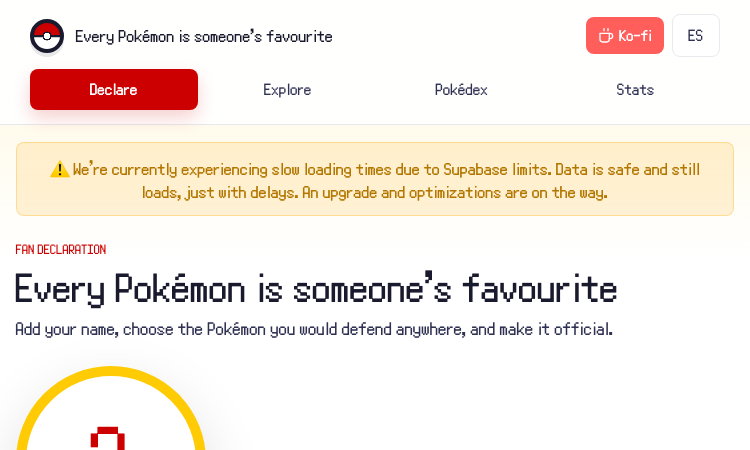
Favorite Pokemon Vercel App - your gateway to exploring Pokemon stats, types and abilities.
Favorite Pokemon Vercel App Favorite Pokemon Vercel App invites Pokemon enthusiasts on a delightful journey through the expansive world of Pokemon, providing an elegant digital reference that captures the magic of these creatures we have all grown to love. The application functions as both a nostalgic tribute to the franchise and a practical tool for fans who want to deepen their understanding of individual Pokemon characteristics. The browsing experience feels thoughtfully curated, presenting Pokemon information in a clean and engaging format that makes exploring feel rewarding rather than overwhelming. Each creatures page reveals detailed breakdowns including type affiliations, evolutionary lines, ability pools, and base statistics that inform competitive viability. Filtering and sorting options empower users to navigate the collection according to their specific interests. Whether you want to revisit Pokemon from a particular generation, compare creatures sharing a specific type, or simply browse alphabetically through your childhood favorites, the interface accommodates your preferred exploration style. The visual design respects the vibrant personality of the Pokemon brand while maintaining the clean aesthetics of a modern web application. Colors pop appropriately, sprites and icons are rendered clearly, and the overall atmosphere feels fun without sacrificing usability or performance. Since the application runs on Vercels infrastructure, users can trust in fast load times and reliable availability. There is no app store complexity or download requirement, simply navigate to the site and begin your Pokemon discovery journey. The experience adapts gracefully to mobile and desktop browsing alike, ensuring your favorite Pokemon are always within reach.

Globle - the popular daily geography guessing game with color-coded distance feedback.
Globle Globle brings the excitement of geographical discovery directly to your browser with its clever daily puzzle format. Players from around the world connect to the same mystery country each day, competing to see who can identify the hidden destination using the fewest guesses. The shared challenge creates a vibrant community atmosphere where players naturally compare strategies and celebrate their geographic knowledge. The intuitive color system transforms abstract geographic distance into a visually intuitive experience. Each guess appears on a representation of the globe, color-coded to show proximity. Deep red signals that your guess shares a border or sits very close to the target, while progressive shades of blue indicate increasing distance. This elegant feedback mechanism makes the game immediately understandable without lengthy tutorials or explanations. Strategic guessing forms the core of Globle gameplay. Rather than random guessing, experienced players develop systematic approaches to narrow down possibilities efficiently. The game rewards geographic literacy while simultaneously building it, as players encounter countries they may never have considered before and feel motivated to learn where they lie in relation to familiar reference points. The once-per-day format transforms a potentially overwhelming world of geography into a manageable daily ritual. Players around the world wake up to a fresh challenge, creating synchronized moments of collective puzzlement and eventual revelation when the solution is confirmed. This design choice keeps the game feeling fresh and prevents the exhaustion that can accompany games with unlimited play potential. Completely free and requiring no registration, Globle offers immediate access to addictive geographic entertainment. The thoughtfully designed interface works seamlessly across desktop and mobile devices, ensuring that whether you are playing during a work break or relaxing at home, you can engage with the daily challenge without friction. Build your geography skills one country at a time while competing against friends and players worldwide.
Stay informed with the latest insights, tutorials, and industry trends in artificial intelligence
Fast-thinking multilingual translation models from Tencent. Hy-MT2-1.8B, 7B, and 30B-A3B (MoE) support 33 languages.
Flag Tone is a free browser game where you match flag band colors using HSB sliders. Learn scoring, gameplay, and tips for mastering color perception.
Freqz Booth is an AI photo booth generator that turns one portrait into a multi-frame collage. Complete guide covering templates, manual controls, privacy, credits, and step-by-step workflow.
Complete guide to using Mog Omegle for AI-powered PSL rating comparisons. Learn about the 8-dimension radar, scoring bands, Scientific vs Roast modes, and how to run face-offs.
Toon Tone is a browser-friendly color guessing game that helps you sharpen color perception through practice. Learn how it works and why color skill is democratic.
A summary of all six products that carried the Weekly Pick label with April 2026 publish dates on CurateClick, covering discovery, access, creative AI, and business workflows.
Tencent Hunyuan Team releases Hy-MT1.5-1.8B-2bit, a breakthrough 2-bit quantized translation model. At just 574MB, it outperforms Tower-Plus-72B and commercial APIs across 33 languages. Full offline on-device deployment available.
What are Hunter Eyes? A comprehensive guide to the Hunter Eyes aesthetic concept, how the Hunter Eyes AI evaluation tool works, scoring dimensions, and practical improvement tips.
Everything we know about GPT Image 2 — the unreleased OpenAI model that briefly leaked on LMArena in April 2026, featuring major leaps in photorealism, text rendering, and world knowledge.
Discovering beautiful apps crafted with vibe coding - where innovation meets aesthetic excellence
To celebrate and showcase beautiful lovable apps built with vibe coding. Lovable App connects vibe coders with users who appreciate craftsmanship, creating an ecosystem where every lovable app finds its perfect audience. We believe in the power of vibe coding to create truly lovable experiences that elevate digital taste and discover beauty through innovative lovable app development.
To elevate digital taste and discover beauty through vibe coding. Lovable App envisions a world where every app is a lovable app - beautifully crafted with vibe coding, intuitively designed, and joyfully used. We're building the definitive destination for vibe coding excellence and lovable app discovery, where vibe coders can showcase their lovable creations and users can find the perfect lovable app for their needs.
We're more than a directory - we're a celebration of vibe coding and lovable app craftsmanship, connecting vibe coders with users who appreciate beautiful, well-crafted lovable apps
Every lovable app is crafted with vibe coding methodology, ensuring beautiful, intuitive experiences that delight users.
Discover 5000+ small, beautiful apps built with vibe coding - each lovable app handpicked for quality and innovation.
Find your perfect lovable app with our vibe-powered search that understands aesthetic appeal and functional beauty.
Whether you're a vibe coder creating lovable apps or someone who appreciates beautiful craftsmanship, Lovable App connects creators with users who value vibe coding excellence
Showcase your creations
As a vibe coder, Lovable App provides the perfect platform to showcase your beautifully crafted applications. Share your lovable apps with an audience that truly appreciates the art of vibe coding.
Connect with fellow creators, receive valuable feedback, and build a community around your innovative projects. Your vibe coding journey deserves to be seen and celebrated.
Discover beautiful apps
Discover beautifully crafted lovable apps built with vibe coding methodology. Whether you're looking for creative tools, productivity apps, or innovative solutions, find applications that delight and inspire.
From design inspiration to development tools, explore resources that help you discover and use the perfect lovable apps for your personal needs and creative projects.
We're committed to providing the best lovable app discovery experience built on vibe coding principles. Here's what you can always expect from Lovable App.
Lovable App will always remain free. We believe access to beautiful, vibe-coded lovable apps should be available to everyone, regardless of budget.
Our team works around the clock to ensure Lovable App reflects the latest vibe coding innovations. New lovable apps are added every single day.
We prioritize quality over quantity. Every lovable app undergoes rigorous evaluation to meet our high standards for vibe coding excellence and user experience.
Join millions of users who trust Lovable App to find beautiful, vibe-coded applications that delight and inspire.
Everything you need to know about Lovable APP and our curated collection of vibe-coded lovable apps
Still have questions? We're here to help!
Contact SupportLovable APP is featured and recognized by communities and platforms