Showing posts with label servers. Show all posts

Friday, April 10, 2026

Data Center Opportunities For Your Business

By: John Shepler

Data centers are certainly in the news these days. Most of it focused on the near-viral expansion of AI hyperscale facilities that are overwhelming local power and water utilities, resulting in a contentious standoff between concerned citizens and massive tech innovators. But that’s just a small part of the data center industry. Your business is unlikely to go hyperscale, but you can still benefit from data center services. In fact, it’s likely you need them.
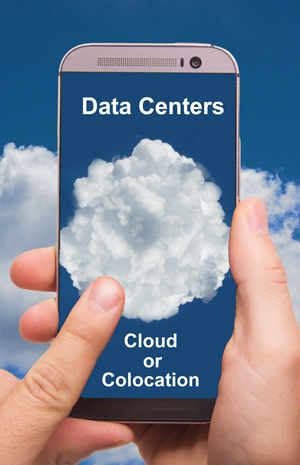
Choose your data center services, cloud or coloWhat is a Data Center?
A data center is where you find data, right? That’s correct. But it’s also where you find the computing, storage, networking and facilities to store and make use of that data. If all you have and use is a single computer, the data center is right inside. But, if you need to support a website, sell online, interconnect multiple computers or process files too big for a single machine, you’ll be using a data center. Even that single computer might want online backup.

Types of Company Data Centers
Data centers come in various sizes, depending on your needs. The simplest is an in-house data center, once called the server closet. It may be as simple as a single rack with a few servers, network disk storage, backup power supply and ventilation or cooling. Security is a lock on the door.

Larger companies create whole rooms or special buildings dedicated to their computing resources. These are enterprise data centers. They are under the control of a single company and dedicated to its needs. Often this facility will be in the same building or on the same campus as other company buildings. However, it may make sense to locate the enterprise data center a distance away for protection from disasters such as fires, floods and earthquakes.

When you get this much equipment, you’ll likely need larger scale HVAC environmental control, fire suppression, security monitoring, and building maintenance. Now the question is whether to provide all this yourself or outsource it. A managed data center is an enterprise data center that is run by a third party. This operator may own the facility and provide the staff. They may also handle IT tasks such as software updates and server maintenance.

Moving Out to a Colo Data Center
A colo or colocation data center is a multi-tenant version of the single company enterprise data center. The colo operator provides the facility, security, environmental control, backup batteries and generators, rack and cage space, and wiring. They also generally have multiple carriers with a presence in the building. You get easy access to massive amounts of bandwidth that might be harder to come by where you are located. That includes fiber, wavelength, and dark fiber services depending on your needs.

The advantage of colocation is that you are saving money vs running and/or owning the facility yourself. That’s the upside of sharing costs. It likely won’t affect a small to medium scale business because you’ll have your own racks and perhaps a cage to house them in for security. When you need to make updates, you just visit the facility.

Some colo companies offer extended services. They will maintain the servers, patch the software, add disks and so on using their in-house tech staff. They may also offer to lease you servers, disks, switches and the like so you don’t have to bear the capital expense. Pick and choose the level of support you want. That’s especially great for smaller companies that don’t have large tech staffs.

Cloud Data Centers
They say there is no cloud. It’s only somebody else’s server. That’s about right. The thing we call the cloud looks a lot like a colocation data center. The difference is that the cloud operator owns and runs everything. Resources are shared among tenants but not segregated like in a colo. Instead, most everything is virtualized. You don’t necessarily know what server is running your process or what disk your data is stored on. It’s likely that many companies are sharing all the facilities.

The cloud might offer even greater cost savings than colo. The massive facilities also have reserve capacity so that you can easily scale up or down as your needs change. It is possible to make this automatic or “elastic” so that you pay for what you use on a moment by moment basis.

This is what is known as the public cloud. There are also special versions of cloud data centers. A private cloud uses the same virtualization as the public cloud, but all resources are dedicated to one company. That can be located within your own facilities or in a third party location that might have many other private clouds physically separate in the same building. A hybrid cloud is a mixture of public and private clouds that share data and applications. You may want privacy for sensitive data but a public cloud for web traffic.

What type of data center is the best match for your business? Compare capabilities and costs for general hosting, managed, colocation and cloud data centers to see what works for you.


Click to check pricing and features or get support from an expert technology specialist.


Follow Telexplainer on Twitter


Tuesday, February 21, 2023

Colocation Hosting vs Cloud Data Centers

By: John Shepler

You’ve run your own in-house data center for years, but business is growing and you’ve hit the limit on what your server room can support. Now you’ve got a choice to make. Lease new space for the additional servers, storage and other appliances you need or consider moving everything to the cloud. It’s a big decision and one that needs careful consideration before funds are committed.

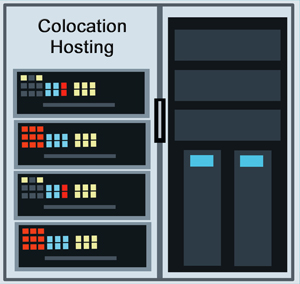
Choose colocation instead of cloud hosting.Isn’t Everyone in the Cloud?
If you read the tech headlines and articles, it looks like everyone is clearing out the old server room and simply leasing cloud services. That does have a lot of attraction. With your data and applications deep within the cloud, you no longer have any capital investment, no power bills, no physical security worries, no HVAC worries, and perhaps less IT support staffing. If you need more bandwidth, server processing or storage, you simply ask the cloud to increase your allowance, perhaps even automaticlly.

Why Wouldn’t You Join the Stampede to the Cloud?
Perhaps you’re feeling a little uncomfortable. You’ve heard that joke: “There is no cloud. It’s just somebody else’s computer.” What it really amounts to is somebody else’s thousands of computers, all nicely divvied-up to share among thousands or millions of clients. The promise of the cloud is that it looks to you like you have your own computing resources all by themselves.

Does that sound exciting or does it give you a bit of a twinge? After all, you’re really happy with how responsive your IT staff is and the control you have over all the equipment and software. There are no other companies sharing your facilities. Security involves keeping bad actors out of the building and on the far side of the firewall. So, is your only choice to bite the bullet and lease a new building for expansion?

Consider the Colo Option
Perhaps a third option is best. Lease space in someone else’s specialized building but keep your computing resources to yourself. This is the idea behind Colo or colocation hosting. These facilities were once called carrier hotels when their tenants were primarily telecom carriers. Now colo is popular with businesses of all sizes.

A colocation facility provides the physical building with controlled access and security personnel. It is staffed 24/7, which may even be more than you are able to provide now. Massive redundant power lines feed the facility so there is never a question of having enough amps to power new equipment. Moreover, that power is backed up by emergency generators and often batteries to keep things running no matter what.

With all that power, you are also going to need to get rid of the heat generated by the electronics. That is handled by redundant HVAC equipment to provide cooling air to the servers and other equipment. Air filters keep the facility dust-free.

What about connectivity? That’s one reason why companies move out of their own facilities and to a colocation center. With so many clients wanting so much bandwidth, major carriers have a presence in the colo. Often you have multiple carriers to choose from and they each have multiple fiber links for dedicated access and Internet service. Not every business is served with high bandwidth fiber yet, but the colocation centers are. They’ll get you as many Gbps as you need along with IP addresses.

Moving to a Colo Facility
When you move to a colo, you lease racks with power and cooling plus connections for bandwidth. Want more security? You can have those racks installed within a locked cage that keeps everybody but your staff out. Your people can come and install their own equipment, do maintenance, and make upgrades as needed.

Many colo facilities also offer additional services if you want them. You can have the colo tech staff monitor, troubleshoot and repair your equipment. You can even lease servers and storage from the colo instead of buying them yourself.

Are you outgrowing your tech facilities but want to explore options other than simply relocating to a cloud? Consider colocation data center facilities as an option that gives you more control but saves money compared to leasing your own dedicated buildings.

Click to check pricing and features or get support from a Telarus product specialist.


Follow Telexplainer on Twitter


Thursday, August 23, 2018

We’re Headed Toward Universal Elasticity as a Service

By: John Shepler

We’ve all suffered the frustration of visiting a web site that normally works great, only to find it is slow or completely stalled. Perhaps you are trying to finish a project at 5 PM on a Friday and your cloud service has slowed to a crawl. Maybe the video you are watching just buffers over and over, raising your blood pressure to an unacceptable level. Why doesn’t this stuff just work?

Elastic Computing and BandwidthResource Starvation
Anytime systems that normally run without hesitation get bogged down, it’s caused by some type of failure or being starved for resources. On rare instances there is a hardware failure. More likely the failure is the software gone wandering down some unpredictable path or stuck in a loop. Even more likely you are experiencing resource starvation.

You are starved of resources when you need more of something than is available at the moment. This can be compute cycles, RAM memory, disk space or bandwidth. If the problem is caused by a sudden demand for more service than usual, you might be starved for all of these.

How can this happen? Imagine a e-commerce web site that is sized to handle the usual number of shoppers, plus some margin for peak shopping times. A major TV network presents a story on a product that has become popular on social networks. All of a sudden, it seems like everybody on Earth is searching for this item and many are finding your site. Traffic? Through the roof! Sales? Not so many more. You’ve been skunked by resource starvation.

But My Services Are Scalable!
Sure they are. All you have to do is hope someone has detected the surge in activity. They notify someone else in charge, who analyzes the situation and takes action to provision more resources. In most operations this is done by changing settings on a control panel or making a phone call to the service provider. After some minutes or hours, the traffic congestion has been relieved and everybody who still wants to place an order can easily do so. But… how many buyers have given up or found another seller?

The other weakness of scalability is that you may wind up paying a premium for unneeded capacity after the surge in traffic has passed. It takes a keen eye to match resources with need to minimize the cost of your computing and network services.

Elasticity Acts Faster Than Scalability
Think of elasticity as the automation of scalability. Elastic resources are those that automatically adjust for need without human intervention. Yes, the robots have come for our jobs and, in this case, they are welcome to this maddening task.

Elastic cloud computing allows the cloud to assign you virtual servers and storage as needed. You really couldn’t do this back in the day when your own servers had to be ordered, shipped, installed in racks and connected to the rest of the infrastructure. Oh, that’s still the way it is done. It’s just invisible to you. Now the cloud company takes care of installing dozens or hundreds of physical servers at a time. The hypervisor software slices and dices them into virtual machines that can be assigned to any user at any time, faster than you can ask for them.

Another beauty of elastic computing is that resources can be deleted as fast as they are added. With the system automatically monitoring the traffic demand, this means you only have what you need at any point in time. It also means that you only pay for what you are using as you use it. A good cloud service will appear to be an infinite well of resources that you can check out and turn back as required.

Elastic Bandwidth Completes the System
It doesn’t do any good to have a supercomputer in the back room if all you’ve got is a T1 line at 1.5 Mbps to access it. What you really need to complement your elastic computing is elastic bandwidth as well. Software control and billing is making this a realistic prospect. You cloud provider may have many Tbps or Pbps of fiber bandwidth connected directly to the core of the Internet. You don’t have to pay for all of it. You can be billed by the average bandwidth that your computing resources need per hour.

Software Defined Networks now make it possible to virtualize bandwidth the way clouds virtualized servers. This capability will optimize the use of of bandwidth in the connections to your company locations. With elasticity, your lines won’t get congested nor cost your a fortune for idle capacity.

MPLS Networks with bursting capability have offered a form of this elasticity for years. You pay for a certain throughput, but are allowed to automatically increase your traffic for short periods of time.

Rapid scalability is now typical of fiber optic Internet and point to point bandwidth service. Soon, elasticity will become the norm and we’ll forget the days when you were never quite sure if you ordered enough bandwidth or way too much.

Click to check pricing and features or get support from a Telarus product specialist.


Follow Telexplainer on Twitter

Monday, February 25, 2013

Private Cloud In a Kit

The benefits of cloud computing are being widely touted as the next generation of Information Technology. You’ve read a lot about this, but are still somewhat apprehensive about moving your valuable proprietary applications into a public multi-tenant cloud. With security somewhat unproven, you’d really like to keep everything privately under your control. Does this mean abandoning the competitive advantages offered by the cloud?

Is the private cloud right for your company?Not at all. Remember that there are actually 3 types of clouds readily available. The public cloud is the most talked about and the pioneer in popularizing cloud computing. The other clouds are the private cloud and the hybrid cloud. A hybrid cloud is a combination of public and private, with some applications running in a private cloud and other, less sensitive, applications running in the public cloud.

Even if you are cloud savvy, there is still the question of cost. Public cloud cost savings are well documented and promoted. They’re based on premise that a large special purpose data center operator serving thousands of simultaneous clients can offer IT services at lower cost that each of those clients running their own data centers. But what about the private clouds? Can they really save you anything?

You can build your own private cloud right in your data center. It’s a matter of virtualizing all those servers and disk drives so that act as a pooled resource. This prevents the utilization problems of many low demand applications owning expensive hardware resources while high demand applications run out of capacity under peak loads.

Now you can also rent private clouds offered by major cloud service providers. These providers have acknowledged that the public cloud isn’t for everyone and that it makes sense to include private clouds within their data centers. The private cloud consists of a set of servers, disks, racks and so on for the exclusive use of a single client. Whatever capacity you aren’t using at the moment idles. In a way, this is very similar to using dedicated private lines for communication instead of shared bandwidth consumer-oriented connections.

What’s the advantage of renting private cloud services over building and running your own facilities? It comes down to capital and operating expenses. Renting instead of buying lets you avoid the capital investment needed to acquire expensive servers and peripherals. Operational costs may also be lower because the technical staff at the cloud provider can support your equipment as well as many others. Small companies might not even be able to justify 24/7 technical staffing for their data centers. The cloud service provider has multiple experts on duty at all times.

Another advantage common to all cloud services is that you pay as you go for only the resources you actually use. The size of the cloud data center guarantees that there are more resources than you can possibly use yourself. Contrast this to running out of processing power and having to wait for more equipment to be delivered or over-provisioning and paying way too much for the capacity that is in daily use.

CenturyLink, a major telecom and cloud services provider, has created an affordable and easy to use private cloud environment that is suitable for small as well as large businesses. Smaller companies may have avoided the migration to the cloud simply because they lack the understanding and expertise to make it all run effectively. Century’s savvisdirect AppGrid is the answer to this dilemma. It lets you get up and running in less than two business days, select the CPU, RAM , storage space, management & reporting tools, firewalls, load balancers, switches and databases you need. You configure all of this with an online graphical interface to make cloud setup almost trivially easy.

AppGrid is Platform as a Service (PaaS) that lets you develop your cloud applications and then put them into production without having to move to a different infrastructure. If your needs change, you can easily reconfigure your private cloud to meet those new requirements.

Are you interested in learning more about the merits of cloud services and the tradeoffs among the various types of clouds? Get free consultation, features and pricing for cloud services that meet your business needs.

Click to check pricing and features or get support from a Telarus product specialist.


Follow Telexplainer on Twitter

Wednesday, September 29, 2010

Bandwidth For Data Center Consolidation

Companies are always on the lookout for ways to save money, while still delivering the same value to their customers. Efficiency improvements are a sure winner. You may think you’ve wrung out all the efficiency you can from your data centers, but have you?

Consolidating data centers? Check bandwidth prices here.Most organizations don’t appear fully formed. They start out as small operations to test the market and the concept. Over years or decades, they outgrow facilities, add new products, acquire and merge with other companies, and so on. At any given point in this process, there is generally something to be gained by stepping back and considering how you would set things up if you had a clean sheet of paper.

One byproduct of company mergers and expansions is that you wind up with multiple data centers. Each installation made sense at the time. They are uniquely designed to serve the needs of a certain type of company, a certain size enterprise or certain product line. But when conditions change, you can find that there are creeping inefficiencies that come from patching things together here and there. It all works, but it may be costing you more than it could.

Data center consolidation is an activity that many companies are taking a closer look at, especially as top line growth stagnates and staff has been thinned out. You may not want to put everything in one location for the sake of redundant backup. But you may have bits and pieces here and there that can be easily combined. Fewer locations with fewer servers, larger servers and virtualization are all techniques that ultimately lead to the same or better performance at reduced cost.

Something to bring into the analysis is the cost and availability of bandwidth to support your consolidation efforts. That’s especially true if only the data centers are being consolidated but other operations continue at your geographically diverse locations. You’ll need some way to get data from place to place. That task used to fall to the site LAN, but now you’ll need a WAN connection.

Depending on how much traffic leaves data center and goes to each site, you may not need the same bandwidth that you have on your LAN. Workers at each location need access, of course, but the heavy processing may be local to the data center with just data entry and results going across the WAN. You’ll need to ascertain that bandwidth requirement and then check availability and pricing of bandwidth options.

Fortunately, bandwidth today is cheaper than ever with more options available. Ethernet is becoming more and more popular. It tends to be cheaper per Mbps than traditional T-carrier and SONET services. You can get point to point Ethernet line services or multipoint Ethernet LAN service. MPLS networks are often an excellent solution to the task of interconnecting multiple sites. They offer managed bandwidth, class of service options, and lower costs that proprietary networks.

Some companies are finding the the place to consolidate their data centers is in a colocation center or “carrier hotel” This is a completely managed facility will physical security, fire protection, backup power and a full time technical staff. You’ll often find the best bandwidth deals at colo centers because carriers establish points of presence within the facility to reach many customers at once. With multiple service providers vying for your business, you can often get outstanding deals on any level of bandwidth your require.

Are you in the midst of or considering a data center consolidation project? If so, get competitive quotes for your bandwidth needs from multiple service providers. This will help you minimize your costs, while getting the performance you need.

Click to check pricing and features or get support from a Telarus product specialist.


Follow Telexplainer on Twitter

Friday, November 13, 2009

Host Gator Serves The Web On Texas Wind Power

Are you torn between your need to support businesses that are easy on the environment and the need to minimize the cost of your online services, including Web hosting? Relax. HostGator gives you cheap and green at the same time.

HostGator green hosting at bargain pricesYou probably know that web hosting is an energy intensive business. Web servers are like any other computer, except even more power hungry. The more performance you push from your server farm, the more power you pull from the grid and the more heat you generate that has to be removed from the facility. Doesn’t sound very green, does it?

Well, there’s nothing wrong with energy. Energy is what gives us life and makes everything else possible. The problem is that we’re such an energy intensive society that we’re damaging our environment even as we progress in our way of life. The key to living in the kind of technological society we desire while preserving our natural environment is to get our energy from clean sources.

This is what Host Gator has committed to doing. Their first approach was to switch to 36% more efficient servers to reduce the carbon emissions of their shared and reseller servers. But with around 2 million websites to be served, that only went part of the way toward being a truly green business. So, HostGator purchased renewable energy credits for 130% of their server power and cooling.

Why 130%? That covers every watt needed to power the servers, cool their heat output, and operate the rest of the business. They’re effectively paying a Texas wind farm to generate renewal energy on behalf of Host Gator. It’s the next best thing to putting up windmills on their own property and generating the power themselves - except they can’t do that in downtown Houston. The money from renewal energy credits goes to offset the costs of constructing more wind generators, helping this green source of energy get deployed for today’s and future generations.

But doesn’t this green energy approach make HostGator non-competitive with web hosting services that don’t consider their environmental impact? It certainly doesn’t seem to. In fact, it’s a credit to their management that Host Gator features and pricing leave a lot of their competitors in the dust. Are you as astounded as I am to find that you can get unlimited disk space and unlimited bandwidth for your domain name for under $5 a month? That includes a 99.9% uptime guarantee, a 45 day money back guarantee, 24/7 support, and a wealth of web hosting and email hosting features.

The Business package with the ability to host unlimited domains, a dedicated static IP address, and private SSL starts at under $13 a month. Reseller plans are also available for under $25 a month that allow you to start a web hosting company of your own. You set up the accounts and give each of your customers their own control panel. You get to establish your own brand and decide how much to charge. Then keep 100% of the money you collect from your clients. HostGator will even give you a free copy of “The Web Hosting Book” to help you get started.

Does high quality green web hosting at bargain prices sound like the type of hosting you want for your business? If so, learn more and order Host Gator web hosting and reseller hosting services right now.


Follow Telexplainer on Twitter

Wednesday, November 14, 2007

Colocation Hosting Bandwidth Options

Where do you get the best deals on bandwidth? Where the telecommunications carriers are, of course. The farther you get from a carrier's POP or Point of Presence, the more you'll pay per Mbps for WAN bandwidth. That means there's only one thing to do. Move in with the carrier. Pack your servers because that really is the right solution.

Do carrier's actually take in boarders? Indeed, they do. CLECs or Competing Local Exchange Carriers often have termination equipment located on the premises of the ILEC or Incumbent Local Exchange Carrier. That's so they can get access to telephone lines to offer competing voice and data services. But what about other businesses?

Business meet carriers at a facility known as a colocation center or carrier hotel. The colocation center, or colo, is sometimes operated by a single competitive carrier. Others are run by third parties offering neutral territory to competing carriers and businesses all looking to make the best deals for IT services. The center operator provides a clean, secure, environmentally controlled building with wiring support infrastructure and backup power.

When you move into a colocation center, you usually bring your own servers and other network appliances. In some centers, you can rent servers on an exclusive or shared basis. You rent rack space for as many units as you need. Power and cooling are provided. You have the option to secure entire racks in locked cages for higher physical security. This is often called colocation hosting, regardless of who supplies the actual server equipment.

You connection to the outside world, including your own network access, is negotiated with the carrier of your choice. You may have several to choose from in a larger facility. Carriers are as anxious to be where the businesses are as businesses are anxious to have proximity to carrier services. Carriers have their own racks or rooms of termination equipment, just like businesses users. Service providers and service users get together in a "meet me" room or with a service drop from their switching rack to your server.

What types of bandwidth deals are available? Usually the best prices on each level of service. Remember that there are essentially no construction costs to provide you with service. Perhaps just a one-time fee for a service drop that may even be waived. Within the facility it is easy to run any type of copper or fiber optic physical connection, so there is no need to settle for installed lines with limited bandwidth just to get service.

Within the center, you generally have the option to get exactly the right type and quantity of bandwidth you need. This includes T1 or DS1, T3 or DS3, OC3, OC12, OC48 and higher SONET services. Also Ethernet from 10 Mbps through Gigabit Ethernet or even 10GigE. Many carriers can quickly and easily adjust the level of bandwidth they provider you on short notice. That's especially true of Ethernet services delivered on fiber optic cable.

So, who chooses colocation hosting rather than keeping everything within their own server rooms? Moving to a "colo" might actually cost you less per month that building, powering, cooling and staffing your own data center. In the case of businesses located outside of downtown metropolitan areas in major cities, especially those in rural areas, the cost of bandwidth may be much higher than in the carrier hotel. Out in the boonies, T1 connections may be all that is practical. It could easily make sense to use that T1 line to communicate with your server farm located within a distant colocation center. Chances are that neither your employees or customers can perceive that the servers running the online part of your business are 50 or 100 miles from your office and not located in the basement.

Does colocation hosting make sense for your business needs? Find out what options and pricing are available for your location with help from our team of voice and data experts. You may be surprised how much you can save by moving in with the carriers.

Click to check pricing and features or get support from a Telarus product specialist.


Follow Telexplainer on Twitter