
CUSTOM TRANSLATION RULES
Your Site. Your Rules. Complete Control.
Not everything should be translated the same way or at all. Universally’s rule engine lets you exclude content, customize translations, and control every detail without writing a single line of code.
10,000+ websites using custom rules for precision translation control
Trusted by top brands


One-Size-Fits-All Translation Doesn’t Fit Anyone
Every website has content that needs special handling. Generic translation ignores your specific needs.
| Problem | Example | Impact |
|---|---|---|
| Legal Text Gets Mangled | Terms of service translated inaccurately | Compliance risk, legal liability |
| Code Gets Translated | JavaScript variable names turned into German | Broken functionality, site errors |
| Brand Names Changed | “iPhone” becomes “téléphone intelligent” | Confused customers, lost brand equity |
“A single mistranslated legal disclaimer cost one company €50,000 in compliance fines. Control isn’t optional, it’s protection.”
Rules That Understand Your Business
Tell Universally exactly what to translate, what to skip, and how to handle special cases.
| Rule Type | What It Does | Example Use |
|---|---|---|
| Exclude Page | Skip entire pages from translation | Keep legal pages in original language only |
| Exclude Element | Skip specific elements by CSS selector | Don’t translate code blocks or form field names |
| Never Translate | Protect specific text strings | Brand names, product names, technical terms |
| Always Translate As | Force specific translations | Ensure “Support” always becomes “Assistance” in French |
| Replace | Swap content entirely by language | Show different images or phone numbers per market |
| Conditional | Apply rules based on context | Different translation for “bank” in finance vs geography content |
See Custom Rules in Action
Visual rule builder. Zero coding required.
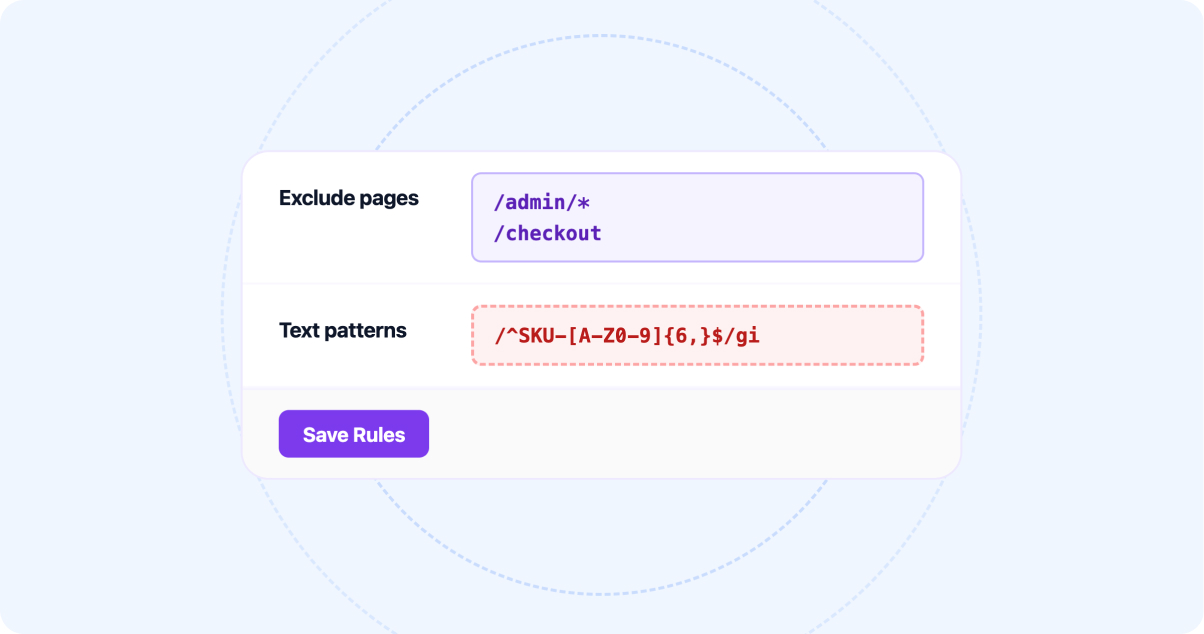
Select exactly what to skip. Exclude entire pages, specific sections, individual elements, or text patterns. Use CSS selectors for precision or point-and-click for simplicity.

Override automatic translation for specific terms. “Log in” should always be “Se connecter” in French, never “Connectez-vous.” Your rules, your consistency.

Swap content entirely by language. Show different phone numbers, addresses, images, or even entire sections for different markets. Localization beyond translation.

Don’t know CSS? No problem. Click any element on your live site to create a rule. Point. Click. Done. The visual selector identifies the element automatically.
Why Precision-Focused Teams Choose Universally
Control that scales without complexity.

Translation protection
Protect What Matters
Legal disclaimers. Regulatory text. Compliance statements. Keep them in the original language or use only human-approved translations. Never risk automated translation on sensitive content.
- Legal disclaimers
- Human-approved Translations
- No Risk
SEO Optimization
Keep Code Intact
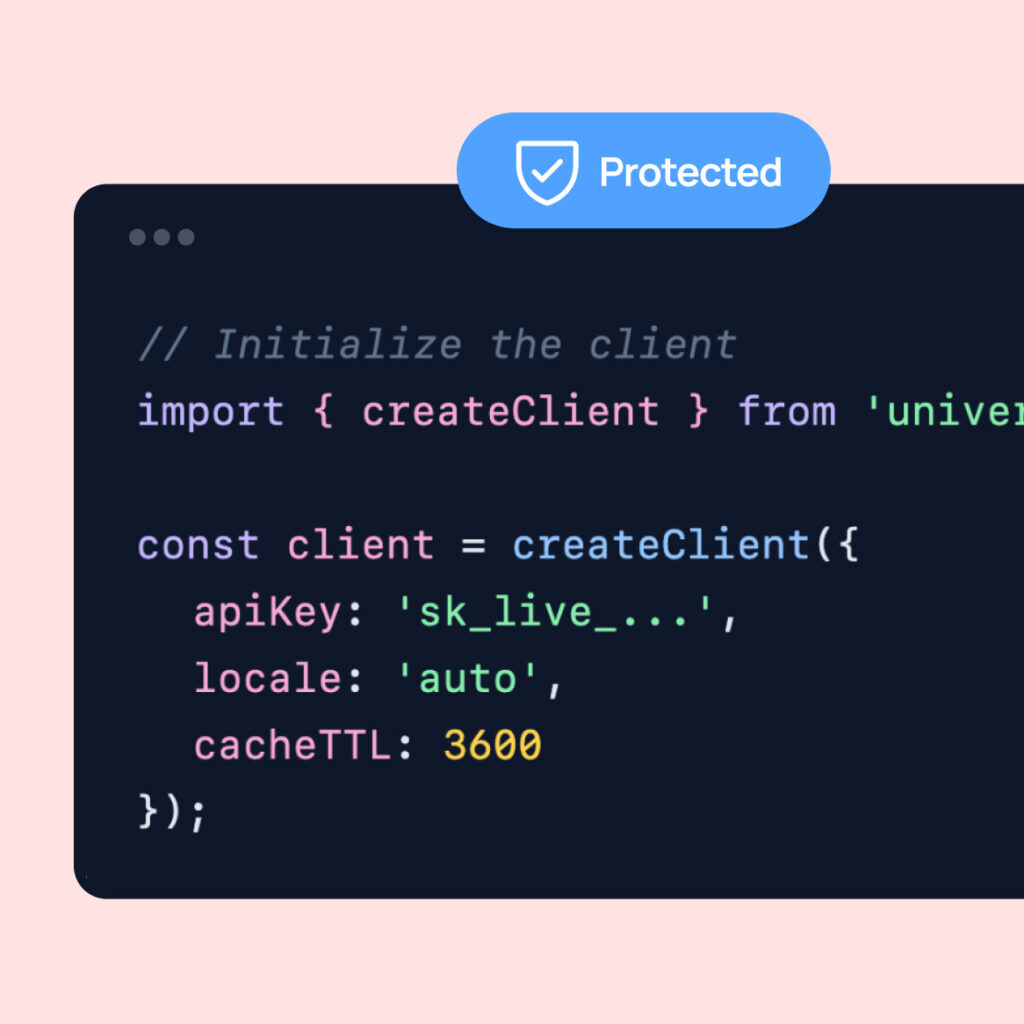
Code snippets, technical documentation, API references, Universally recognizes code and skips it automatically. Add manual rules for edge cases. Your tutorials stay functional.
- Technical Documentation
- Code Recognization
- Manual Rules

market specific
Market-Specific Content
Different countries need different contact info, pricing, or product availability. Replace content by language: German visitors see Frankfurt office details. French visitors see Paris.
- Different Content
- Replace Content
- Change Detection
Apply rules
Rules Apply Everywhere
Create a rule once, and it applies across your entire site, on every page, for every language. Add a new page? Rules apply automatically. No manual configuration per page.
- Across the Site
- Apply Rules Automatically
- No Manual Configuration


Technical Options Coming Soon
Visual + Technical Options
Marketing teams use the point-and-click visual selector. Developers use CSS selectors and regex patterns. Both work together. Everyone gets the control they need.
- Point and Click
- Patterns
- Options Control
Rules Testing
Test Before Publishing
Preview exactly how rules affect your translations before going live. See excluded content. Check forced translations. Verify replacements. Confidence before launch.
- Test Preview
- Check Translations
- Verification

Rules You’ll Actually Use

Keep terms of service in English
Exclude rule: Skip /terms-of-service and /privacy-policy pages

Protect brand name “TechFlow”
Never translate: “TechFlow” → “TechFlow” in all languages

Different support emails by region
Replace rule: [email protected] → [email protected] for European languages

Skip code in documentation
Exclude element: .code-block, pre, code elements

Consistent button text
Force rule: “Get Started” → “Commencer” (not “Démarrer”) in French

Show local pricing
Replace rule: “$99/mo” → “€89/mois” for French

Keep form field names untranslated
Exclude element: input[name], select[name], label

Market-specific images
Replace rule: hero-en.jpg → hero-de.jpg for German
What Control-Obsessed Teams Say
We needed to reach non-English audiences without doubling our content workload, and Universally delivered. The site was translated and is live across multiple languages in an afternoon, and the quality genuinely holds up. Huge win for our team.

Universally nailed the multilingual SEO piece that other tools always got wrong: clean URLs, proper meta tags, and translations that actually rank. It’s the first solution that feels built by people who truly understand WordPress.

Running a WooCommerce store in multiple languages used to mean wrestling with plugins that broke half our features. Universally just worked, product pages, checkout, everything translated cleanly. Saved us countless support headaches.

Translation Control Compared
| Basic Translation | Universally (Recommended) | |
|---|---|---|
| Page-level exclusions | Sometimes | |
| Element-level exclusions | Rarely | Yes, with CSS selectors |
| Visual point-and-click rules | ||
| Forced translations | Limited | Unlimited |
| Content replacement by language | ||
| Conditional context rules | ||
| Rule preview before publish |
See Rules in Action Before You Commit

Rule Testing
Create, test rules, and see exactly how they affect your translations before any commitment.

Rule Migration
Have existing translation exclusions or glossaries? We’ll help you convert them to Universally rules at no charge.

Expert Rule Review
Local-language experiences lead to higher trust, stronger conversions, and better sales.
Translation Your Way. Every Detail Under Control.
Stop fighting your translation tool. Start using one that listens to your rules. Create your first custom rule in minutes.

14 Days Money Back Guarantee

Unlimited Rules

Visual + Code Options
Frequently asked questions
Get answers to the most common questions about using Universally to create multilingual websites that actually convert international visitors.
How many rules can I create?
Unlimited. From 5 essential rules to 500 detailed rules, no restrictions, no extra cost.
Do I need to know CSS to create rules?
No. The visual selector lets you point and click on any element. CSS selectors are available for technical users who want precision.
Can rules use regular expressions?
Yes. Pattern matching with regex is fully supported for advanced use cases like protecting email formats or phone numbers.
Do rules apply to new pages automatically?
Yes. Rules are site-wide by default. Create a rule once, and it applies to every existing and future page that matches.
Can I have different rules for different languages?
Yes. Rules can be global (all languages) or language-specific. Show different replacement content to French visitors than German visitors.
What happens if rules conflict?
More specific rules take precedence. Page-level rules override site-level. The rule manager shows you any conflicts before publishing.