Configuring logging
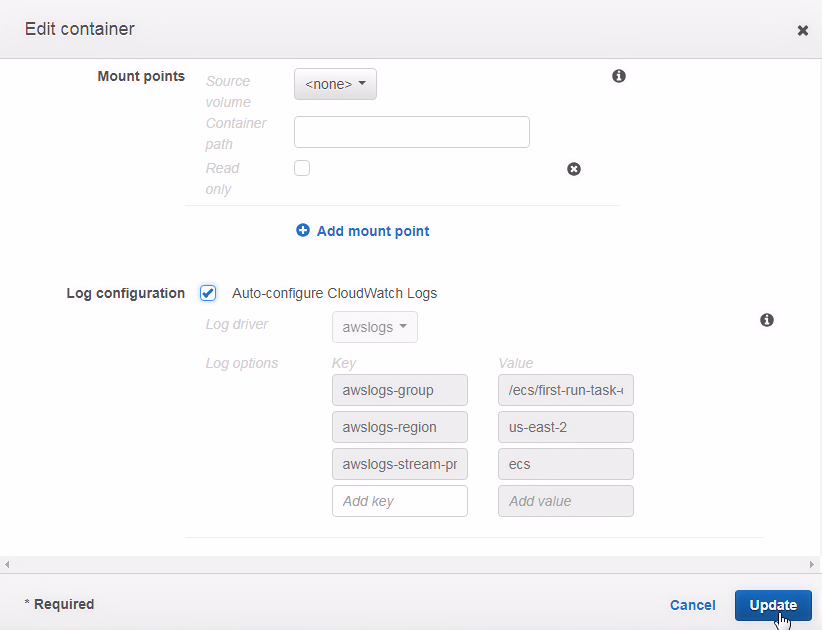
Scroll to the STORAGE AND LOGGING section in the Edit container dialog, as shown in the following screenshot:
- To configure logging automatically,click the
Auto-configure CloudWatch Logscheckbox. The Fargate launch type only supports theawslogslog driver:

- All the log options discussed in the earlier table are mandatory for the Fargate launch type, and the default value for each gets set. The
awslogs-groupoption is set to a value of/ecs/<task definition name>. If the task definition name is modified after configuring the logging, theawslogs-groupUpdateto complete the container configuration:
The logConfiguration parameters added for the logging configuration are as follows:
{
            "containerDefinitions": [{
                        ...
                        "logConfiguration": {
                                    "logDriver": "awslogs",
                                    "options": {
                                      ...