
You called a third-party API, parsed the JSON, ran data["user"]["email"], and Python threw KeyError: 'user'. The endpoint returned 200 OK, the JSON looked fine in Postman, so why is your Django view crashing in production?
This is one of the most painful runtime errors in backend Python because it almost never happens in development. You test against happy-path responses, ship to prod, and the first rate-limited request, partial response, or schema change from Stripe/Twilio/OpenAI takes down a worker. This guide covers all 7 ways third-party JSON breaks Python code, with the dict.get(), Pydantic, and jsonschema patterns that make your parsing bulletproof.
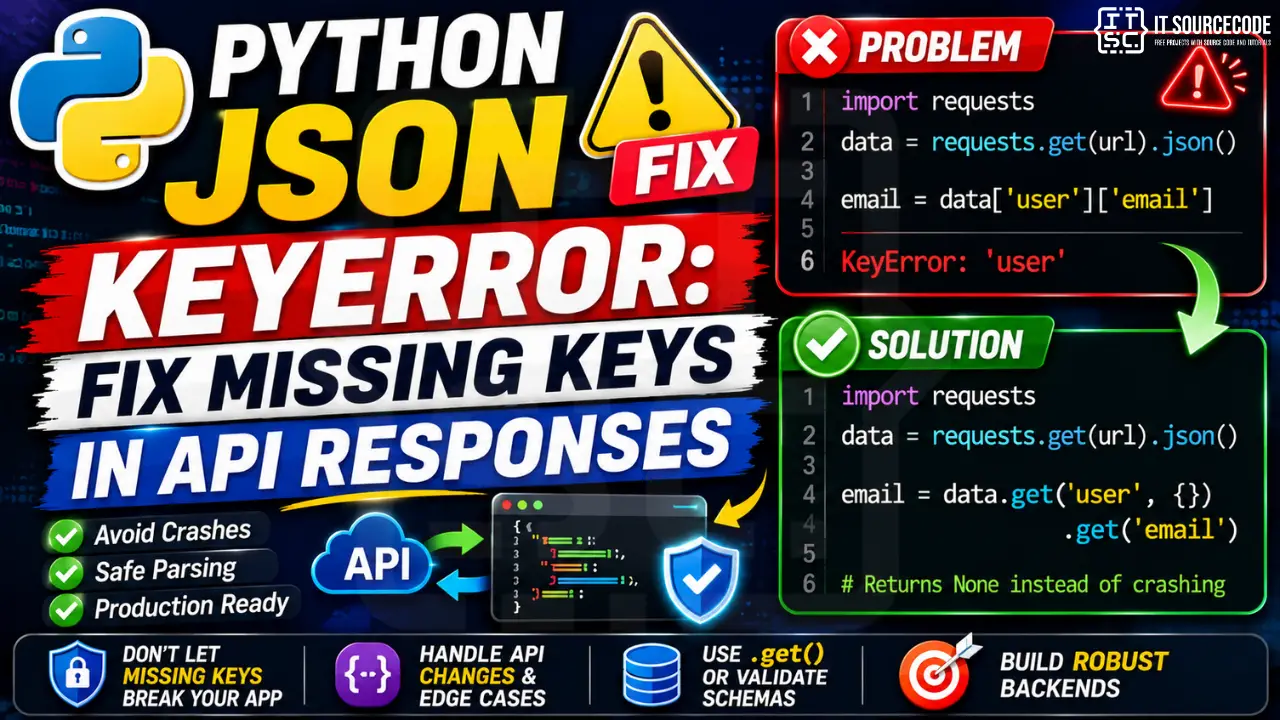
📌 Quick answer: For optional fields, use data.get("user", {}).get("email") instead of data["user"]["email"], it returns None instead of crashing. For required fields where you want to fail loudly with a clear message, validate with Pydantic (best for typed models) or jsonschema (best for raw schema validation). Never do bare data["key"] on JSON you didn’t generate yourself.
Why Python JSON KeyError Is a Production-Only Bug
When you write data["user"], Python looks up "user" in the dict. If the key is missing, because the API omitted it, returned an error response, or changed its schema, Python raises KeyError: 'user'. The hard part is that this error is invisible during development:
- Happy-path testing hides it: your test fixtures always include every field
- API docs lie or drift: fields documented as “always present” sometimes aren’t
- Error responses have a different shape: your code expects
{"data": ...}but got{"error": ...} - Rate limits and partial responses: degraded mode often returns a subset of fields
The fix isn’t to “be more careful.” It’s to make defensive parsing the default for every external JSON source.
Cause #1: Missing Top-Level Key in API Response
The classic case. Your code expects a field that just isn’t there:
import requests

resp = requests.get("https://api.example.com/v1/orders/123")
data = resp.json()

order_total = data["total"]   # ❌ KeyError: 'total' if API omits it
This breaks the moment the API returns a degraded response, switches to a new version, or hits an internal cache miss that strips optional fields.
The fix, use dict.get() with a sensible default:
# ✅ Returns None if missing
order_total = data.get("total")

# ✅ Returns a sensible default
order_total = data.get("total", 0)

# ✅ Fail loudly with a clear error if missing
if "total" not in data:
    raise ValueError(f"API response missing 'total': {data}")
order_total = data["total"]
The pattern depends on intent. For optional fields use a default. For required fields, raise a clear error that includes the actual payload, that turns a cryptic KeyError into a debuggable log line.
Cause #2: Nested Key Access Through a Missing Parent
This one bites every Django and Flask developer integrating Stripe, OpenAI, or any API with deeply nested responses:
# OpenAI response handling
resp = openai_client.chat.completions.create(...).model_dump()

content = resp["choices"][0]["message"]["content"]
# ❌ KeyError: 'message': happens when the response was content-filtered
#    and "message" was replaced with "refusal" or omitted entirely
The same pattern destroys Stripe webhook handlers:
customer_email = payload["data"]["object"]["customer_details"]["email"]
# ❌ KeyError: 'customer_details': guest checkout sessions don't have it
The fix, chained .get() with empty-dict fallbacks:
# ✅ Each .get() falls through cleanly
content = (
    resp.get("choices", [{}])[0]
        .get("message", {})
        .get("content")
)

# ✅ For Stripe-style nested access
customer_email = (
    payload.get("data", {})
           .get("object", {})
           .get("customer_details", {})
           .get("email")
)

# ✅ Or use a small helper for arbitrary depth
def deep_get(d, *keys, default=None):
    for k in keys:
        if not isinstance(d, dict):
            return default
        d = d.get(k, default)
    return d

email = deep_get(payload, "data", "object", "customer_details", "email")
The deep_get() helper is worth adding to your project’s utils module. It eliminates the entire class of nested KeyError in one reusable function.
Cause #3: Array vs Object Confusion (Empty Lists)
Many APIs return paginated or filtered results where the list might be empty. Accessing index 0 of an empty list raises IndexError first, but trying to dict-access the array itself raises KeyError:
data = {"items": []}   # API returned empty result set

first_item_name = data["items"][0]["name"]
# ❌ IndexError: list index out of range

# Or:
data = {}   # API returned envelope without "items"
items = data["items"]
# ❌ KeyError: 'items'
The fix, defend against both shapes:
items = data.get("items", [])
if items:
    first_item_name = items[0].get("name")
else:
    first_item_name = None
For the IndexError side of this, see our companion guide on Python IndexError fixes.
Cause #4: API Returned an Error Response
This is the most common production cause. The HTTP status was 200 (or 400, and you didn’t check), the body parsed as valid JSON, but the SHAPE is different because it’s an error envelope:
resp = requests.post("https://api.example.com/v1/charges", json=payload)
data = resp.json()

# Happy path: {"data": {"id": "ch_123", ...}}
# Error path: {"error": {"code": "card_declined", "message": "..."}}

charge_id = data["data"]["id"]   # ❌ KeyError: 'data' when API returned error
The fix, branch on the response shape before accessing fields:
resp = requests.post(...)

# ✅ Always check HTTP status first
resp.raise_for_status()
data = resp.json()

# ✅ Then check the response envelope
if "error" in data:
    err = data["error"]
    raise APIError(err.get("code"), err.get("message"))

charge_id = data["data"]["id"]
The combination of raise_for_status() + envelope check catches both HTTP-level and application-level errors before they become KeyErrors.
Cause #5: Inconsistent Responses (Rate Limits, Pagination Edges)
Real APIs return different shapes in different conditions, often without documenting it. Examples from 2026 production code:
- Rate-limited responses: Twitter/X API returns a stripped envelope with only
errorandretry_after - Last page of pagination: many APIs omit the
next_cursorfield on the final page - Free-tier vs paid-tier: OpenAI’s
usagefield is missing or shaped differently for some endpoints - Cached responses: CDN caches sometimes return stale envelopes missing newly-added fields
# Works for 999 out of 1000 pages: breaks on the last one
next_cursor = response["pagination"]["next_cursor"]
# ❌ KeyError: 'next_cursor' on the final page

# ✅ Treat missing cursor as "no more pages"
next_cursor = response.get("pagination", {}).get("next_cursor")
if not next_cursor:
    break   # finished paginating
The mental model that helps: every JSON field from an external source is optional until you’ve validated it.
Cause #6: json.dumps() Returned a String, You Forgot to .loads() Back
A subtle one. You serialized a dict to a string for storage (Redis, queue payload, log line), pulled it back out, and tried to access keys without parsing:
import json

# Pushing to Redis / Celery / RabbitMQ
payload_str = json.dumps({"user_id": 42, "action": "signup"})
redis.set("pending_event", payload_str)

# Later, in a worker
raw = redis.get("pending_event")   # returns bytes/str, NOT dict
user_id = raw["user_id"]
# ❌ TypeError: string indices must be integers
# or KeyError depending on Python version / wrapper
The fix, always json.loads() after deserializing from a string source:
raw = redis.get("pending_event")
payload = json.loads(raw)   # back to dict
user_id = payload["user_id"]
Same trap with Django’s request.body (bytes), Flask’s request.get_data() (bytes), Kafka message values, and S3 object bodies. Anything coming off the wire is bytes/string and needs explicit parsing.
Cause #7: Schema Drift: The API Changed, Your Code Didn’t
The most insidious cause. Your integration worked perfectly for 8 months. Then Stripe shipped API version 2026-04-15 and renamed customer_email to customer.email. Your code still expects the old shape:
# Worked until the API version bumped
email = event["data"]["object"]["customer_email"]
# ❌ KeyError: 'customer_email': now lives at object.customer.email
This always fails in production first because production is usually on the latest API version while dev pins an older one.
The fix, validate the schema at the entry point with Pydantic:
from pydantic import BaseModel, ValidationError
from typing import Optional

class StripeCustomer(BaseModel):
    email: Optional[str] = None

class StripeObject(BaseModel):
    id: str
    customer: Optional[StripeCustomer] = None

class StripeEvent(BaseModel):
    type: str
    data: dict

try:
    event = StripeEvent.model_validate(payload)
except ValidationError as e:
    logger.error(f"Stripe schema drift: {e}")
    raise
When schema drifts, Pydantic gives you a clear validation error pointing to the exact field that changed, instead of a generic KeyError 30 lines deeper into your handler.
The Three Defensive Parsing Strategies (Pick One Per Source)
Three patterns cover every JSON parsing need. Pick by use case:
1. dict.get(): for one-off optional fields
name = data.get("name", "Guest")
email = data.get("contact", {}).get("email")
Zero dependencies, perfect for quick scripts and small integrations. Gets unreadable past 3 levels of nesting.
2. jsonschema: for raw schema validation
from jsonschema import validate, ValidationError

schema = {
    "type": "object",
    "required": ["user_id", "amount"],
    "properties": {
        "user_id": {"type": "integer"},
        "amount": {"type": "number"},
    },
}

try:
    validate(instance=payload, schema=schema)
except ValidationError as e:
    return {"error": str(e)}, 400
Use when you have a published JSON Schema (OpenAPI specs, webhook contracts). No model class needed.
3. Pydantic: for typed models in production code
from pydantic import BaseModel
from typing import Optional

class WebhookPayload(BaseModel):
    event_id: str
    user_id: int
    amount: float
    metadata: Optional[dict] = None

# In your Django view / FastAPI route
payload = WebhookPayload.model_validate(request.json())
# Now `payload.user_id` is type-safe, autocompleted, and validated
The 2026 standard for Django, Flask, and FastAPI services. Pydantic v2 is fast (Rust-backed), and it turns runtime KeyErrors into compile-time-ish type errors your IDE catches before deploy.
Best Practice: A Reusable Safe-Parse Function
For codebases that aren’t ready to adopt Pydantic everywhere, this single helper covers 95% of cases:
import json
import logging
from typing import Any

logger = logging.getLogger(__name__)

def safe_json_get(
    source: Any,
    *keys: str,
    default: Any = None,
    required: bool = False,
) -> Any:
    """
    Safely traverse nested JSON. Accepts dict or JSON string.
    Returns default for missing keys; raises if required=True.

    Examples:
        safe_json_get(resp, "data", "user", "email")
        safe_json_get(resp, "data", "id", required=True)
    """
    if isinstance(source, (str, bytes)):
        try:
            source = json.loads(source)
        except json.JSONDecodeError as e:
            if required:
                raise ValueError(f"Invalid JSON: {e}")
            return default

    current = source
    for key in keys:
        if not isinstance(current, dict) or key not in current:
            if required:
                raise KeyError(
                    f"Missing required key '{key}' in path {keys}"
                )
            return default
        current = current[key]
    return current
Drop this in your project’s utils/json_utils.py. Every API integration in the codebase can now use one consistent, debuggable pattern.
Prevention Checklist for Production API Integrations
- Never use bare
data["key"]on JSON you didn’t generate yourself, always.get()or validate - Check
resp.raise_for_status()before parsing the body - Check for error envelope (
"error" in data) before accessing happy-path fields - Use Pydantic models for every webhook handler and every third-party API client
- Pin API versions in your client (e.g.,
Stripe-Version: 2026-04-15), opt into upgrades deliberately - Test against degraded responses: write fixtures for rate-limited, empty-list, and error-envelope shapes
- Log the full payload on KeyError: turn cryptic errors into actionable bug reports
- Set up alerts on ValidationError in your error tracker (Sentry/Honeybadger), schema drift surfaces immediately
Frequently Asked Questions
What causes KeyError when parsing JSON in Python?
KeyError when you access a dict key that doesn’t exist. With JSON, this typically happens because the API omitted an optional field, returned an error envelope instead of the happy path, changed its schema, or returned a degraded response under rate limits. The fix is to never use bare data["key"] on external JSON, use data.get("key") for optional fields, and validate required fields with Pydantic or jsonschema.How do I safely access nested JSON keys without KeyError?
.get() calls with empty-dict fallbacks: data.get("user", {}).get("profile", {}).get("name"). Each missing level falls through cleanly to None instead of crashing. For arbitrary depth, define a helper: def deep_get(d, *keys, default=None): for k in keys: d = d.get(k, default) if isinstance(d, dict) else default; return d. Then write deep_get(data, "user", "profile", "name") in your code.Should I use dict.get() or Pydantic for parsing API responses?
dict.get() is fine and has zero dependencies. For production code, webhook handlers, and any third-party API integration: use Pydantic v2. Pydantic validates the schema once at the entry point, gives you type-safe attribute access (payload.user_id instead of payload["user_id"]), and raises a clear ValidationError when the API schema drifts, instead of a cryptic KeyError 30 lines deep in your handler. It’s the 2026 standard for Django, Flask, and FastAPI.Why does my Stripe / OpenAI webhook handler keep throwing KeyError in production?
"error" in data first; (2) optional fields like customer_details are missing for guest checkouts or content-filtered responses; (3) the API version your code targets has drifted from what production uses. Fix it by validating every webhook payload with a Pydantic model at the top of the handler. Production usually runs on a newer API version than your dev environment, which is why these bugs only show up live.What’s the difference between KeyError and TypeError when parsing JSON?
KeyError means you accessed a missing dict key, the JSON parsed correctly, the field just isn’t there. TypeError: string indices must be integers means you forgot to call json.loads() on the raw bytes/string and tried to dict-access a string. If you’re reading from Redis, Kafka, Celery, request bodies, or S3 object bodies, you always need json.loads(raw) first. See our Python KeyError explained guide for the full taxonomy.How do I validate a JSON response against a schema in Python?
jsonschema (when you have a published JSON Schema document, e.g., from an OpenAPI spec) and pydantic (when you want typed Python classes). Pydantic is faster, gives you autocomplete in your IDE, and is the 2026 default for new Django and FastAPI code. Example: from pydantic import BaseModel; class Order(BaseModel): id: str; total: float, then order = Order.model_validate(response.json()). Invalid responses raise ValidationError with the exact field path that failed.How can I prevent JSON KeyError when an API changes its schema?
Stripe-Version: 2026-04-15) so upgrades are deliberate; (2) validate every response with Pydantic, schema drift surfaces as a clear ValidationError instead of a runtime KeyError; (3) set up alerts on ValidationError in your error tracker so you find out the day the API changes, not the day a user reports a crash; (4) keep fixtures for rate-limited, error-envelope, and empty-list response shapes so your tests cover degraded modes.📌 Building APIs and integrations?
For your next backend project, see best Python projects with source code, browse 150 capstone project ideas for IT students, or pick the right Python IDE 2026.
Final Recommendation
If you take only one habit from this guide, make it this: never use bare bracket access on JSON from a source you don’t control. Every webhook, every third-party API response, every config file from disk, wrap it.
For quick scripts, that means data.get("key") with sensible defaults. For production code in Django, Flask, or FastAPI, that means a Pydantic model at the entry point of every handler:
from pydantic import BaseModel

class WebhookPayload(BaseModel):
    event_id: str
    user_id: int
    amount: float

# At the top of your view
payload = WebhookPayload.model_validate(request.json())
# Type-safe access from here on: no more KeyError
One model per webhook source. One validation call at the entry point. The rest of your code gets type-safe, autocompleted, IDE-checked access, and the day Stripe or OpenAI changes their schema, you get a clear ValidationError instead of a cryptic KeyError in production at 3am.
🎯 Your next steps:
- Add the
safe_json_get()helper to your project’s utils module - Audit every
data["key"]in your webhook handlers, replace with Pydantic or.get() - Pin your third-party API versions explicitly in client headers
- If you’re also hitting other KeyError patterns, see our Python KeyError explained, os.environ KeyError, and pandas KeyError guides
- Explore the full KeyError fix collection or browse our Python tutorials
Still stuck on a specific JSON KeyError? Paste your error message and a sanitized sample of the JSON payload in the comments, we’ll help you build the right defensive parser.