
 Come together with the global Drupal community in Rotterdam, 28 Sept – 1 Oct 2026. Sessions, contribution, connection, and Early Bird savings until 8 June.
On this page
One-Time Reports
Once you have successfully completed at least one scan, you can start viewing the results inside the Drupal. To do so, return to the web page archive overview page:

The click the View Run History button for the job you want to review. This will present a screen detailing the run history for a particular job.

Overview Report
To investigate the results for an individual run, click the View Details link for the particular run you wish to look at. You should get a report like this:
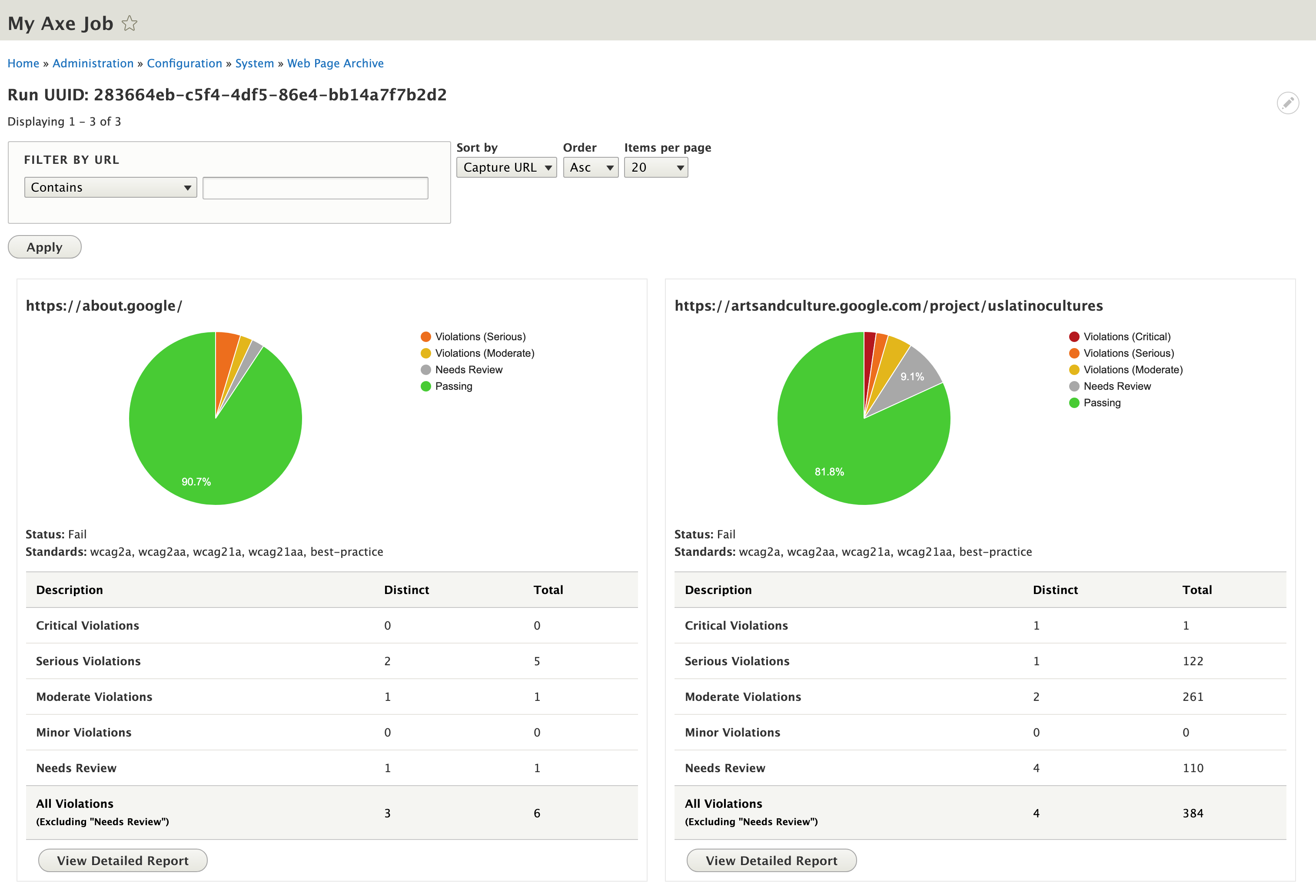
You can filter and sort results by using the form fields at the top of the page:

Each individual URL scanned has a chart and table breaking down violations (by severity) and elements needing review.

- Distinct - If the same rule is violated multiple times (e.g., multiple images are missing alt tags), it will only count once.
- Total - If the same rule is violated multiple times (e.g., multiple images are missing alt tags), it will count for every single instance that is missing the alt tag.
Detailed Report
To see the specific violation details for a particular URL, click the View Detailed Report button on a specific URL.
This report is broken up into sections:
- Quicklinks
These links help you quickly navigate to specific sections of the report.

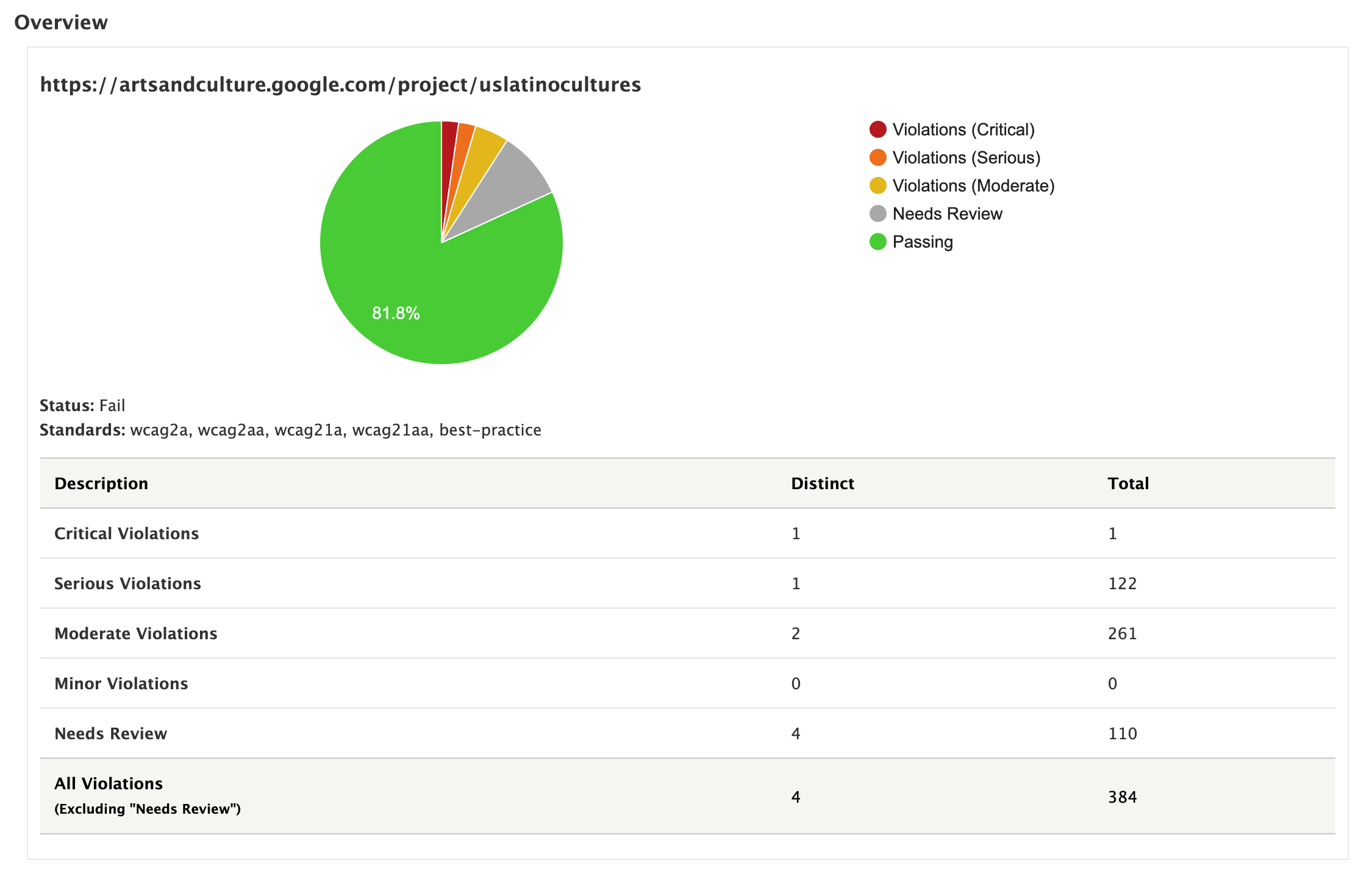
- Overview
This is a recap of what you saw on the overview report.
- Rule Violations
This is a list of all violations for a particular URL, broken down by severity and includes links to the respective rule details on Deque University's website.

- Needs Review
This is a list of all elements the axe scanner determined need further investigation, broken down by severity and includes links to the respective rule details on Deque University's website.

- Passing Results
This is a list of all rules that the URL successfully passed, including links to the respective rule details on Deque University's website.

- Inapplicable Rules
This is a list of all rules that didn't apply to the particular URL, due to prerequisite HTML elements not existing on the scanned URL, including links to the respective rule details on Deque University's website.

Help improve this page
You can:
- Log in, click Edit, and edit this page
- Log in, click Discuss, update the Page status value, and suggest an improvement
- Log in and create a Documentation issue with your suggestion
